
Business & teams, Shifts, Events
The shift planning app for companies and teams
The RSVP and sign-up system for teams and shifts: plan shifts, meetings and company events, see RSVPs in real time and send changes to everyone at once. For internal teams, agencies, studios, event organizers, ride services, associations and startups.
- iOS, Android & web
- No feature upgrades needed
- No credit card needed




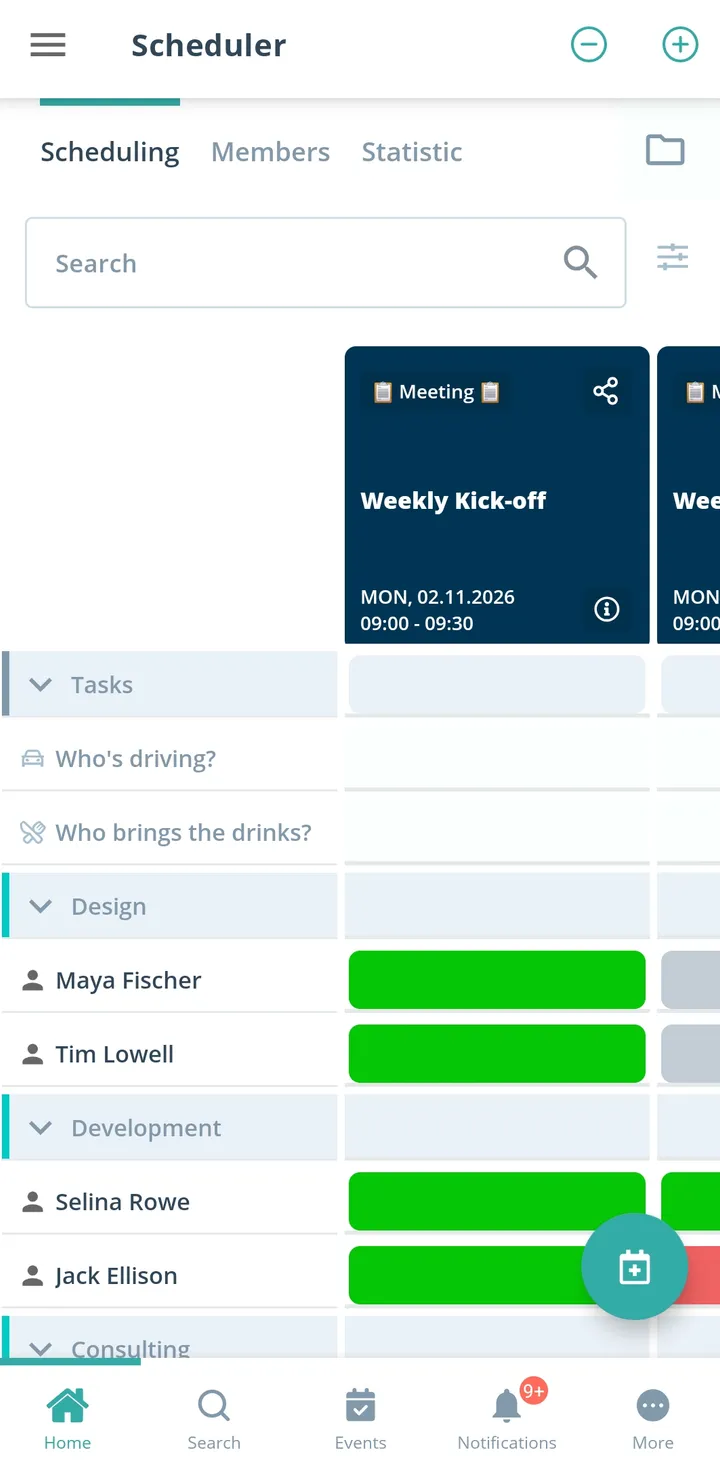
What your shift plan looks like
Plan on the computer, reply on the go. All names and shifts here are examples.
- For team leads: plan in the browser
- For employees: reply in the app
Where do you organize?
Pick your area and see examples from everyday work.
In the company




For customers and guests






In short
Gumb is a shift planning app and RSVP system for companies and teams: for internal teams with shifts, agencies, startups and SMEs, company events, corporate sports, studios and course providers, dog schools, event organizers, ride services, and associations and networks. Shifts, meetings and events sit in one shared team calendar, employees report availability with one click, the star marks fixed assignments, and planned absences show up early. Everyone uses Gumb personally in the app or the browser, with push notifications, chat and calendar sync. Every plan includes all features, employees never pay. Gumb does not offer time tracking or payroll, you export attendance to Excel for billing.
One price for the whole team
You pay per team, not per person. Employees never pay.
Gumb Pro, every feature
149 CHFa year
for up to 100 people in the team
Same price for:
- 10 people
- 30 people
- 50 people
- 100 people
With 100 people that is about 1.50 Swiss francs per person a year.
Many scheduling tools bill per employee and month. In return they also track working hours and prepare payroll, which Gumb does not.
More than 100 people? Premium comes in tiers, and every community adds 100 employees. Current prices in your currency are on the pricing page.
See all pricesWhat the export looks like
Gumb has no time tracking. You export attendance to Excel and continue there.
Example: attendance report
Sample data| Date | Activity | Start | End | Duration (min.) | Person | Role | Reply |
|---|---|---|---|---|---|---|---|
| 09/04/2026 | Early shift | 7:00 am | 3:00 pm | 480 | Example A. | Participant | going |
| 09/04/2026 | Early shift | 7:00 am | 3:00 pm | 480 | Example B. | Leader | going |
| 09/05/2026 | Late shift | 2:00 pm | 10:00 pm | 480 | Example A. | Participant | not going |
| 09/05/2026 | Late shift | 2:00 pm | 10:00 pm | 480 | Example C. | Participant | unsure |
| 09/06/2026 | Weekend | 9:00 am | 1:00 pm | 240 | Example B. | Leader | going |
Invented sample data, no real people. You find the export in the scheduler under Statistics.
Attendance report
One row per person and event
Date, activity type, start, end, duration in minutes, location, person, role, weekday, organizer, reply, roster, penalty and two free text fields.
Event calendar report
One row per event
Event name, date, invited, replies received, response rate, going, not going, unsure, info only, additional guests, accepted tasks and the comments per person.
How to calculate it in Excel
- Bill hoursAttendance report, filter the role "Leader", sum the duration per person, divide by 60, multiply by the hourly rate.
- Attendance rate per personNumber of yes replies divided by number of events, as a pivot by person or group.
- Find events with weak repliesEvent calendar report, sort the response rate column.
- Share assignments fairlyCount accepted tasks per person to see who took a task how often.
- Guest count for the eventSum the yes replies plus additional guests.
- Keep an eye on declinesCount the replies "not going" and "unsure" per person and month.
One team calendar instead of five tools
What costs teams at companies time, and how Gumb fixes it.
Without Gumb: Shift plan, meetings and events live in different spreadsheets and chats.
With Gumb: Everything sits in one team calendar, every team with its own group scheduler.
Without Gumb: You ask for availability one by one.
With Gumb: Employees report per event with one click whether they can make it.
Without Gumb: Not everyone knows who is scheduled.
With Gumb: The star marks fixed assignments, visible to everyone.
Without Gumb: You hear about absences too late.
With Gumb: Planned absences show up early, before you plan.
Shifts, meetings and events under control
Its own scheduler for every team, the full picture for management.
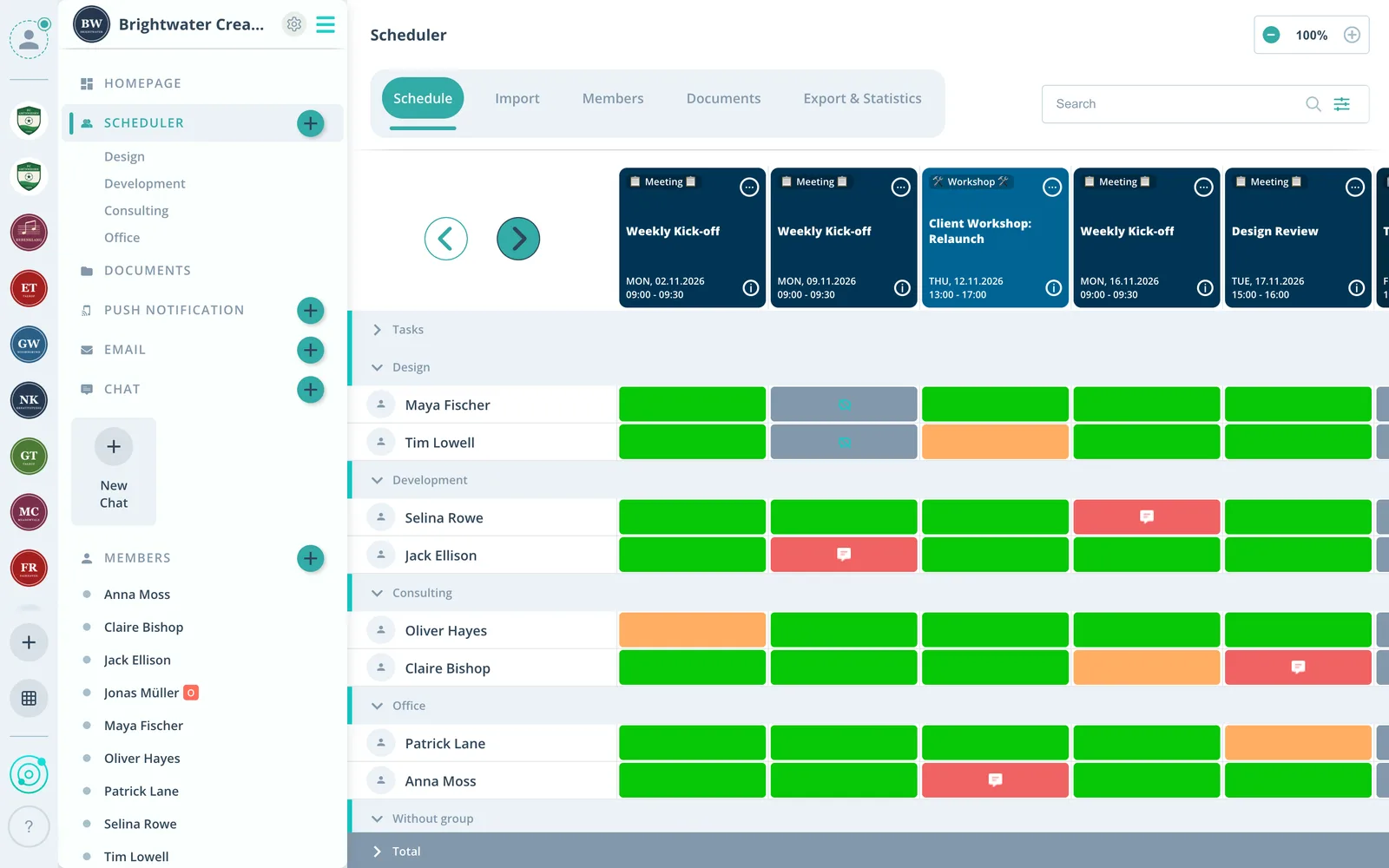
Live availability
For every event you see who can and who cannot.
A star for fixed assignments
After the check you mark who takes the assignment.
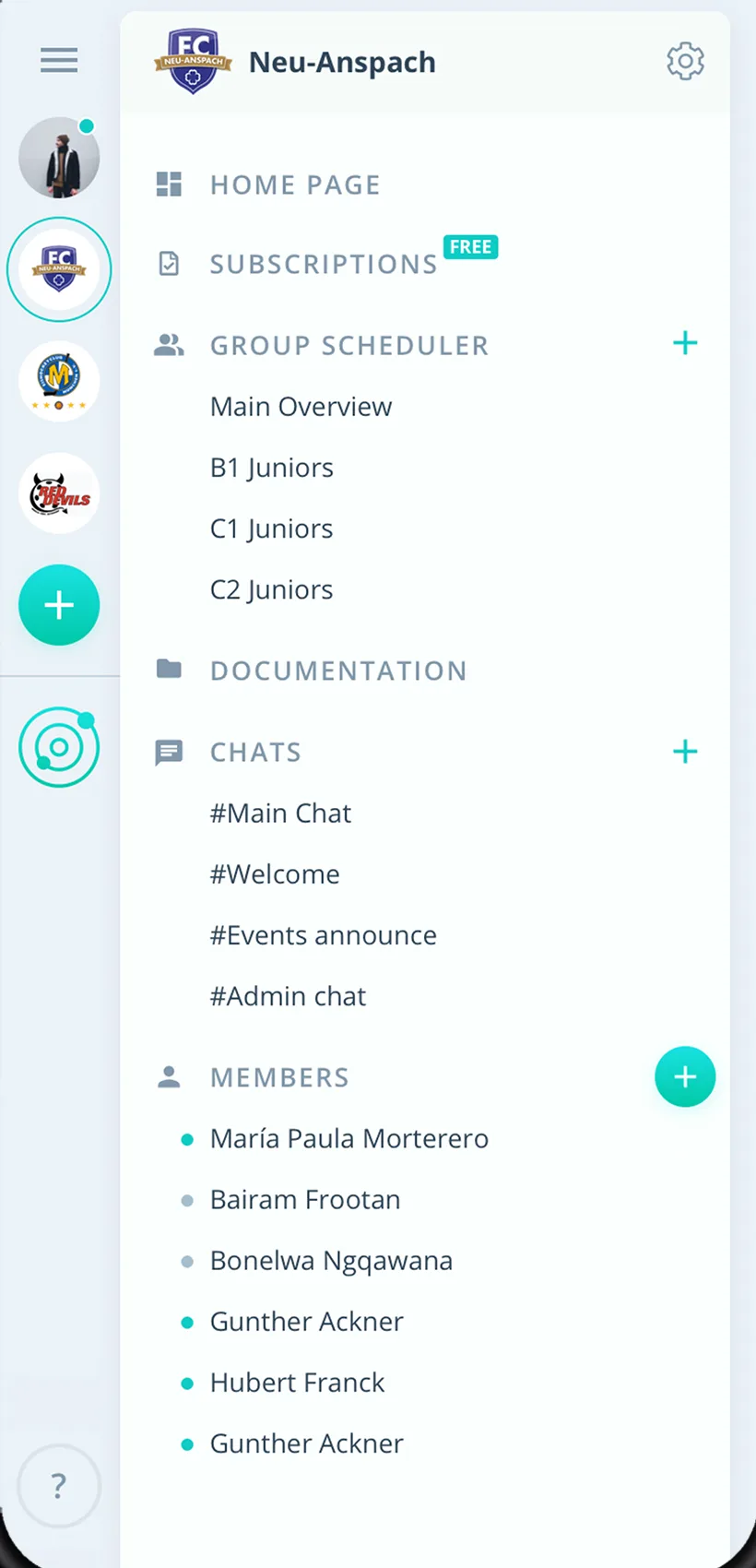
Teams and sites
Every team plans on its own, management sees everything.
Everything for companies and teams
For internal teams, startups, company events, corporate sports and associations.
Shared team calendar
Shifts, meetings and events of every team in one place.
Availability and responses
Employees answer with one click, custom answers and comments included.
Shifts and assignments
Shifts as events, fixed assignments by star, tasks on the event.
Planned absences
See vacations and absences early and plan around them.
Changes reach everyone
Push notifications and emails after changes, even when the app is closed.
Talk on every shift
Comments on each shift or meeting, chat rooms and direct messages.
Procedures and documents
Checklists, agendas and minutes on the event or in the team folder.
Teams and sites
Each team plans for itself, several independent communities from Premium.
Four clear roles
Four roles, from owner to member, set who plans what in each team.
How your company gets started
From the first team to a shared team calendar.
- 1
Create teams
Create groups for teams, sites or projects and invite employees.
- 2
Enter events
Shifts as a series, meetings and events with a response deadline.
- 3
Plan
Check availability, mark fixed assignments and mind absences.
For everyone at work
Team leads
- Availability without one-by-one requests
- Fixed shifts marked with a star
- Changes reach everyone right away
Employees
- Answer every request with one click
- Your shifts and events in view
- Profile visible only to chosen admins
Management
- All teams and sites in one place
- No extra payroll or time system needed
- Sites as their own communities from Premium
What companies and organizations say
4.7/54.7 out of 5 stars271 ratings across both platforms25K+ users
Great app for scheduling. Very clear, reliable and easy to use.
We use this system in our aid organization and at work. We are very happy with it, as we had been looking for a working and reliable system for a long time. The app offers many options, including staff and equipment management, and above all makes our work easier. Simply recommendable. A clear 5-star rating
Simple and clear to use, everything works perfectly.
Reviews translated from German.
Companies and teams that use Gumb



















FAQ: the shift planning app
Which teams and areas is Gumb suited for?
For internal teams with shifts and duties, startups and SMEs, company events, corporate sports, and associations and networks. Each of these groups has its own page with examples.
Which app is suited for shift planning in a small team?
Gumb is suited when a team wants to plan shifts, assignments and events in one shared calendar. You create shifts as events, employees report availability with one click, and the star marks fixed assignments. This works for teams from a few people up to several sites.
Is there a shift planning app without time tracking and payroll?
Yes. Gumb plans shifts and events but does not track working hours or run payroll. If you need both, use Gumb for the schedule and your payroll software for the rest.
How do I bill assignment hours if Gumb has no time tracking?
In the statistics you export the attendance report as an Excel file. It contains date, start and end time and the duration in minutes for every person and event, plus the role (participant, leader, owner). You multiply the duration by the hourly rate in your spreadsheet. That is enough for many teams, without expensive specialist software. More in the help article on statistics and exports.
Which figures can I export from Gumb?
The statistics offer two reports as Excel files. The attendance report gives, per person and event, date, activity type, start and end time, duration in minutes, location, role, weekday, organizer, response (going, not going, unsure, pending), squad and penalty. The event calendar report gives, per event, invited people, responses received, response rate, yes and no counts, additional guests, accepted tasks and the comments per person.
Does the employee get something out of the app too?
Yes. They see their assignments and all events of their groups in the app and the browser, respond with one click, get reminders and changes as push notifications and write in the team chat. That is the difference to pure administration software that only management benefits from.
Can I chat in Gumb instead of WhatsApp?
Yes. You chat one to one or in chat rooms, much like WhatsApp, right in the app. Push notifications and email per event come on top. The team writes where the schedule is. Chat is included in every plan.
How does signing up for shifts and assignments work?
You set a response deadline on the event. Until then employees respond yes or no, and up to two reminders per event bring in the answers. You see at a glance who is missing.
How does everyone learn about short-notice changes?
You change the event, and Gumb asks whether to send notifications. Push notifications and email reach everyone, even when the app is closed.
Is there a shared team calendar?
Yes. Events for the whole company are visible to everyone, group events only to that team. If you like, events also go into Google, Apple or Outlook calendars.
Can I manage several teams or sites?
Yes. Every team gets its own group scheduler, up to 20 on the Pro plan. Several independent communities, for example per site, come with the Premium plan.
Who sees employees' data, and is Gumb privacy compliant?
Employees decide in their settings which admins can access their profile. Roles add to that: group leaders plan for their team, admins manage the company. Gumb complies with GDPR and the Swiss FADP.
How much does Gumb cost, and is there a trial?
You try Gumb free for 2 months, with all features, no credit card and no automatic renewal. The Pro plan costs 149 Swiss francs a year for up to 100 employees, every plan includes all features, and employees never pay. Current prices are on the pricing page.
Why is Gumb cheaper than many shift planning tools?
Many shift planning tools bill per employee per month and include time tracking and payroll preparation. Gumb bills per team, at 149 Swiss francs a year for up to 100 employees on Pro, and does not track working hours. If you need hours, you export attendance to Excel.
Is Gumb an alternative to WhatsApp groups or Doodle?
For events, RSVPs and assignments yes: RSVPs with a deadline, reminders and one shared calendar instead of a chat history. The comparisons are under "Gumb vs. WhatsApp groups" and "Gumb vs. Doodle".
Does Gumb work as an app and in the browser?
Yes. Gumb runs on iOS, Android and in the browser, without feature upgrades.
Which companies and teams use Gumb?
For example agencies, shuttle services, event organizers, security services, corporate sports groups and associations. The logos are further up on this page.
Ready for a shared team calendar?
Try Gumb with your company free for 2 months, with every feature, no credit card and no automatic renewal.