
For Admins
Automate Notifications 📳
Gumb notifies your members automatically when an event is created, changed or deleted, and reminds them before it starts. As an admin, you decide once what goes out on which channel. Each member decides in their profile which channels they receive.
What notifications are there?
- 📅 Event created
- 🔄 Event updated
- 🗑️ Event deleted
- 🔔 Event reminder, up to 2 per channel
Each one goes out on three channels: In-App (web app and the iOS and Android apps), Email to the address on file and Push to the phone, even when the app is closed. At the start, In-App and Push are on and Email is off.
How to set up notifications
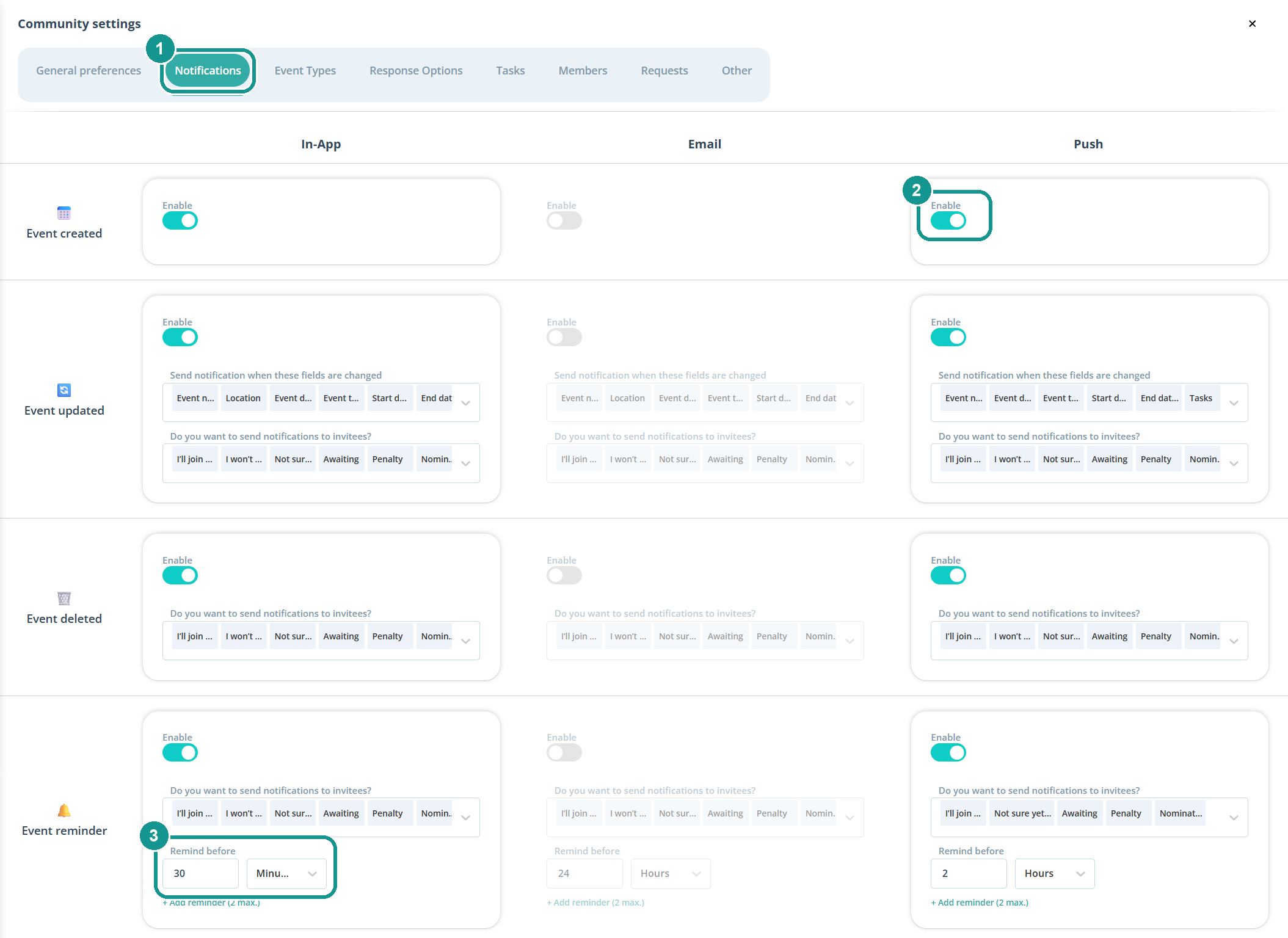
- Click the gear ⚙️ next to your community's name and open the Notifications tab (1).
- Turn Enable on or off for each notification and channel (2).
- For Event reminder, set under Remind before how long before the event Gumb sends it (3). + Add reminder adds a second one.
Who gets a notification?
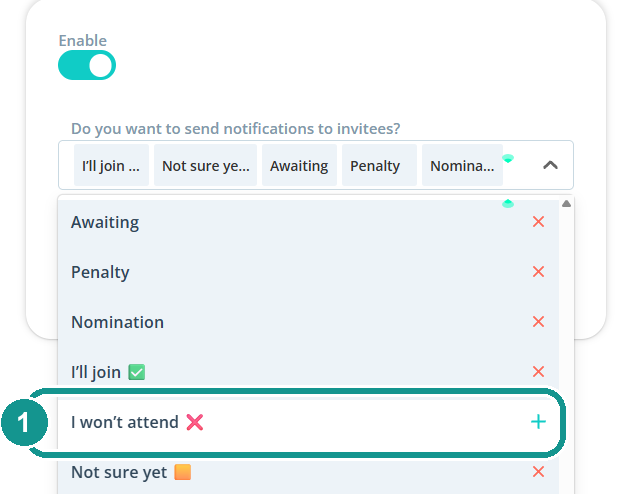
Under each notification, the field Do you want to send notifications to invitees? lists the responses it goes out for. "Awaiting" stands for everyone who hasn't responded yet.
An example: if "I won't attend" is deselected for the push reminder (1), Gumb only reminds people who said yes or haven't responded yet.
Which changes send a notification?
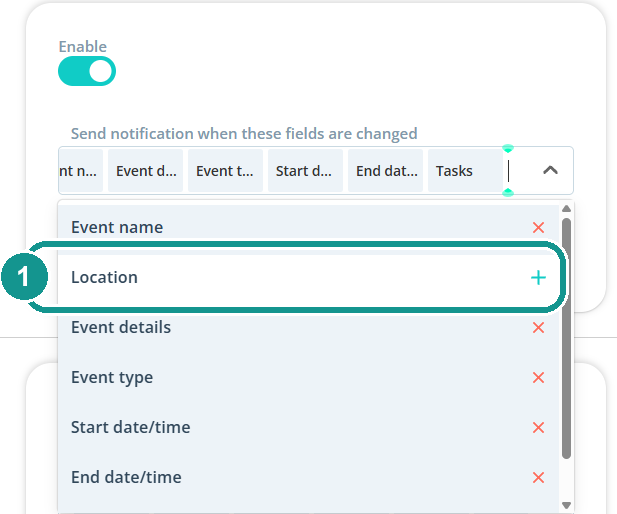
For Event updated, you pick the fields that count: event name, location, event details, event type, start date/time, end date/time and tasks. If Location is deselected (1), Gumb sends no push when only the location changes.
Can I decide for each change?
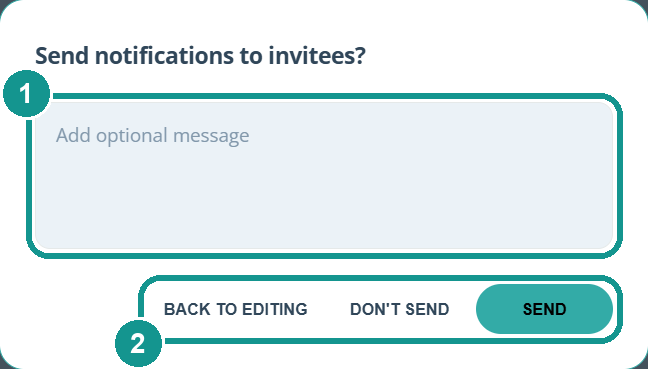
Yes. When you change an event and click Update event, Gumb asks Send notifications to invitees? You can add a message (1), e.g. why the time changed. Then pick Send, Don't send or Back to editing (2). Who gets the notification and on which channel follows the settings above.
What's worth it and what isn't?
- Reminders without declines: Deselect "I won't attend" for the event reminder. People who declined don't need a reminder.
- Small fixes without push: If you often only edit the description, deselect "Event details" for push. A text fix then no longer triggers a push.
- Email where it helps: Turn on email only for the reminder, e.g. 24 hours before. That way not every change lands in the inbox.
What do members set themselves?
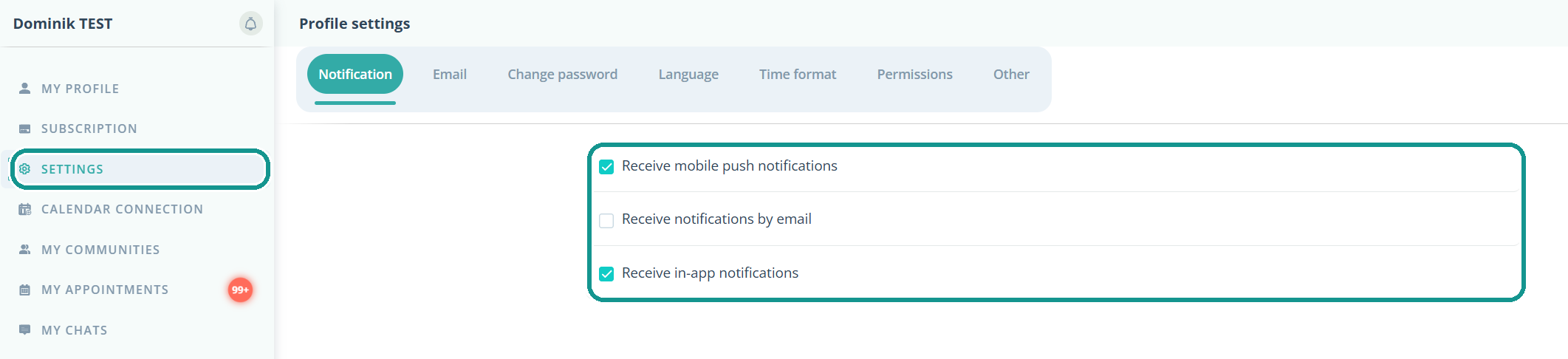
Each member chooses under Profile > Settings > Notification whether they receive push, email and in-app notifications. Email is off here at the start. A notification only arrives if it's on in the community settings and the member allows that channel in their profile.
Important for push: When opening the app for the first time, tap Allow when asked about notifications. Otherwise no notifications reach the phone.