
For Admins
Roles and permissions 🛂
In Gumb, everyone has one of four roles: owner, admin, group leader or member. The role decides what someone can see and change. In the member list on the left, you see it by the letter next to the name: O for owner, A for admin, G for group leader.
What can each role do?
- Owner: everything admins can do. On top of that, only the owner manages the subscription and can delete the community. Each community has exactly one.
- Admin: all settings ⚙️, all groups and events. Admins also respond on behalf of other members.
- Group leader: creates events for their own group, responds on behalf of its members, sends push messages and emails and stores files in the group's folder. They don't see the community settings.
- Member: sees the events they're invited to and responds themselves.
How to make someone an admin
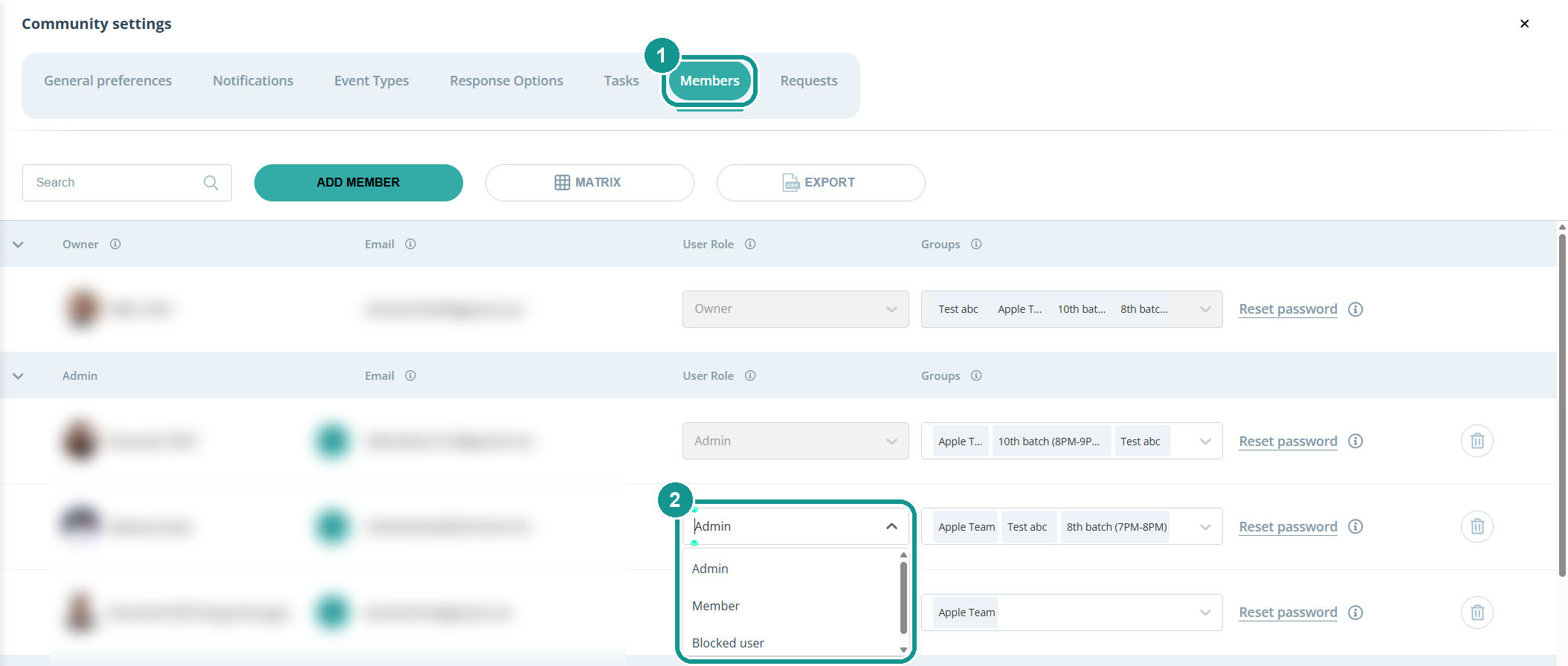
- Click the gear ⚙️ next to your community's name and open the Members tab (1).
- In the User Role column next to the person, pick Admin (2).
Owners and admins can do this. The same menu has Blocked user: it locks a person out without deleting them.
How to make someone a group leader
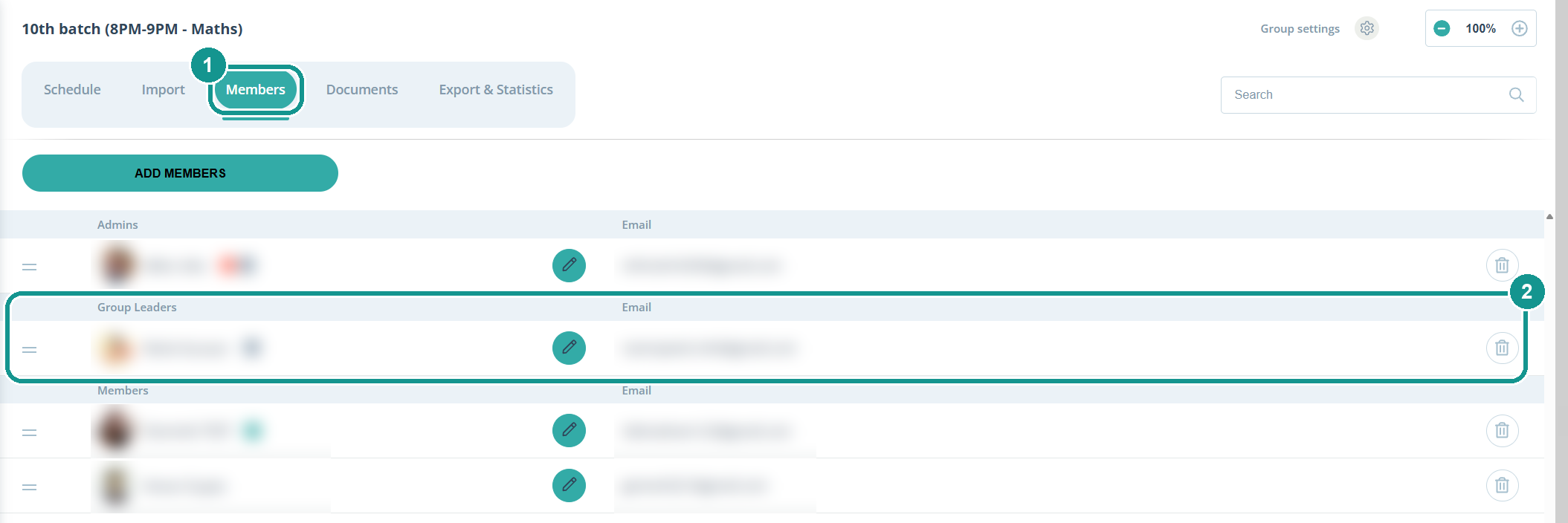
- In the Scheduler on the left, click the group and open the Members tab (1).
- Drag the person by the handle ☰ into the Group Leaders section (2).
How do I change the owner?
You can do it without support, step by step here: Transfer Ownership 🤝🏻