
Team, Shift, Duty
The shift planning app for internal teams
Plan shifts, duties and team meetings, see RSVPs in real time and track attendance automatically. For team leads, employees and management, without the group chat chaos.
- iOS, Android & web
- No feature upgrades needed
- No credit card needed




In short
Gumb is a shift planning app for internal teams. Team leads set up early, late or weekend shifts as events, employees report their availability with one click, and fixed assignments are then marked with a star. Planned absences show up early, changes reach everyone by push notification and email, and every site plans in its own group scheduler. Gumb has no time tracking or payroll.
One price for the whole team
You pay per team, not per person. Employees never pay.
Gumb Pro, every feature
149 CHFa year
for up to 100 people in the team
Same price for:
- 10 people
- 30 people
- 50 people
- 100 people
With 100 people that is about 1.50 Swiss francs per person a year.
Many scheduling tools bill per employee and month. In return they also track working hours and prepare payroll, which Gumb does not.
More than 100 people? Premium comes in tiers, and every community adds 100 employees. Current prices in your currency are on the pricing page.
See all pricesWhat the export looks like
Gumb has no time tracking. You export attendance to Excel and continue there.
Example: attendance report
Sample data| Date | Activity | Start | End | Duration (min.) | Person | Role | Reply |
|---|---|---|---|---|---|---|---|
| 09/04/2026 | Early shift | 7:00 am | 3:00 pm | 480 | Example A. | Participant | going |
| 09/04/2026 | Early shift | 7:00 am | 3:00 pm | 480 | Example B. | Leader | going |
| 09/05/2026 | Late shift | 2:00 pm | 10:00 pm | 480 | Example A. | Participant | not going |
| 09/05/2026 | Late shift | 2:00 pm | 10:00 pm | 480 | Example C. | Participant | unsure |
| 09/06/2026 | Weekend | 9:00 am | 1:00 pm | 240 | Example B. | Leader | going |
Invented sample data, no real people. You find the export in the scheduler under Statistics.
Attendance report
One row per person and event
Date, activity type, start, end, duration in minutes, location, person, role, weekday, organizer, reply, roster, penalty and two free text fields.
Event calendar report
One row per event
Event name, date, invited, replies received, response rate, going, not going, unsure, info only, additional guests, accepted tasks and the comments per person.
How to calculate it in Excel
- Bill hoursAttendance report, filter the role "Leader", sum the duration per person, divide by 60, multiply by the hourly rate.
- Attendance rate per personNumber of yes replies divided by number of events, as a pivot by person or group.
- Find events with weak repliesEvent calendar report, sort the response rate column.
- Share assignments fairlyCount accepted tasks per person to see who took a task how often.
- Guest count for the eventSum the yes replies plus additional guests.
- Keep an eye on declinesCount the replies "not going" and "unsure" per person and month.
From shift plan chaos to clear coverage
What costs team leads time with every shift plan, and how Gumb fixes it.
Without Gumb: You ask each person individually who can work next week.
With Gumb: Employees report availability per shift with one click. You see everything in one place.
Without Gumb: Who is scheduled sits in a spreadsheet nobody keeps up to date.
With Gumb: Fixed assignments are marked with a star. Everyone sees right away who is working.
Without Gumb: You only hear about vacations and absences at the last minute.
With Gumb: Employees enter planned absences so you can plan in time.
Without Gumb: A last-minute change does not reach everyone.
With Gumb: You edit the shift, and a push notification goes to everyone affected if you want.
Shifts, duties and team meetings under control
Availability, fixed assignments and changes, in the app and in the browser.
Ask for availability
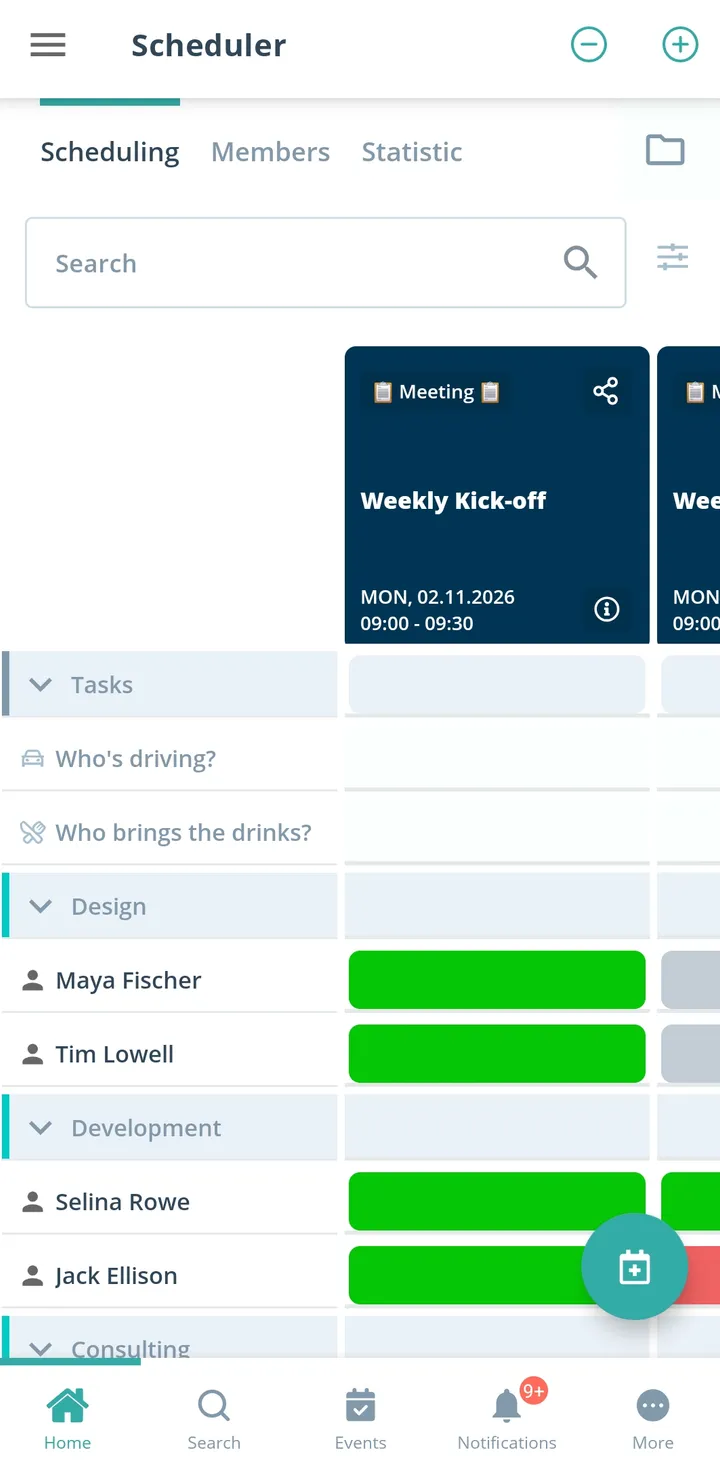
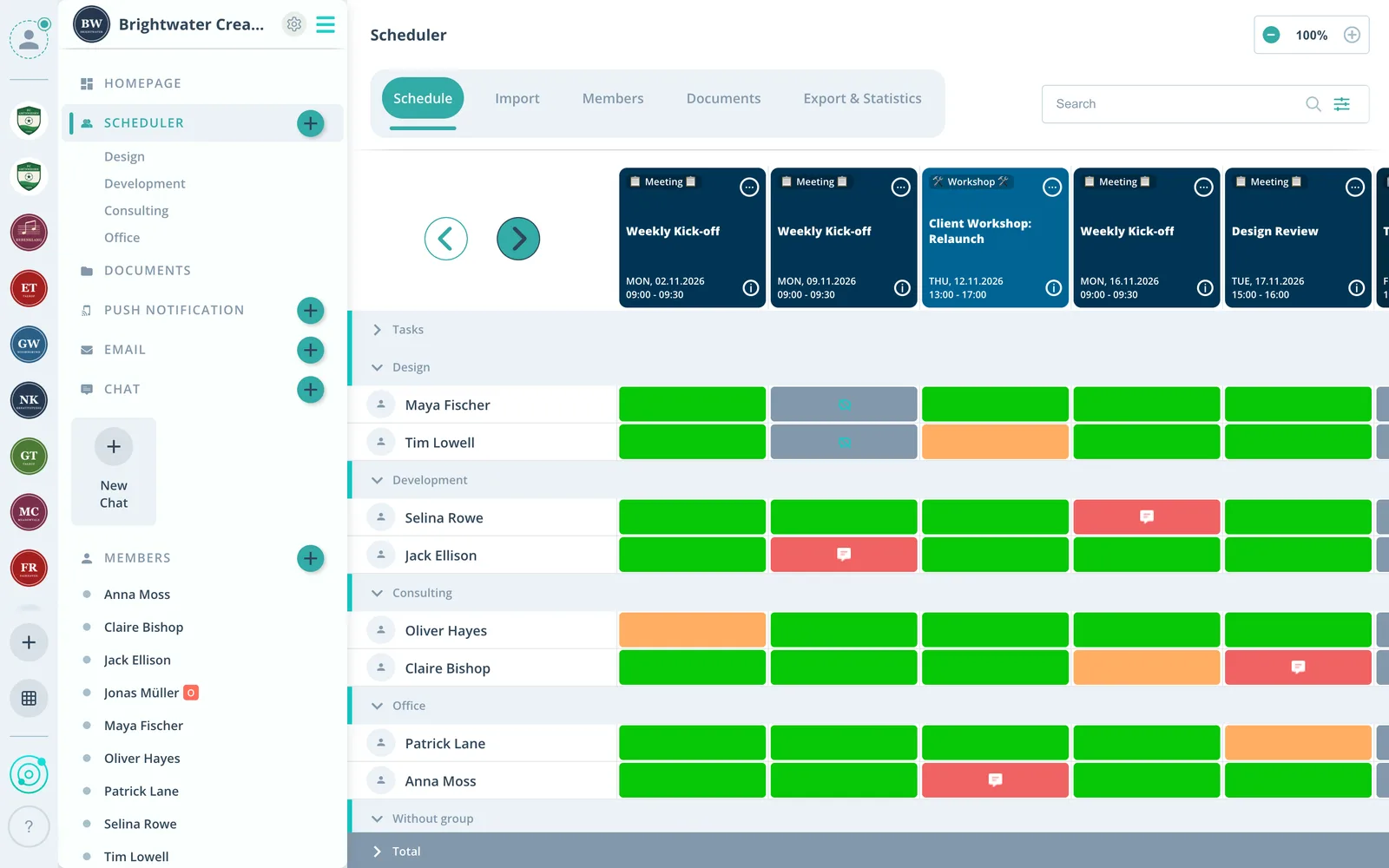
For every shift you see live who can, who cannot and who has not answered yet.
Fixed assignments by star
After the availability check you mark with a star who takes the shift.
Sites apart
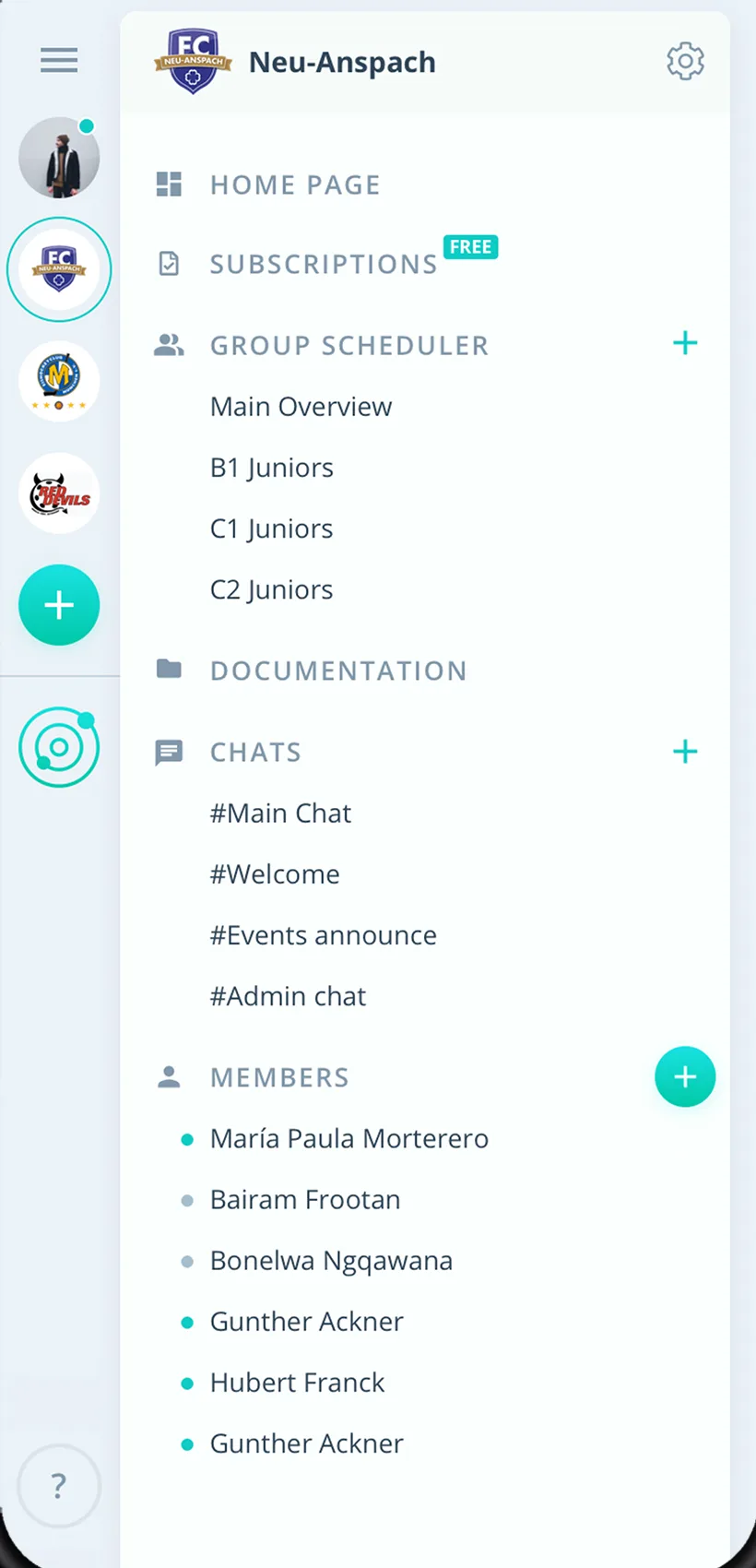
Branches and departments each get their own group scheduler.
Everything for your shift plan
For team leads, employees and management. From the early shift to the team meeting.
Shifts in the calendar
Early, late and weekend shifts as recurring events.
Availability with one click
Employees report per shift whether they can work, with a comment if needed.
Fixed assignments by star
After the availability check, the star marks who takes the shift.
Planned absences
See vacations and absences early and plan shifts around them.
Changes reach everyone
After every change Gumb asks whether to notify everyone by push and email.
Handovers on the event
Shift notes right on the event instead of private chats.
Checklists and procedures
Checklists, procedures and emergency numbers in the team folder.
Teams and sites
Every team or site with its own group scheduler.
Rights for supervisors
Admins manage the company, team leads schedule as group leaders.
How your team gets started
From the first team to the first fully staffed shift plan.
- 1
Create teams
Create a group for every team or site and invite employees.
- 2
Enter shifts
Add shifts as recurring events with a deadline for availability.
- 3
Set assignments
Check availability and mark fixed assignments with a star.
For everyone on shift
Team leads
- Availability without one-by-one requests
- Fixed assignments by star
- See absences early
Employees
- Report availability with one click
- Your shifts always in view
- Your shift plan in your personal calendar
Management
- All sites in one place
- Clear roles and rights
- No extra payroll or time system
What companies and clubs say about Gumb
4.7/54.7 out of 5 stars271 ratings across both platforms25K+ users
We use this system in our aid organization and at work. We are very happy with it, as we had been looking for a working and reliable system for a long time. The app offers many options, including staff and equipment management, and above all makes our work easier. Simply recommendable. A clear 5-star rating
Gumb
Great app!
Great app, works even for very large clubs. Highly recommended.
Reviews translated from German.
Companies and internal teams that use Gumb
 VELVET agentur
 ZüriCar GO
 Ärztezentrum Waldstrasse
 Seetaxi Zürichsee
 Betriebsgruppe Militäranlagen Solothurn
FAQ: the shift planning app
How do I create a shift plan with Gumb?
Set up the shifts as recurring events. Employees report per shift whether they can work, and you then mark fixed assignments with a star. Everyone sees right away who is working.
Does Gumb record hours worked on shifts?
No. Gumb has no time tracking and no payroll. Keep using your existing system for time tracking.
How do I learn about vacations and absences early?
Employees enter planned absences so you can plan shifts in time.
How do I tell everyone about a last-minute shift change?
You edit the shift, and Gumb asks whether notifications should be sent. Push notifications arrive even when the app is closed.
Does each branch plan separately?
Yes. Every site gets its own group scheduler, and group events are only visible to its employees. Several independent communities come with the Premium plan.
Who can create shifts?
Admins see and manage every event. Team leads get the group leader role and plan their team's shifts. Employees report their availability.
Do team leads see all profile data?
No. Employees decide in their settings which admins can access their profile.
Which shift planning app suits restaurants, retail or security services?
Gumb suits any team that wants to plan shifts and assignments and does not need time tracking. Shifts are events, employees report availability, and the star marks fixed assignments. Security services have their own page.
How do I avoid being understaffed on shifts?
Set a response deadline and assign the duties as tasks on the event. You see at a glance where someone is still missing, and up to two reminders bring in the answers.
How do employees enter planned absences or days off?
Employees report planned absences, and management sees them early in the calendar. That way you plan shifts with the people who are really available.
How do I bill shift hours if Gumb has no time tracking?
In the statistics you export the attendance report as an Excel file. It contains date, start and end time and the duration in minutes for every person and event, plus the role (participant, leader, owner). You multiply the duration by the hourly rate in your spreadsheet. That is enough for many teams, without expensive specialist software.
Does the employee get something out of Gumb too, and can they chat there?
Yes. They see their shifts in the app and the browser, can add them to their Google, Apple or Outlook calendar, respond with one click and chat with the team or one to one, included in every plan.
What does Gumb cost for a shift team?
You try Gumb free for 2 months. The Pro plan costs 149 Swiss francs a year for up to 100 employees, with all features. Employees never pay.
Ready for the next shift plan?
Try Gumb with your shift team free for 2 months, with every feature, no credit card and no automatic renewal.