
For Admins
Member Matrix 👤🔀
With the matrix, you assign people to one or several communities with a click. It's handy for season and team changes or when someone is on several teams. Gumb saves every change right away.
How to open the matrix
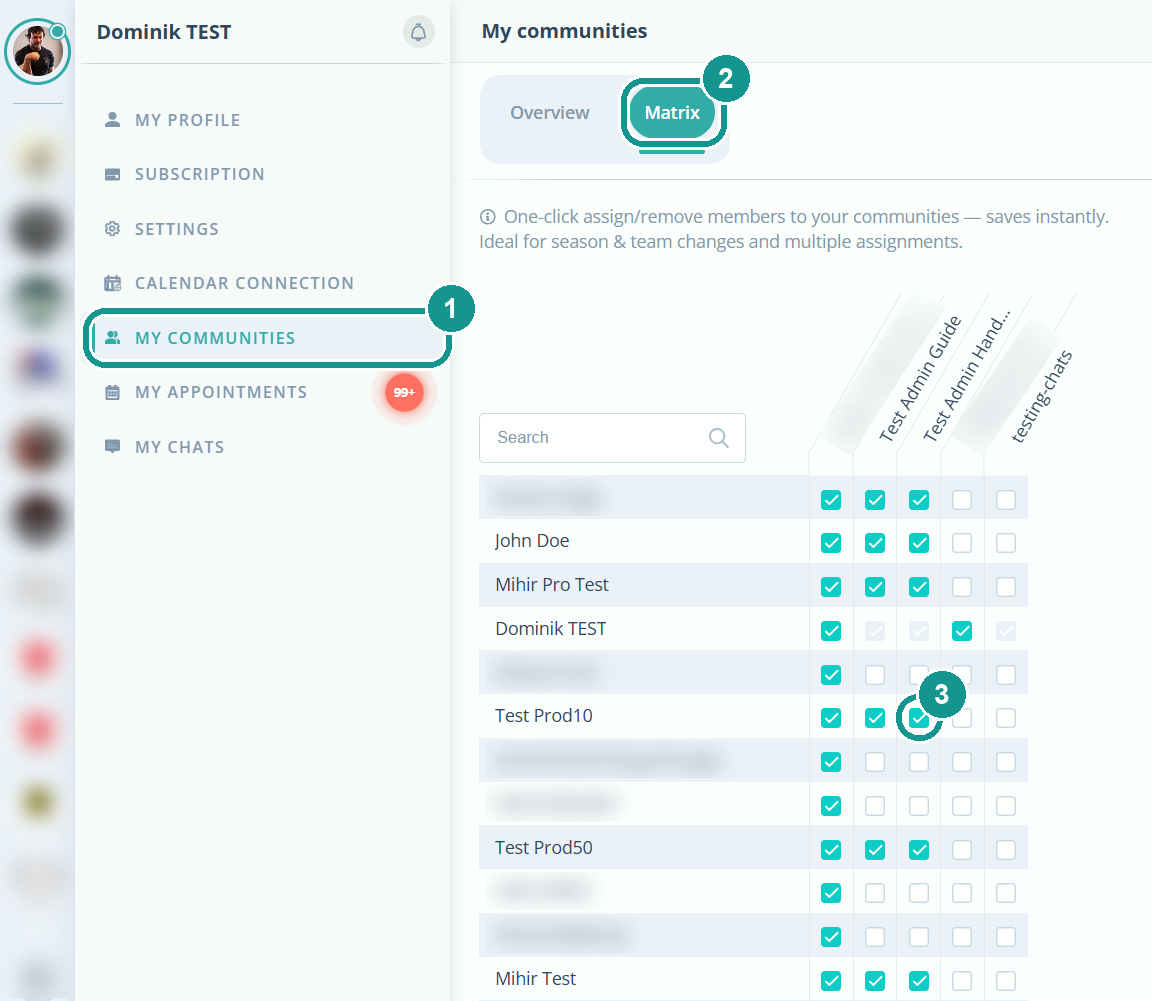
- Click your profile picture at the top left and choose My communities (1).
- Open the Matrix tab (2).
Or: gear ⚙️ next to your community's name, Members tab, Matrix button.
How to assign people
Each column is a community, each row a person.
- Check the box (3): The person is now in that community.
- Uncheck the box: The person is no longer in that community.
- Search: Use the search field to find a person quickly.
A person can be in as many communities as you like.
Why is a box grayed out?
You can't change it. That's the case for a community's owner and for communities where you aren't an admin.
Why don't I see all communities?
The matrix only shows communities where you're the owner or an admin.