
For Admins
Statistics & exports: which report for what? 📊
In the scheduler, under Statistics, Gumb offers two export reports. Here you'll learn which report is meant for what - and which columns you get.
🗓️ Appointment calendar
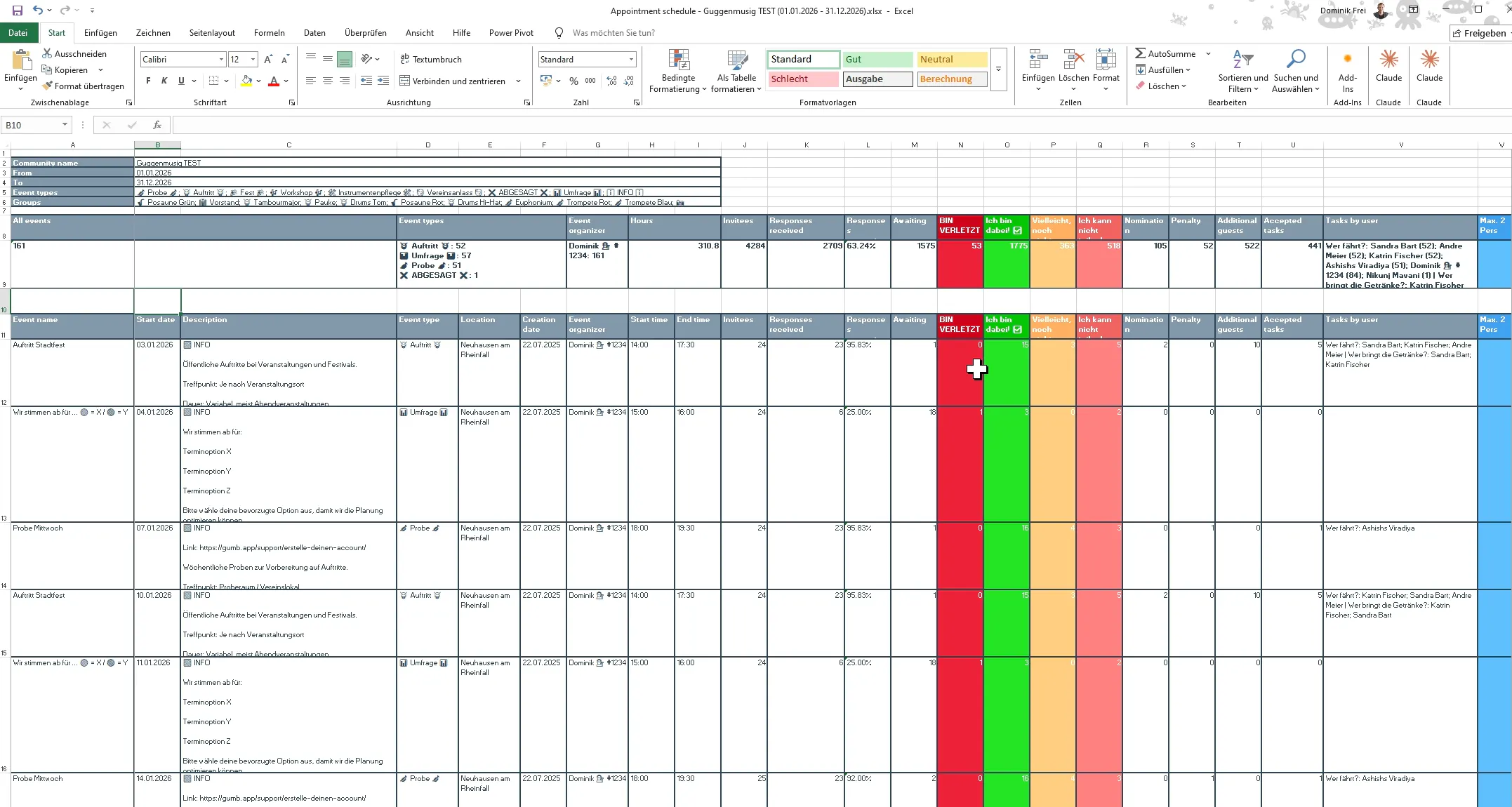
A per-event view - one row per event.
- Responses per event: accepts, declines and status.
- Tasks per person - e.g. who drives or who brings drinks.
- Comments per person and event.
Best for the question: Who does what at which event?
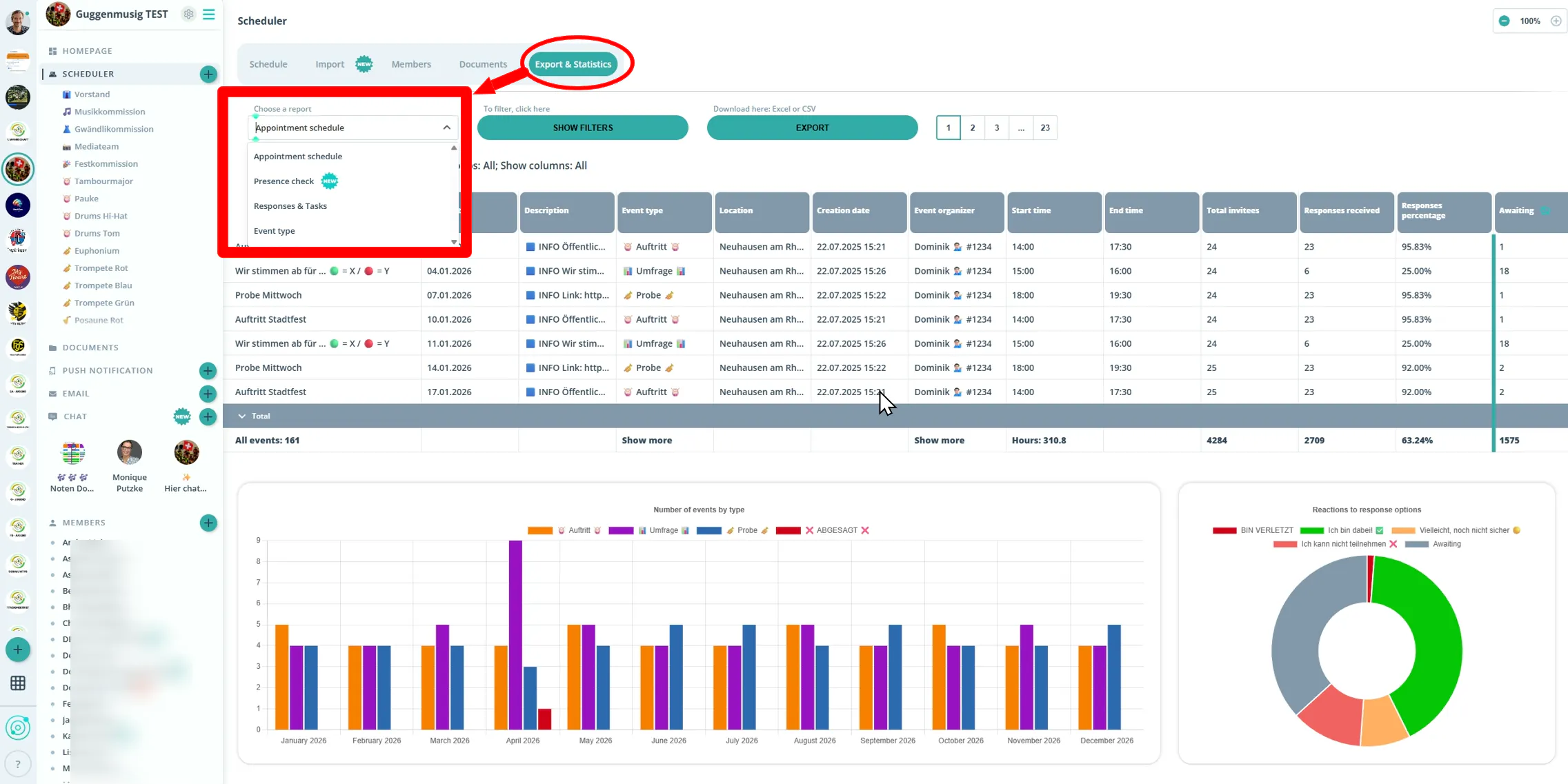
📊 Attendance check
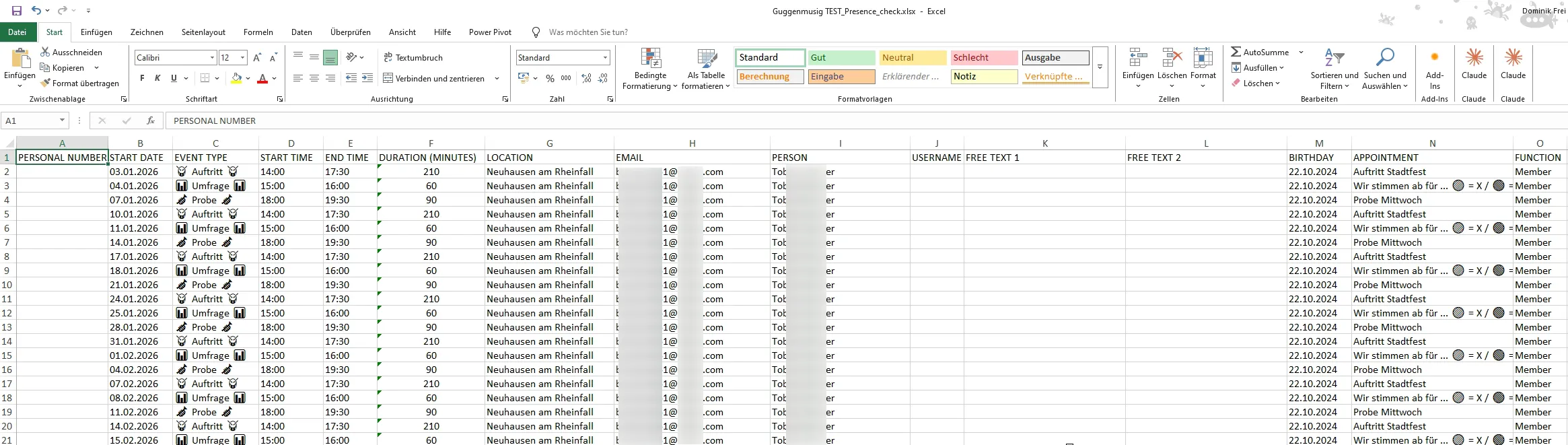
A per-person, per-event view.
- Attendance status per person and event.
- Free-text fields 1 + 2 for individual notes.
- J+S/BASPO-compliant columns (name, date of birth, AHV number, event ID, date, times). More in the J+S attendance check article.
Best for the question: Who attended when - including notes?
Which report for which question?
- "Who takes on which task?" > Appointment calendar
- "Who attended when?" > Attendance check
- "Notes/free text per person?" > Attendance check
- "Tasks & comments per event?" > Appointment calendar
📋 Excel column overview (Appointment calendar)
The appointment-calendar export provides, per event, columns such as:
- Event name, Start date, Description, Event type, Location, Creation date, Event organizer
- Start time, End time, Invitees, Responses received, Responses percentage, Awaiting
- Your response options (e.g. "I'm in ✅", "Maybe 🟡", "I can't ❌")
- Nomination, Penalty, Additional guests
- Accepted tasks, Tasks by user, plus one column per task (e.g. "Who drives?", "Who brings drinks?")
- Given comments, Given comments by user - the comments per person and event
Tip: The attendance check instead uses one row per person and event - with free-text fields 1 + 2.
Appointment calendar export (Excel)
Attendance check export (Excel)
Questions?
Reach out at support@gumb.app, use our contact form or visit our help centre at gumb.app/en/support.