
Group, Meetup, Calendar
The app for mixed groups and circles of friends
Plan meetups, outings and shared events, see RSVPs in real time and track attendance automatically. For organizers, members and admins, without the group chat chaos.
- iOS, Android & web
- No feature upgrades needed
- No credit card needed




In short
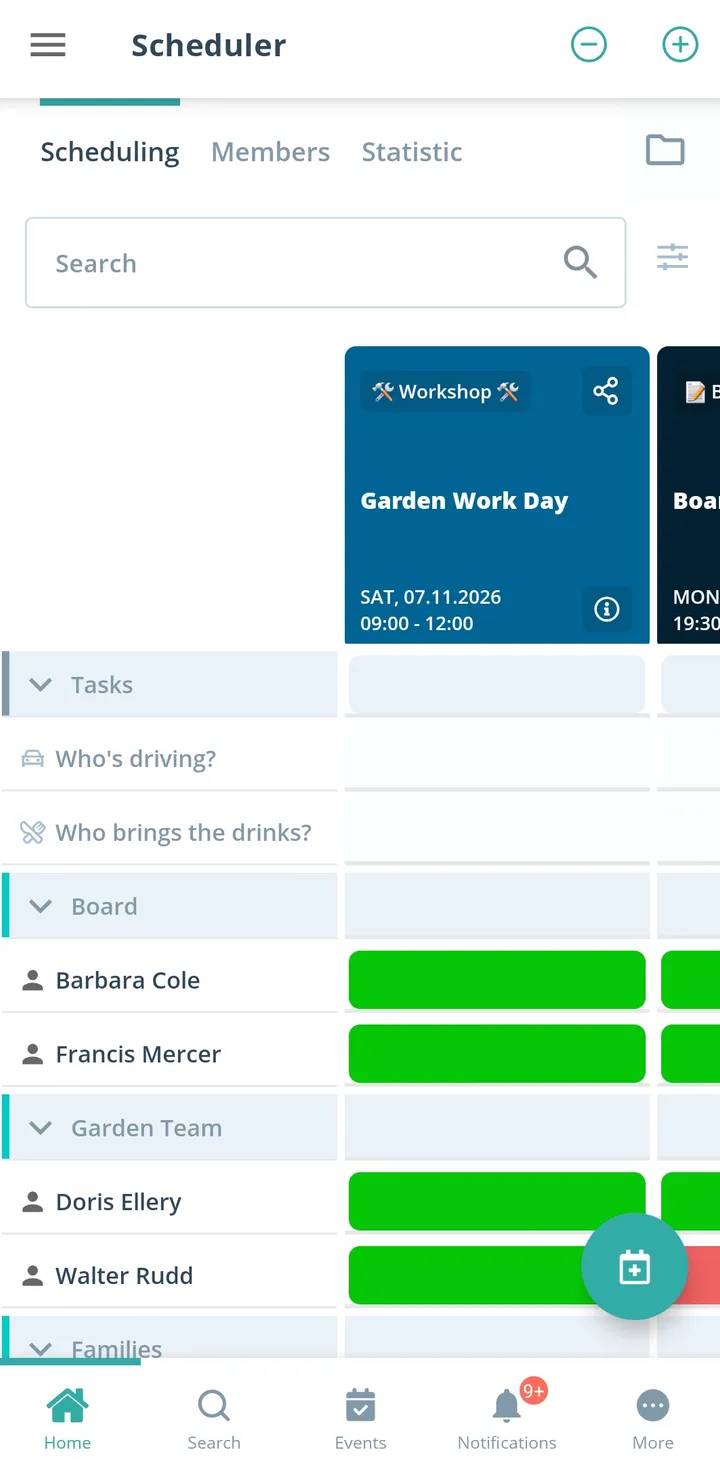
Gumb is an app for mixed groups and circles of friends, such as regular meetups, class reunions or groups that do things together on a regular basis. Meetups and trips sit as events in the shared calendar, everyone says yes or no with one click, and a poll event helps you find the right date. Who brings what is a task on the event, and new people join by link.
From group chat to a meetup that actually happens
What costs organizers in a circle of friends time, and how Gumb fixes it.
Without Gumb: Finding a date takes dozens of messages, and in the end it still does not suit everyone.
With Gumb: A poll event shows at a glance which date most people pick.
Without Gumb: Nobody knows exactly who is really coming on Saturday.
With Gumb: Responses sit on the event, live for everyone to see.
Without Gumb: Who brings the grill, drinks or salad gets lost in the chat.
With Gumb: Things to bring are tasks on the event, with names next to them.
Without Gumb: New people know neither the dates nor the meeting point.
With Gumb: Newcomers join by link and see every upcoming meetup right away.
Meetups, trips and parties under control
Find a date, see responses, share out what to bring. In the app and in the browser.
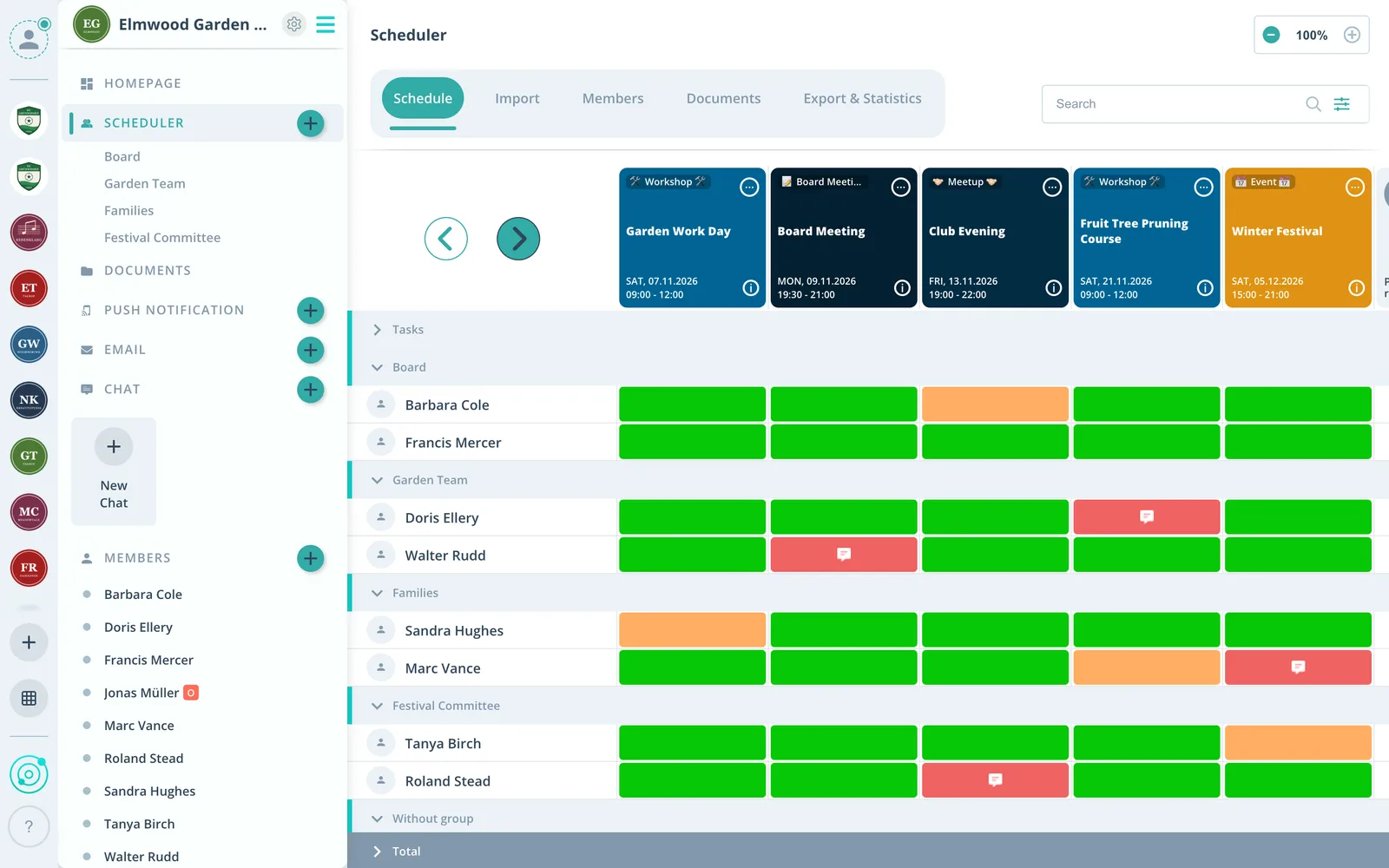
Date by poll
With an event type called "Poll" the group votes on dates.
Things to bring as tasks
Grill, drinks, salad: every task with a name on the event.
Join by link
One link is enough, and new people are in the group.
Everything your circle of friends needs
For organizers, members and admins. From the regular meetup to the class reunion.
Shared calendar
Regular meetups as a series, trips and parties as single events.
Responses with a plus-one
Everyone answers with one click, with a comment such as "bringing a friend" if they like.
In your own calendar
Events show up in Google, Apple or Outlook if you like.
Who brings what
Grill, drinks or the booking as tasks on the meetup.
A reminder before the meetup
Up to two reminders, so nobody forgets the meetup.
Chat on the event
Questions about the meeting point right on the event, plus chat rooms.
Photos and details
Share directions, program or photos on the event.
Subgroups
Hiking crew, card night or cooking circle with its own group scheduler.
Who organizes
Admins manage the group, organizers schedule as group leaders.
How your circle of friends gets started
From the first link to a meetup with every response.
- 1
Create the group
Create the group and share the join link.
- 2
Find a date
Ask about possible dates with a poll event.
- 3
Plan the meetup
See responses and hand out things to bring as tasks.
For everyone in the circle
Organizers
- A date without a flood of messages
- Know who will show up
- Things to bring shared fairly
Members
- Answer for the meetup with one click
- Meetups in your own calendar
- Meeting point and program on the event
Admins
- Add newcomers by link
- Plan subgroups separately
- Members never pay
What circles of friends and groups say
4.7/54.7 out of 5 stars271 ratings across both platforms25K+ users
Gumb
Great app!
With all my hobbies I always had a big muddle. With the Gumb app I can see who is coming when, and I can also ask why not... The layout is very user-friendly and modern. I think the app is very good and recommend it.
Great app, works even for very large clubs. Highly recommended.
Reviews translated from German.
Groups and teams that use Gumb
 FC St. Gallen
 Native Crew
 Talentschule Davos
 Tonhalle Wil Platzanweiser
 KiBuMä Meineringhausen
 Fänclub SCL Tigers
FAQ: the app for mixed groups
How do we find a date that suits everyone?
With an event type called "Poll". The answer options stand for the possible dates, and in the scheduler you see right away which date most people pick.
How do we sort out who brings what?
Create things to bring such as grill, drinks or salad as tasks and turn them on for the meetup. Everyone signs up themselves and sees what is still missing.
How do new people join the group?
By link with a join request, by email invitation, or an admin enters them directly.
Can someone say they are bringing a plus-one?
Yes. In the settings under "Answers" you make a comment mandatory for the yes answer or leave it optional. That way everyone adds whether they come alone or with someone.
What happens if a meetup is called off?
Switch the event to an event type such as "Canceled" instead of deleting it. After you edit it, Gumb asks whether everyone should be notified.
Who pays for Gumb in a circle of friends?
Members never pay. The subscription runs through the person or group that manages the community.
Which app suits mixed groups and circles of friends?
Gumb suits groups that meet regularly: circles of friends, families or regulars tables. You set up events, everyone says yes or no with one click, and you see at a glance who is coming.
What does Gumb cost for a circle of friends?
You try Gumb free for 2 months, with every feature, no credit card and no automatic renewal. After that the Pro plan costs 149 Swiss francs a year for up to 100 members. Members never pay.
Ready for the next meetup with friends?
Try Gumb with your circle of friends free for 2 months, with every feature, no credit card and no automatic renewal.