
Project, Meeting, Task
The app for project groups and working groups
Plan meetings, workshops and milestones, see RSVPs in real time and track attendance automatically. For project leads, team members and admins, without the group chat chaos.
- iOS, Android & web
- No feature upgrades needed
- No credit card needed




In short
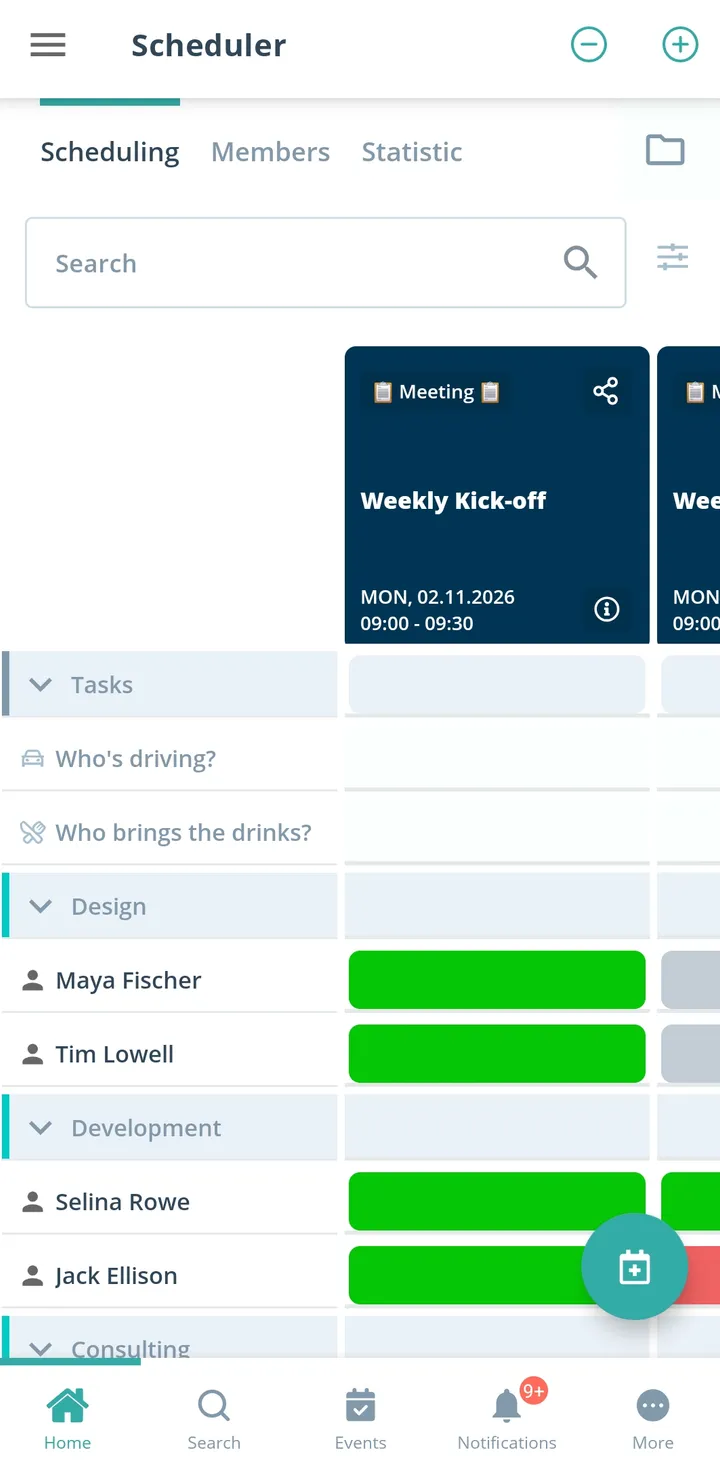
Gumb is an app for project and working groups, such as committees, organizing teams or groups with a shared goal. Meetings sit in the calendar as recurring events, agenda and minutes are files on the event, and roles such as chair or minute-taker become tasks. Subprojects plan in their own group schedulers, and you reach stakeholders without a Gumb account by email from the web app.
From scattered emails to clear meetings
What costs project leads time between two meetings, and how Gumb fixes it.
Without Gumb: Meeting dates sit in emails that not everyone received.
With Gumb: Every meeting sits in the shared calendar, in Outlook or Google too if you like.
Without Gumb: Whether the committee has a quorum, you only see at the table.
With Gumb: You see responses beforehand, with a response deadline if you like.
Without Gumb: Agenda and minutes sit in different inboxes.
With Gumb: Agenda and minutes are attached right to the meeting.
Without Gumb: Who takes minutes gets negotiated every time.
With Gumb: Chair and minute-taker are tasks on the meeting.
Meetings, workshops and milestones under control
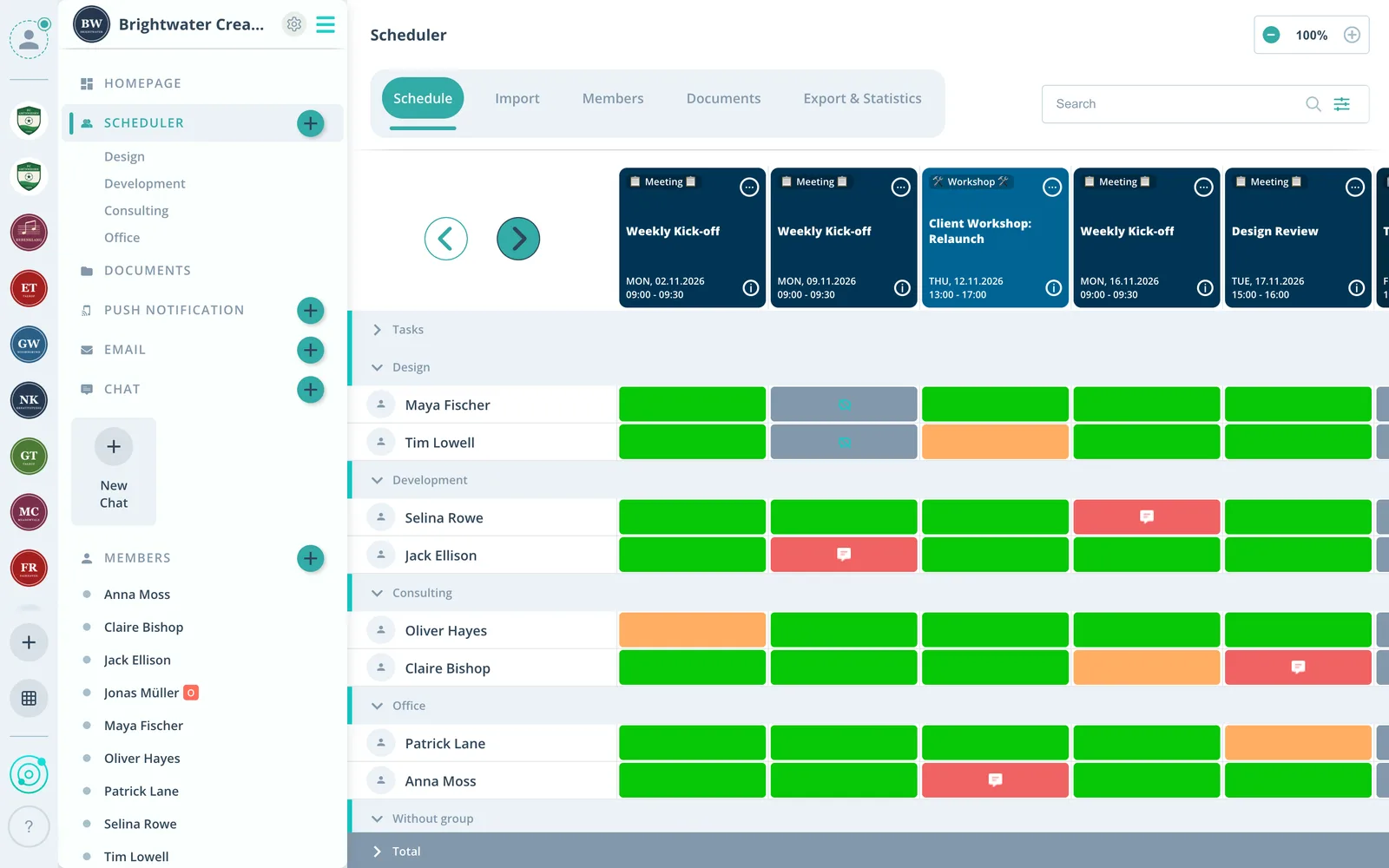
Attendance, documents and roles per meeting, in the app and in the browser.
Agenda on the meeting
Upload the agenda beforehand, the minutes afterwards on the same event.
Roles per meeting
Hand out chair, minutes and room as tasks.
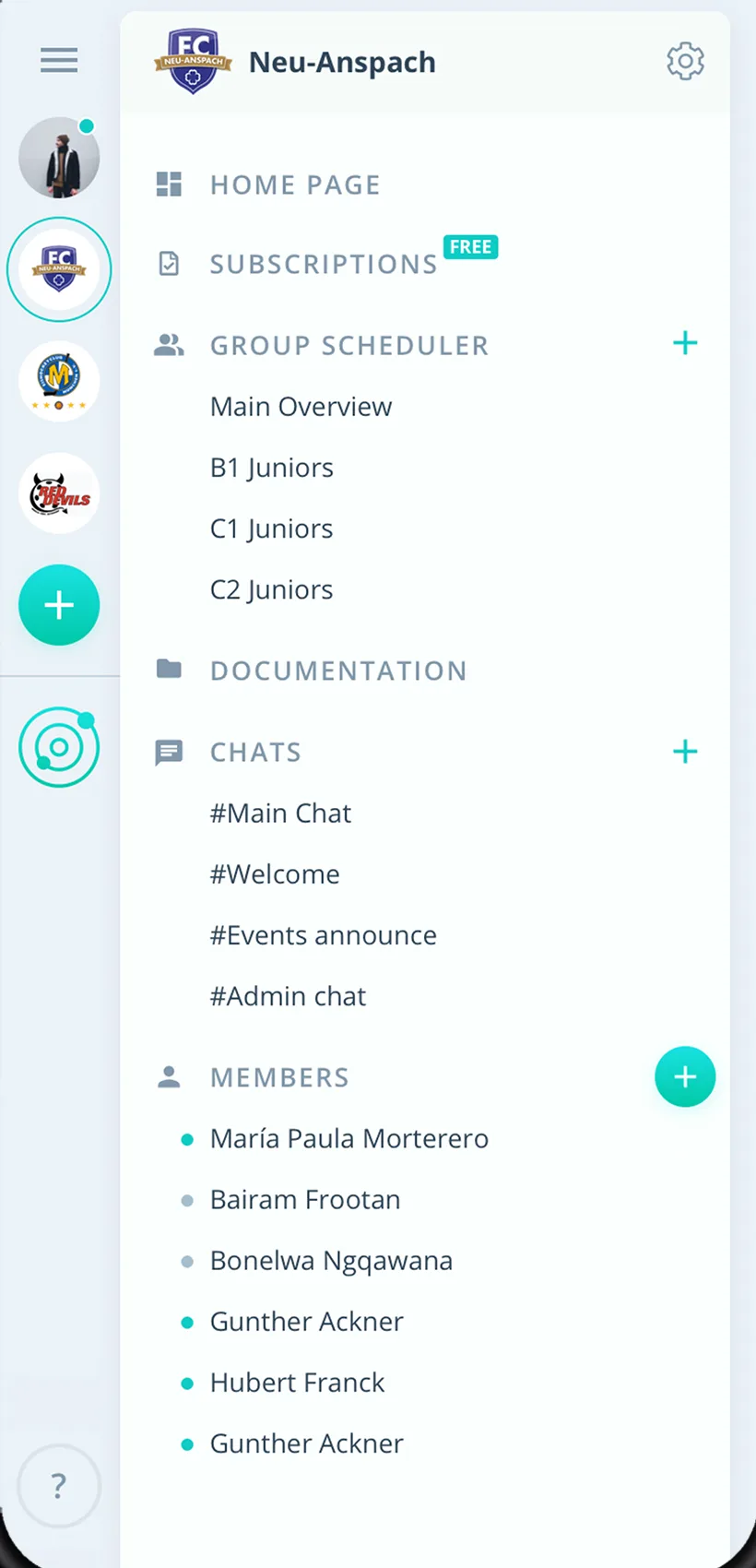
Subprojects apart
Every subproject plans in its own group scheduler.
Everything your project group needs
For project leads, members and admins. From the kick-off meeting to the wrap-up.
Meeting calendar
Meetings as a series, workshops and milestones as single events.
Clear attendance in advance
Members say yes or no, with a required comment for apologies if you like.
In Outlook and Google
Meetings show up in the work calendar, Google directly, Apple and Outlook via iCal.
Roles per meeting
Hand out chair, minutes or room booking as tasks.
A reminder before every meeting
Up to two reminders, by push notification or email.
Agenda questions
Follow-up questions right on the meeting, plus chat rooms per subproject.
Agenda and minutes
Documents on the meeting or in the subproject folder, up to 50 MB per file.
Subprojects
Every subproject or working group with its own group scheduler.
Rights in the project
Admins manage the project, subproject leads schedule as group leaders.
How your project group gets started
From the kick-off to the last meeting.
- 1
Set up the project
Create subprojects as groups and invite members by link or email.
- 2
Enter meetings
Meetings as a series, agenda as a file, roles as tasks.
- 3
Keep it moving
See attendance, store the minutes and inform stakeholders by email.
For everyone in the project
Project leads
- Know the quorum in advance
- Agenda and minutes bundled
- Clear roles per meeting
Members
- Meetings in the work calendar
- Read the agenda before the meeting
- Say yes or no with one click
Admins
- Every subproject on one platform
- Email stakeholders outside Gumb
- Attendance in Excel
What organizations and teams say about Gumb
4.7/54.7 out of 5 stars271 ratings across both platforms25K+ users
Great app for scheduling. Very clear, reliable and easy to use.
We use this system in our aid organization and at work. We are very happy with it, as we had been looking for a working and reliable system for a long time. The app offers many options, including staff and equipment management, and above all makes our work easier. Simply recommendable. A clear 5-star rating
We tried out various apps in our club and Gumb covers our needs best! If you have questions, support helps right away. The app is constantly being improved and new, very useful features keep being added.
Reviews translated from German.
Groups and teams that use Gumb
 FC St. Gallen
 Native Crew
 Talentschule Davos
 Tonhalle Wil Platzanweiser
 KiBuMä Meineringhausen
 Fänclub SCL Tigers
FAQ: the app for project groups
How do I plan regular project meetings?
Create the meetings as recurring events, for example every two weeks. Members say yes or no, and you see beforehand whether the group is complete.
Where do we store agenda and minutes?
Right on the meeting or in the subproject folder. Files can be up to 50 MB each. Owners, admins and group leaders upload them.
Do the meetings show up in Outlook?
Yes. Outlook and Apple pull in the meetings through an iCal link, Google connects directly. You make changes in Gumb, and the work calendar picks them up.
How do I inform stakeholders without a Gumb account?
Admins and group leaders send emails from the web app, with attachments and to up to 100 external addresses. Recipients do not see each other.
Can I require a reason for apologies?
Yes. In the settings under "Answers" you make a comment mandatory for the no answer.
How do I see who attended the meetings?
Under Statistics you export attendance as an Excel file, filtered by period, event type, group and members.
Which app suits project groups and working groups?
Gumb suits project groups that plan meetings, workshops and assignments as events. Members say yes or no with one click, you hand out tasks on the event, and every working group plans in its own group scheduler. Gumb is not a project tool with task boards.
What does Gumb cost for a project group?
You try Gumb free for 2 months, with every feature, no credit card and no automatic renewal. After that the Pro plan costs 149 Swiss francs a year for up to 100 members. Members never pay.
Ready for the next meeting?
Try Gumb with your project group free for 2 months, with every feature, no credit card and no automatic renewal.