
Troubleshooting
Google Calendar not syncing❓
If your Gumb events aren't showing in Google Calendar, a missing permission during setup is usually the cause. Follow these two steps:
1. Quick Fix: Reconnect Your Calendar
- In Gumb, open Calendar Connection.
- Click Disconnect next to Google Calendar.
- Click Sign in with Google.
- In the ATTENTION window, check the calendar access box and click OK.
- Choose your Google account and confirm the permissions.
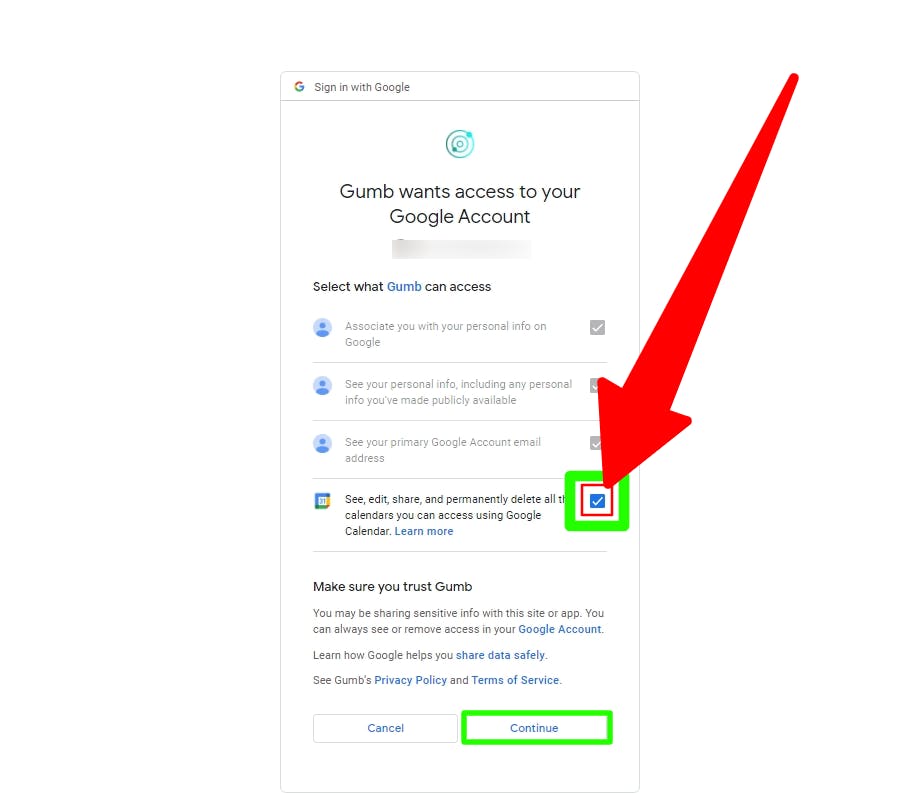
It may take 2-5 minutes for events to appear. Reload the page if nothing shows up.
2. Full Reset: Remove & Reauthorize
If Step 1 doesn't help or you see an error, Gumb may have stale permissions stored in your Google Account.
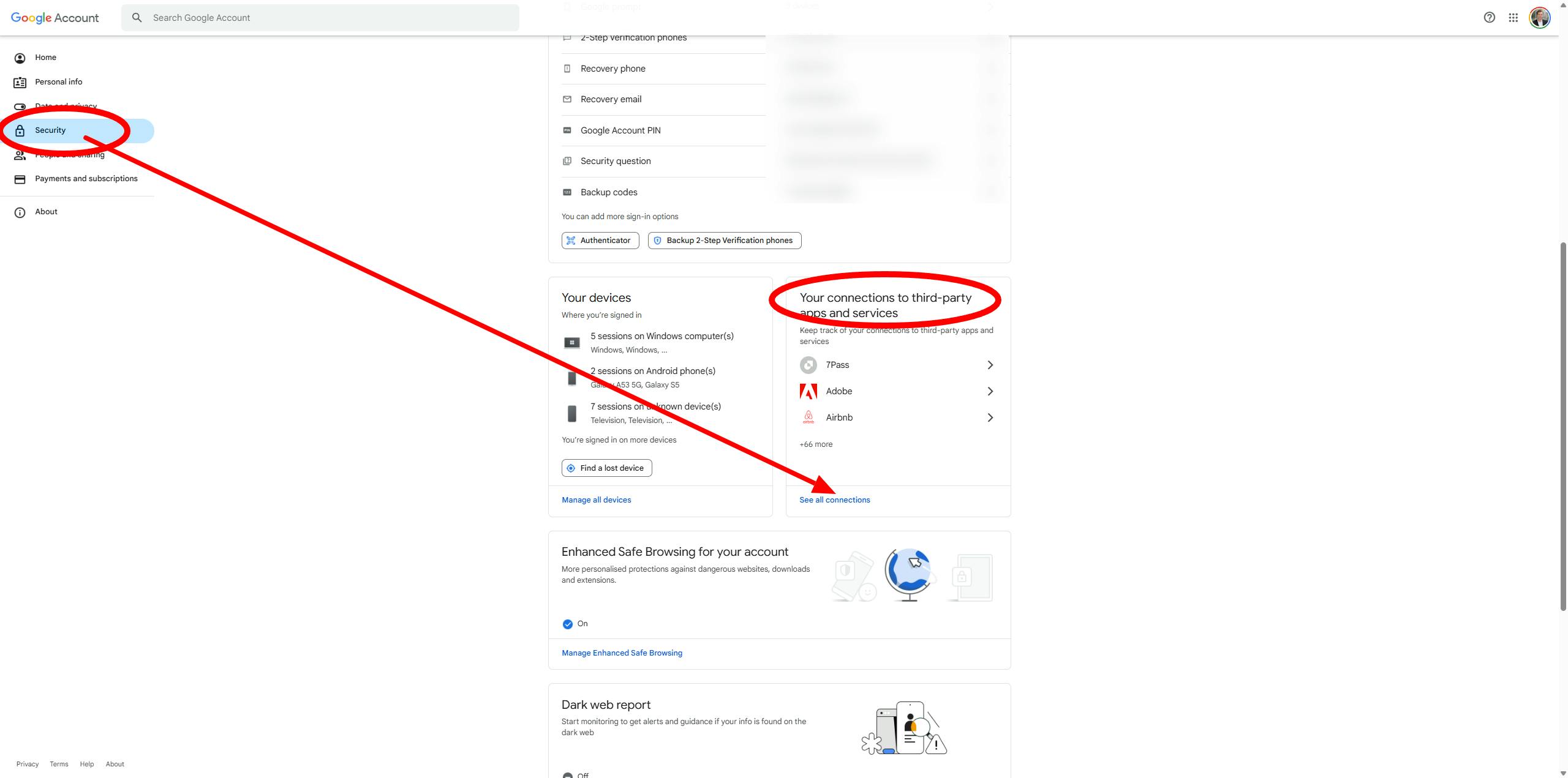
- Open Google Account connections: https://myaccount.google.com/connections
- Select the correct Google account in the top right.
- Find Gumb in the list and click Remove.
- Return to Gumb and repeat Step 1 - Quick Fix (remember to check the box).
Questions?
Reach out at support@gumb.app, use our contact form or visit our help centre at gumb.app/en/support.