
Esports, Practice, Match
The app for esports and gaming groups
Plan practices, matches and LAN parties, see RSVPs in real time and track attendance automatically. For team captains, players and the board, without the group chat chaos.
- iOS, Android & web
- No feature upgrades needed
- No credit card needed




In short
Gumb is an app for esports teams and gaming groups. Team captains plan practice and scrims as recurring events and league matches and LAN parties with their own event type, and players respond by the response deadline. The match lineup is marked with a star, subs get their own task, and the penalty dot records missed practices. Every game or team plans in its own group scheduler.
From Discord chaos to a full lineup
What costs team captains time before every match, and how Gumb fixes it.
Without Gumb: Whether five players are online on match night, you only learn just before.
With Gumb: Players respond by the response deadline. You see early whether the lineup stands.
Without Gumb: Who is in the lineup and who is a sub gets lost in messages.
With Gumb: The lineup is marked with a star, and subs get their own task.
Without Gumb: Nobody knows exactly who comes to scrims regularly.
With Gumb: The penalty dot marks missed practices, and attendance can be analyzed.
Without Gumb: At the LAN party there are no cables, power strips or snacks.
With Gumb: Network, power and food are tasks on the event.
Scrims, matches and LAN parties under control
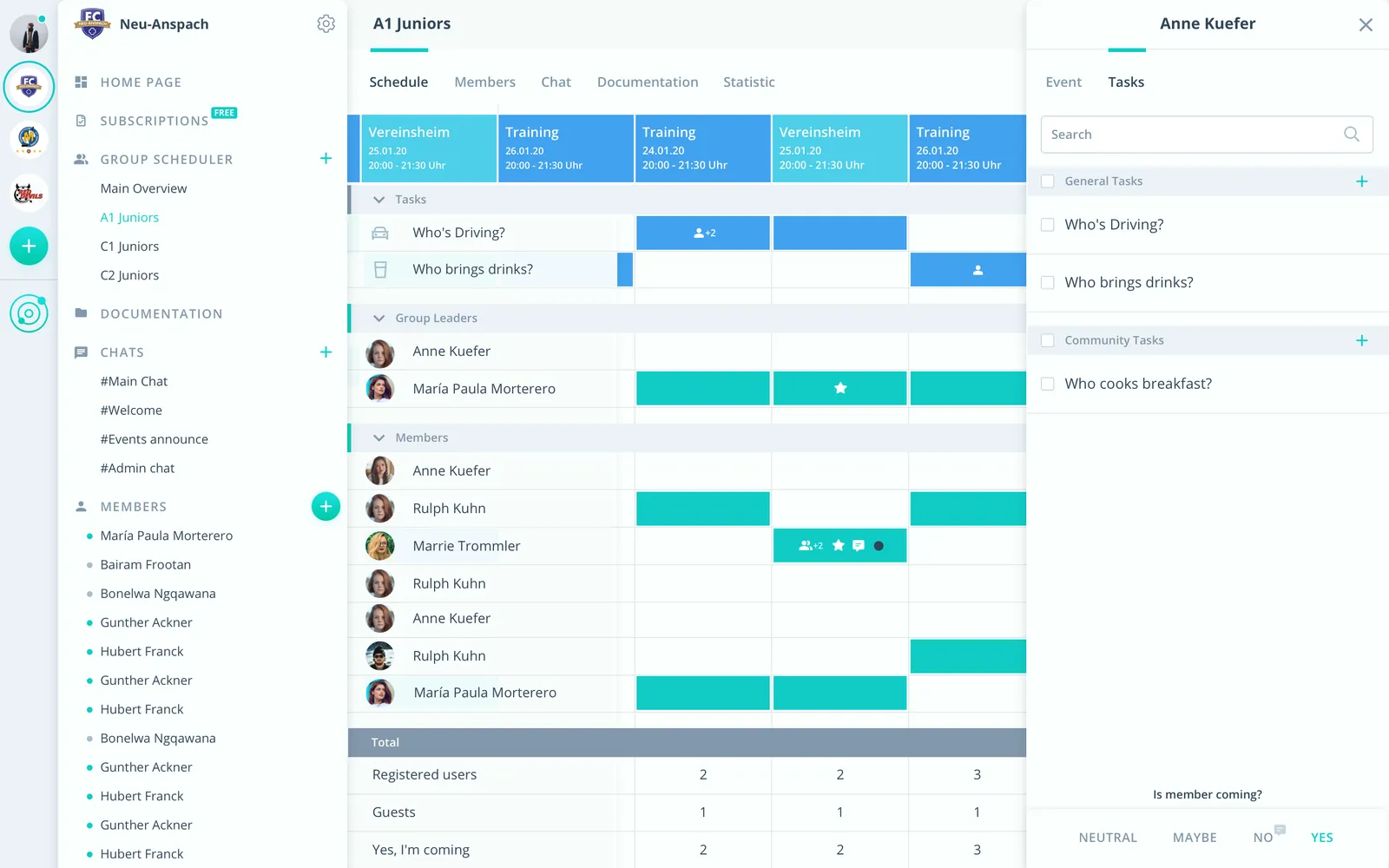
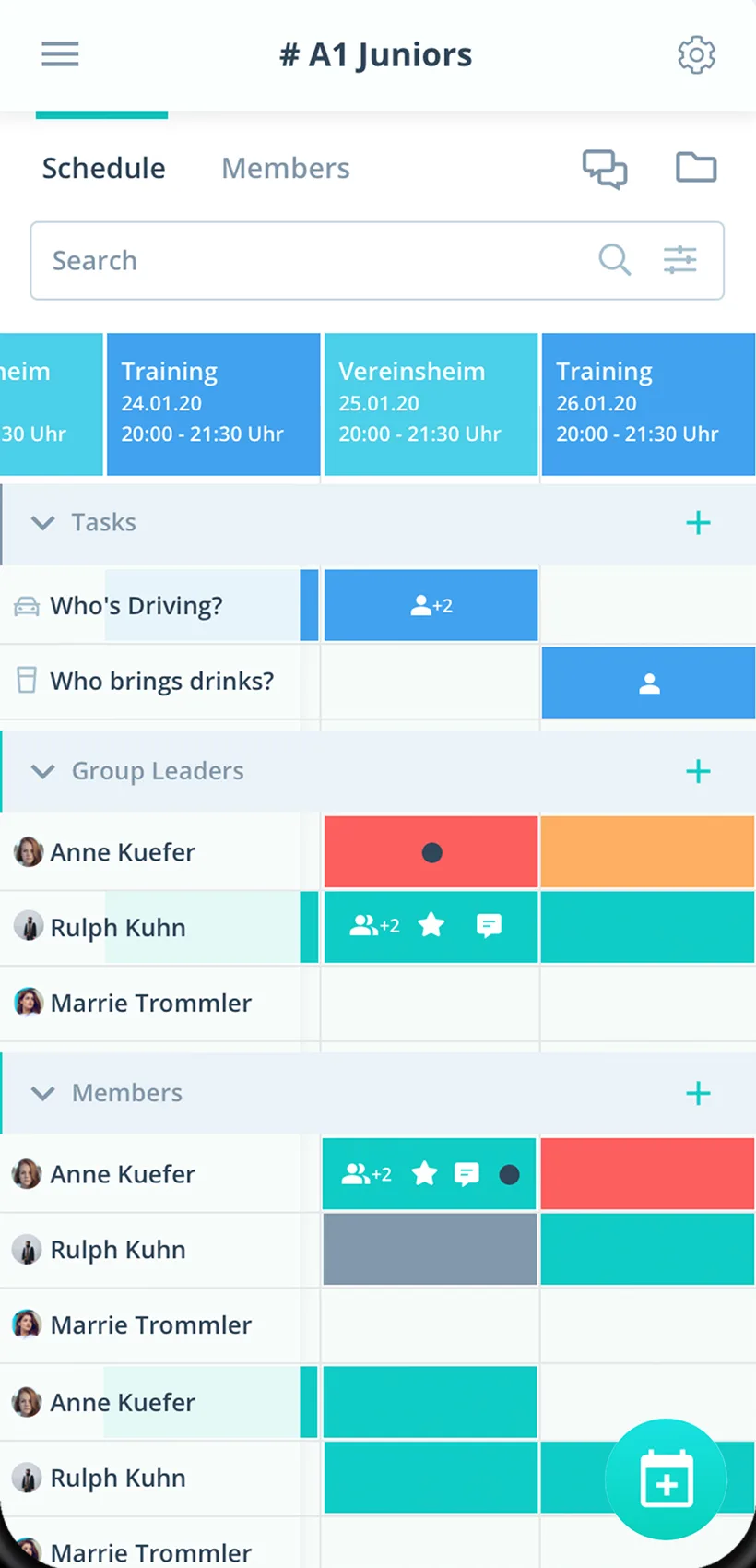
Lineup, subs and tasks per event, in the app and in the browser.
Lineup by star
Players in the match are marked with a star and see it right away.
Subs sorted
Substitutes get their own task such as "Sub".
LAN party organized
Network, power and snacks as tasks on the event.
Everything your esports team needs
For team captains, players and the board. From scrims to the LAN party.
Scrims and matches
Practice and scrims as a series, league matches and LAN parties with their own event type.
Responses for the match
Players answer with one click, with a comment such as "from 8 pm" if needed.
Deadline for the lineup
With a response deadline you know in time whether the lineup stands.
Subs and LAN jobs
Hand out subs, network, power and snacks as tasks.
Remind the lineup
Before the match, Gumb can remind only the starred players.
Match talk
Sort out strategy, server and time right on the match.
Plans and rules
Tournament brackets, rulebooks and strats in the team folder.
Games and teams
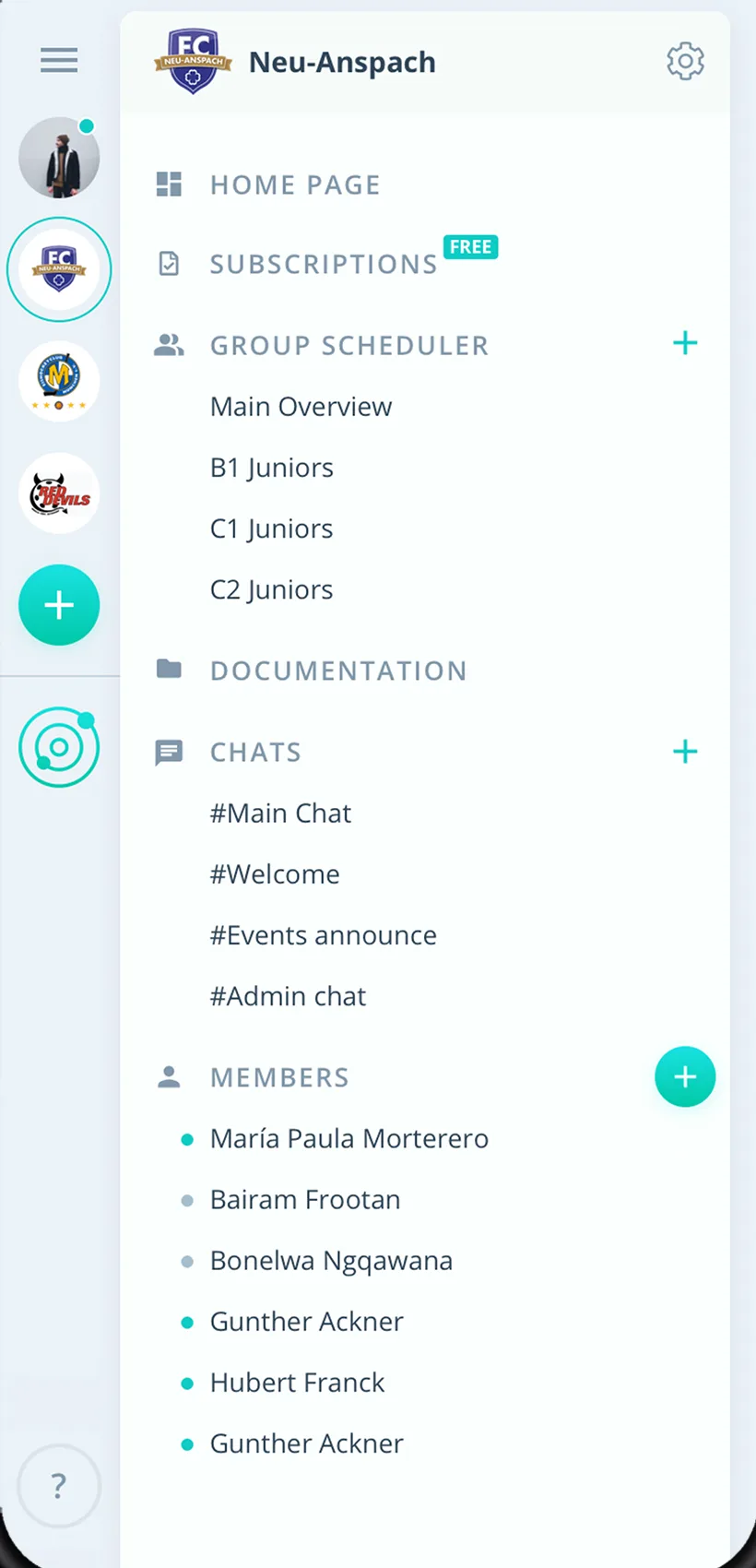
Every game or team with its own group scheduler.
Rights for captains
Admins manage the club, captains schedule as group leaders.
How your esports team gets started
From the first team to the first match with a full lineup.
- 1
Create teams
Create a group for every game or team and invite players by link.
- 2
Enter scrims and matches
Practice as a series, matches with a response deadline.
- 3
Set the lineup
Check responses and mark the lineup with a star.
For everyone in the esports club
Team captains
- Lineup secured early
- Subs clearly sorted
- Analyze practice attendance
Players
- Respond to the match with one click
- Every team in one place
- Matches in your own calendar if you like
Board
- Every game on one platform
- LAN parties with tasks
- Roster as a CSV file
What teams and players say about Gumb
4.7/54.7 out of 5 stars271 ratings across both platforms25K+ users
Top product for organizing communities
We, an ice hockey club, have been using Gumb for many years. Top customer support and very stable.
Top team app, easy to use and very helpful for the team. Thanks for this app 👍
Simple and clear to use, everything works perfectly.
Reviews translated from German.
Hobby clubs that use Gumb
 semper fidelis Harley-Davidson
 Modellflugverein Schwadernau-Scheuren (FMVSS)
 Dampflok-Depot Full
 Schwaben-Slot e.V.
 Sauerländer Kleinbahn
 VMS Vereinigte Motorrad Staffeln
 Mantrailing Hundelicht
 Spessart Racer e.V.
FAQ: the app for esports teams
How do I mark the lineup for a match?
Mark each player in the lineup with a star. It is Gumb's call-up for an event: admins set it and players see it right away. If you like, reminders go only to the lineup.
How do I handle subs?
The clearest way is a task: create an option such as "Sub" under Tasks and assign it for the match.
How do I track missed scrims?
With the penalty dot for past events. It is visible to the player, and under Statistics you analyze attendance per person as an Excel file.
Can I plan practice and matches separately?
Yes. With your own event types for scrim, league match and LAN party you keep events apart and analyze them separately.
Can several games or teams plan separately?
Yes. Every game or team gets its own group scheduler. Players in several teams see all their events in one place.
How do I organize a LAN party?
The LAN party is an event with a response deadline. Network, power and snacks become tasks, and everyone sees who brings what.
Which app suits esports and gaming groups?
Gumb suits teams that plan practice, scrims and tournaments as events. Players say yes or no with one click, you see at a glance whether the team is complete, and every roster plans in its own group scheduler.
What does Gumb cost for a gaming team?
You try Gumb free for 2 months, with every feature, no credit card and no automatic renewal. After that the Pro plan costs 149 Swiss francs a year for up to 100 members. Members never pay.
Ready for the next match?
Try Gumb with your esports team free for 2 months, with every feature, no credit card and no automatic renewal.