For Members

Edit profiles permission

Updated

Gumb allows admins to modify member profiles. This also includes personal information details. This permission for admins can be "accepted" or "disabled" at any moment by members.

.

Follow the below steps to edit these permissions.

Step 1

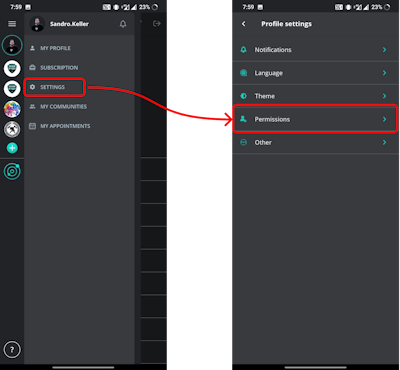
Go to your profile → settings → permissions

.

Web view
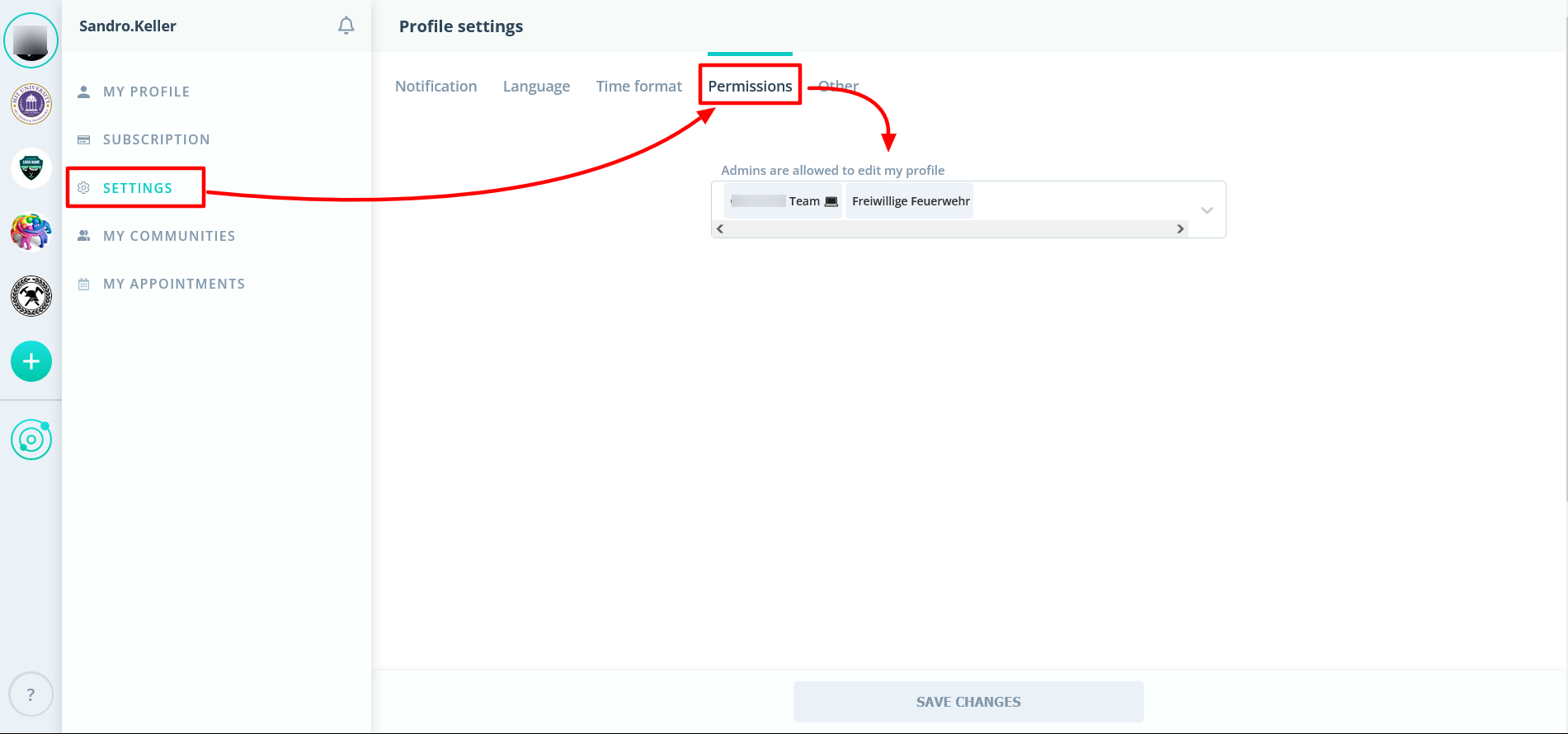
Profile settings in the web app, Permissions tab: “Admins are allowed to edit my profile”

.

Mobile view

Mobile app: Settings menu and Profile settings with Permissions highlighted

.

Step 2

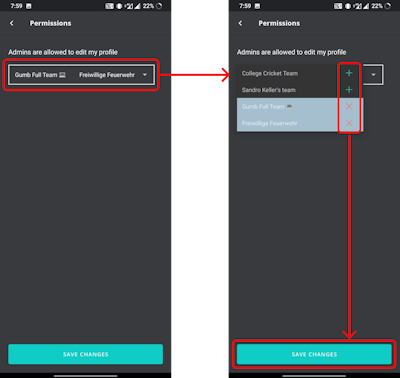
→ click on the drop-down option to accept or deny this permission for specific communities or its admins.

.

Web view
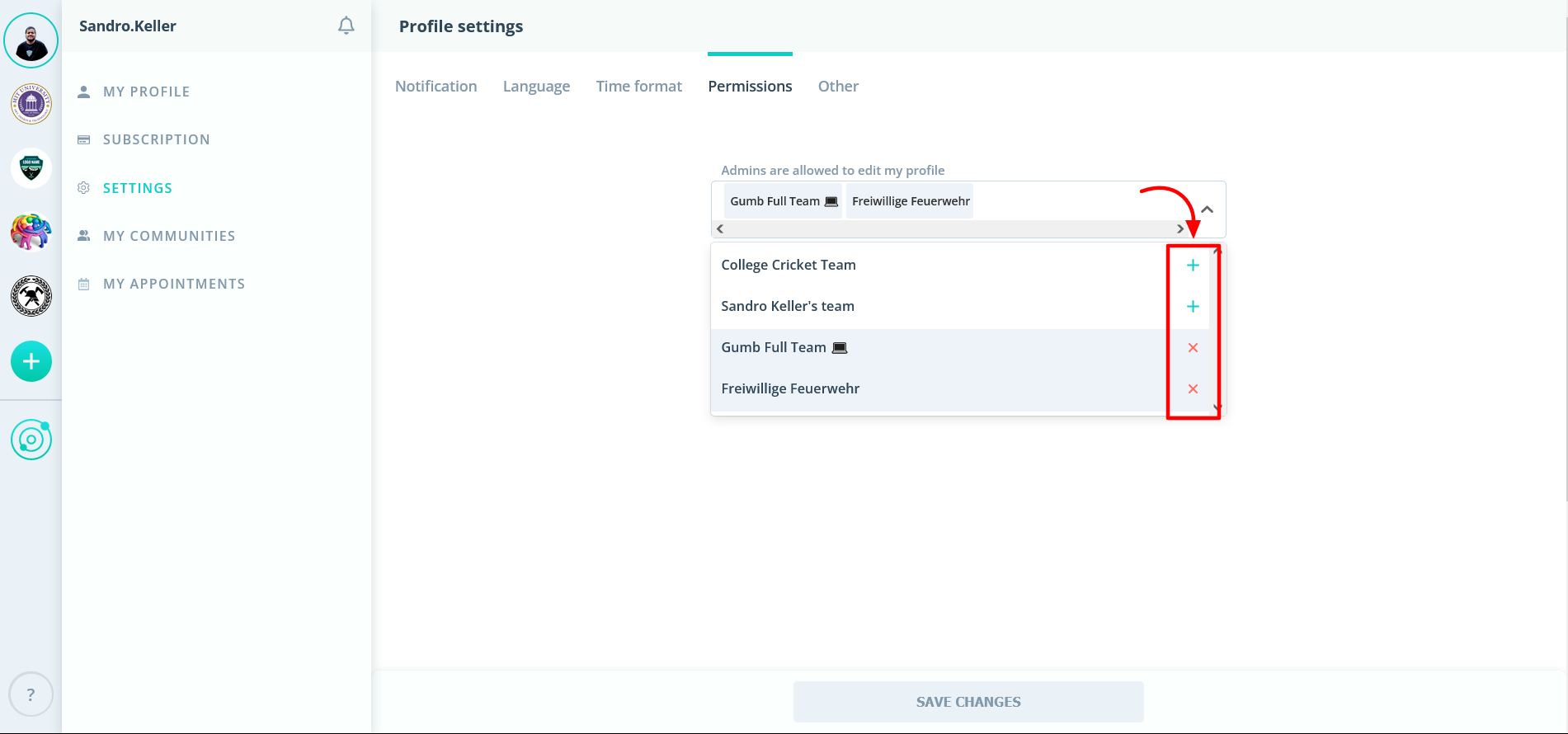
Permissions dropdown in the web app: add or remove the communities whose admins may edit your profile

.

Mobile view

Mobile app Permissions screen: add or remove communities, then save changes

Didn't find what you're looking for?

The Gumb team is happy to help personally, via contact form, email or a 30-minute demo.