
Security, Shift, Event
The app for security and steward teams
Plan shifts, trainings and events, see RSVPs in real time and track attendance automatically. For team leaders, staff and management, without the group chat chaos.
- iOS, Android & web
- No feature upgrades needed
- No credit card needed



In short
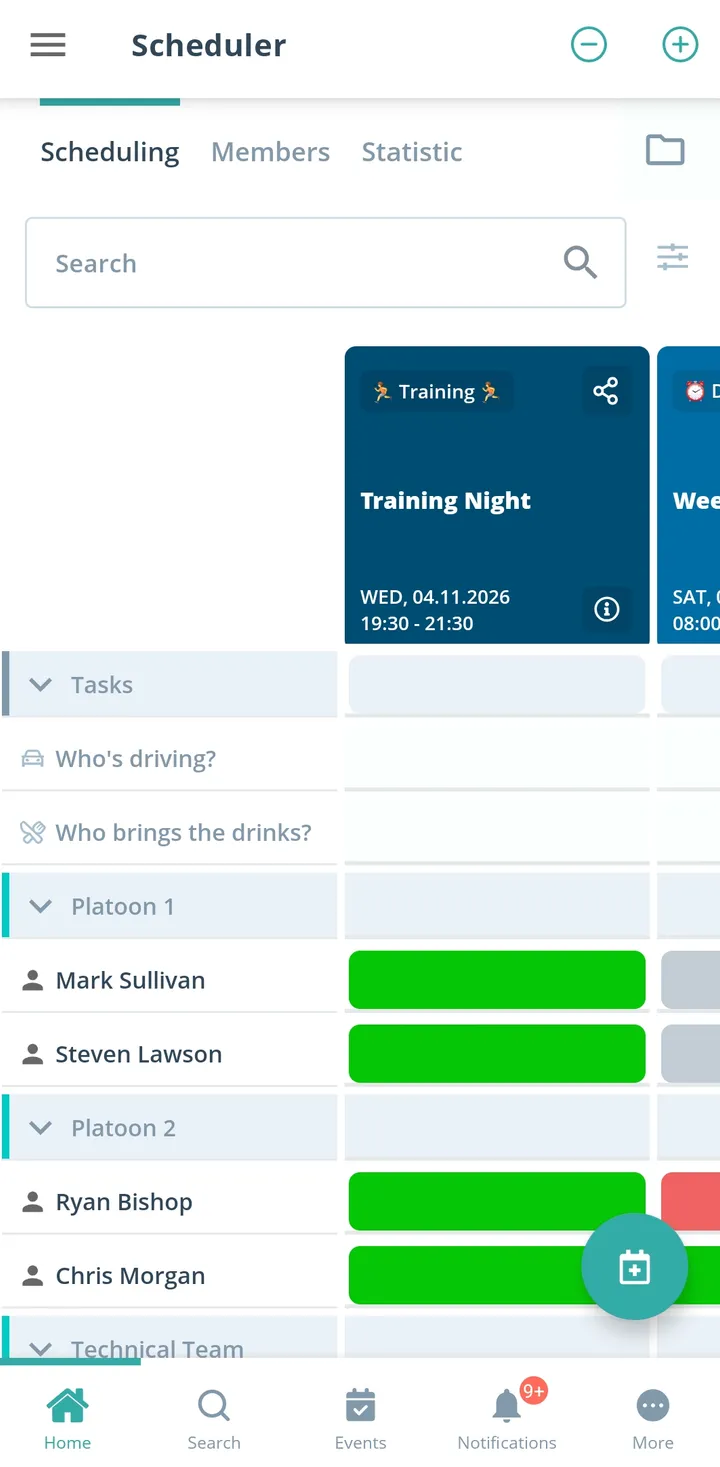
Gumb is an app for security and stewarding services. Team leads plan event assignments, training and team meetings as events, staff respond by the response deadline, and posts such as entrance, stage or parking become tasks right on the event. Every site plans in its own group scheduler, and training attendance can be exported as an Excel file. Gumb is made for planned assignments and does not replace alerting.
From chat chaos to a fully staffed event
What costs team leads time before every event, and how Gumb fixes it.
Without Gumb: For Saturday's concert you gather enough people through chats and phone calls.
With Gumb: The assignment is its own event with a response deadline. You see live how many have said yes.
Without Gumb: Who stands at the entrance and who takes the parking lot is only settled on site.
With Gumb: Posts such as entrance, stage or parking become tasks on the event. Everyone sees who takes on what.
Without Gumb: You send site maps and briefings to every person one by one.
With Gumb: Site maps and documents sit right on the event, up to 50 MB per file.
Without Gumb: Who attended which training sits in scattered lists.
With Gumb: With an event type for training you export attendance as an Excel file.
Assignments, posts and training under control
Staffing, posts and briefings per event, in the app and in the browser.
Posts per assignment
Entrance, stage, parking: assign tasks right on the event, and staff sign up themselves or get assigned.
Live staffing
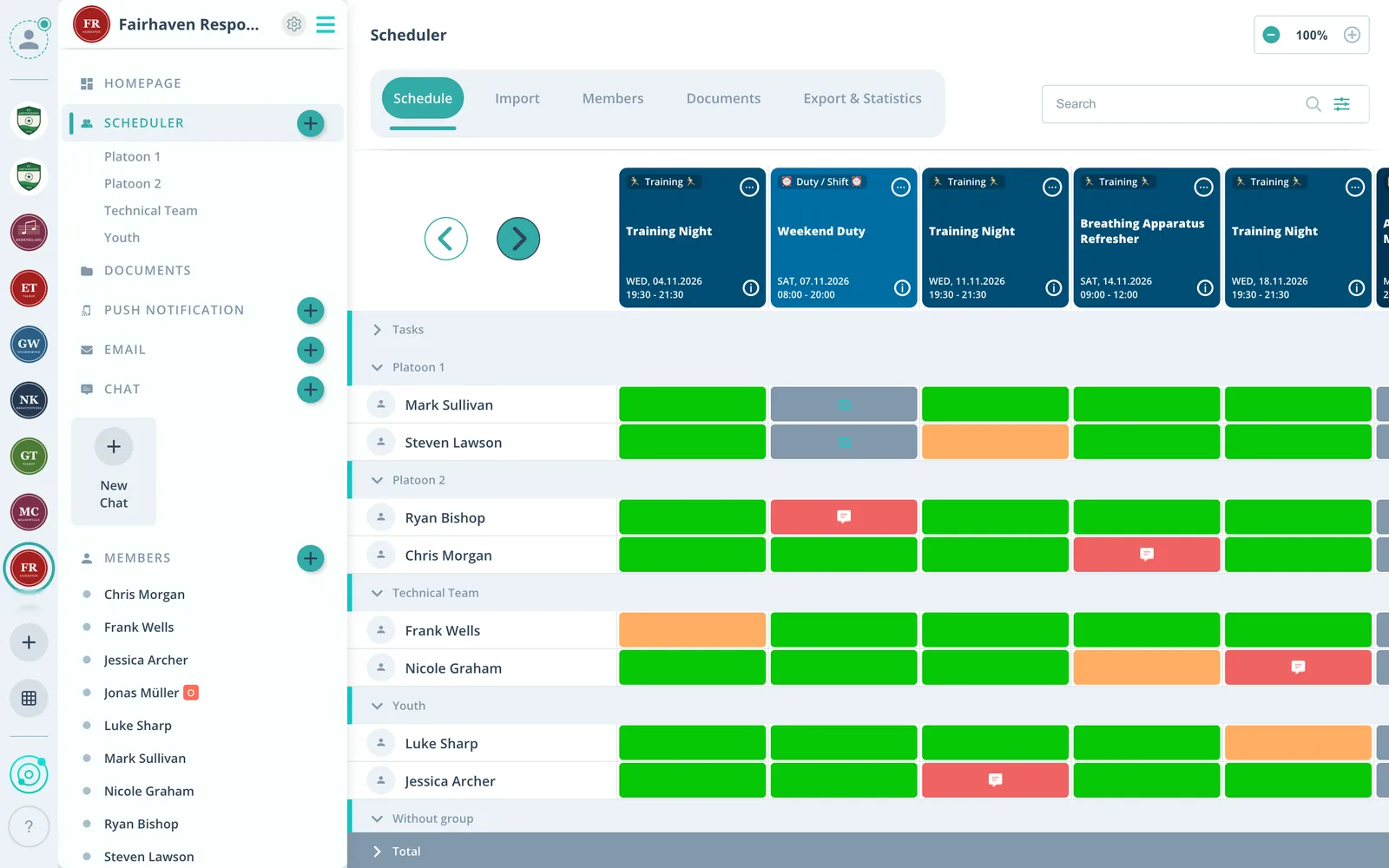
For every assignment you see live who said yes, who said no and who has not answered yet.
Sites apart
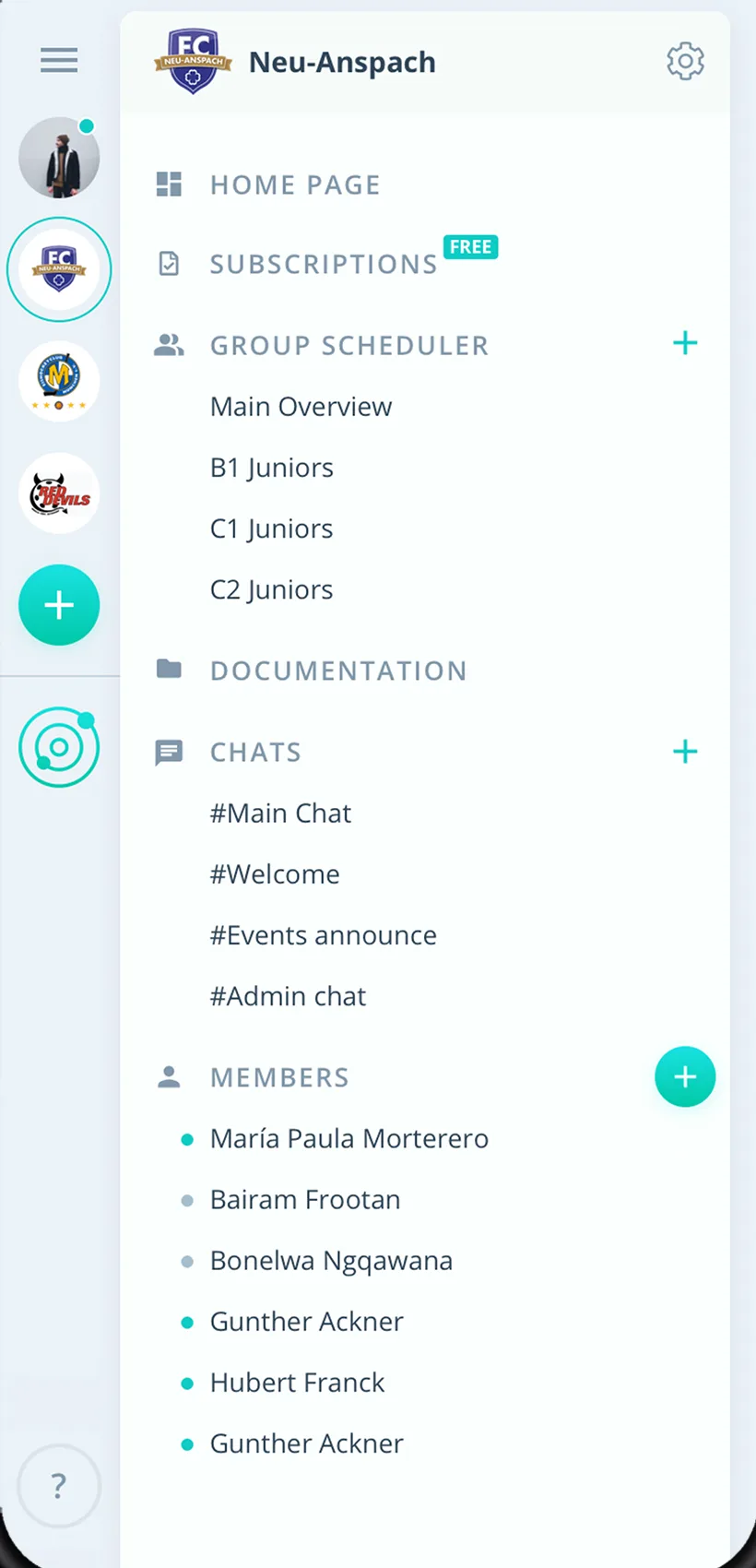
Every site plans in its own group scheduler, management sees every event.
Everything your security team needs
For team leads, staff and management. From the concert assignment to training.
Assignment schedule
Assignments, training and team meetings in one calendar, also as recurring events.
Confirm assignments
Staff answer with one click, with a comment if they like. You set the response deadline.
Proof of training
Attendance per person and event as an Excel file, filtered by period, event type and group.
A reminder before the assignment
Up to two reminders before every assignment, by push notification, email and in the app.
Briefing on the event
Sort out meeting point, dress code and the schedule right on the assignment.
Staff the posts
Hand out entrance, stage or parking as tasks and see who is assigned.
Site maps and documents
Store site maps, checklists and training material on the event or in the group folder.
Sites and teams
Each site or event team has its own group scheduler.
Rights for shift leads
Admins manage the company, group leaders schedule for their team, staff respond.
How your security team gets started
From the first team to the first fully staffed assignment.
- 1
Create teams
Create groups for sites or teams and invite staff by link or email.
- 2
Enter assignments
Add events as assignments and posts as tasks.
- 3
See the staffing
Know before every assignment who is coming and who takes which post.
For everyone on the team
Team leads
- See staffing live before every assignment
- Hand out posts before the event starts
- Documents right on the event
Staff
- Respond to assignments with one click
- Claim posts yourself
- Assignments in your own calendar if you like
Management
- Every site on one platform
- Training attendance in Excel
- Guard roster as CSV
What teams using Gumb say
4.7/54.7 out of 5 stars271 ratings across both platforms25K+ users
Great app for scheduling. Very clear, reliable and easy to use.
We use this system in our aid organization and at work. We are very happy with it, as we had been looking for a working and reliable system for a long time. The app offers many options, including staff and equipment management, and above all makes our work easier. Simply recommendable. A clear 5-star rating
Gumb
Great app!
Reviews translated from German.
Security services using Gumb
 ATS Sicherheitsdienst
 FC St. Gallen
 SPHS Sicherheitsdienst
 EVZ Sicherheit
 EHC Kloten Stadionorganisation
FAQ: the app for security services
How do I staff an assignment at an event?
Create the assignment as its own event with a response deadline. Staff respond, and you see live whether enough people are coming. Posts such as entrance or parking become tasks on the event.
Can I assign staff to posts directly?
Yes. Admins can assign tasks directly. Staff can also sign up themselves in the scheduler or under "My events".
How do I get site maps and briefings to everyone?
Put the documents right on the assignment's event. Permanent documents go under "General documents" or into a team's folder. Files can be up to 50 MB each.
Can each site plan on its own?
Yes. Every site gets its own group scheduler, and group events are only visible to its members. Staff in several teams find all assignments in one place. Several independent communities under one subscription come with the Premium plan.
How do I document training?
Create an event type for training. Under Statistics you export the attendance report as an Excel file, filtered by period, event type and group.
Can I reach the client without a Gumb account?
Yes. From the web app admins and group leaders email up to 100 external addresses, such as clients or event organizers. Recipients do not see each other.
How do I tell the team about last-minute changes?
After you edit an event, Gumb asks whether notifications should be sent. Admins and group leaders can also send push notifications, which arrive even when the app is closed.
Can Gumb raise an alarm during an incident?
No. Gumb does not replace alerting and is made for planned assignments: events, training and team meetings.
Ready for the next assignment?
Try Gumb with your security team free for 2 months, with every feature, no credit card and no automatic renewal.