
Technical relief, Drill, Duty
The app for technical relief and logistics units
Plan drills, duties and equipment checks, see RSVPs in real time and track attendance automatically. For unit leaders, volunteers and the board, without the group chat chaos.
- iOS, Android & web
- No feature upgrades needed
- No credit card needed



In short
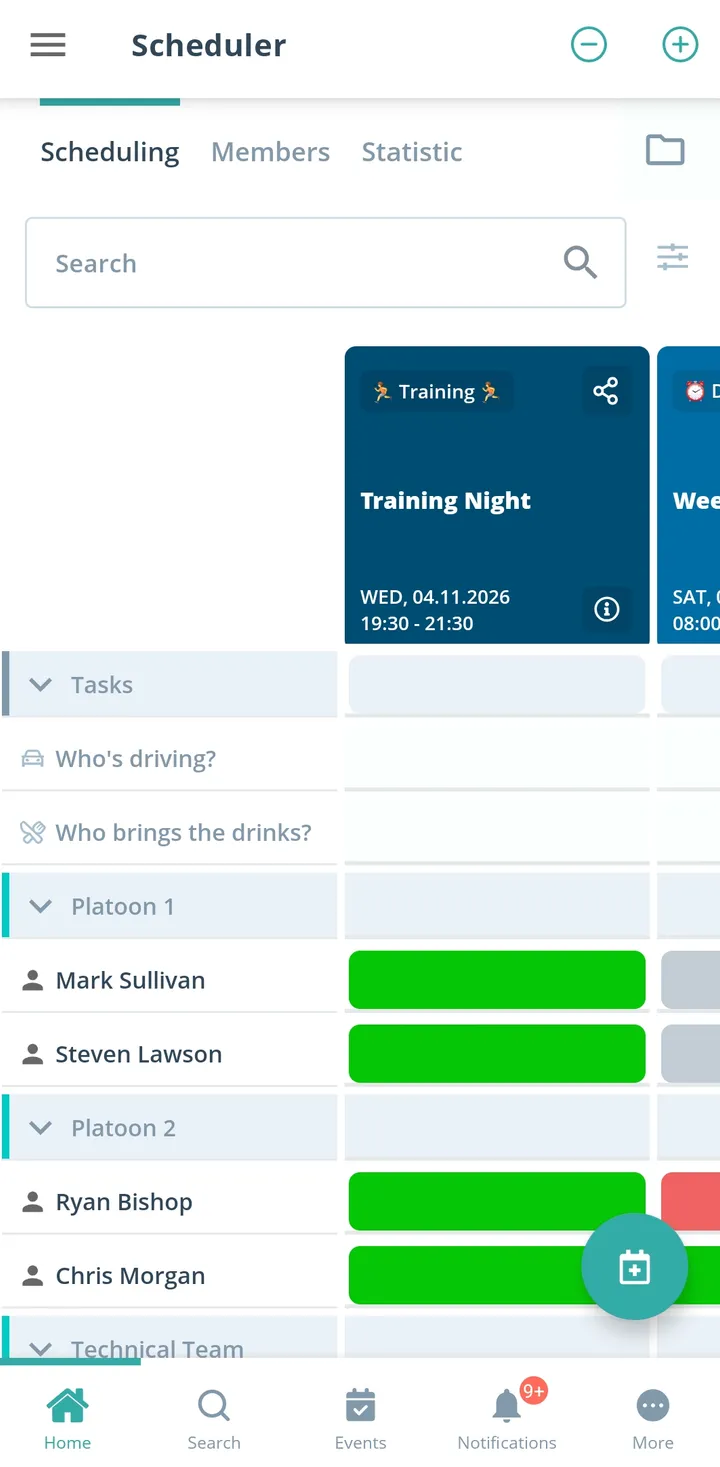
Gumb is an app for technical units, logistics and specialist teams. Team leaders plan training sessions, drills and maintenance dates, volunteers respond by the response deadline, and jobs such as vehicle care or equipment checks become tasks right on the event. Every specialist team plans in its own group scheduler, and training attendance can be exported as an Excel file. Gumb is not an emergency alerting app and does not replace alerting.
From chat chaos to smooth operations
What costs team leaders time between two duties, and how Gumb fixes it.
Without Gumb: For Saturday's training session you only find out that morning who is coming.
With Gumb: Volunteers respond by the response deadline. You plan the session with the crew that will be there.
Without Gumb: Who cleans the vehicles and checks the equipment after the drill stays unclear.
With Gumb: Jobs such as vehicle care or equipment checks become tasks on the event. Everyone sees who takes on what.
Without Gumb: Maintenance dates live in a list only one person knows about.
With Gumb: Maintenance dates sit in the shared calendar, with a reminder by push notification and email.
Without Gumb: For the annual report you piece together the training attendance of every team.
With Gumb: You export the attendance report as an Excel file, filtered by period, event type and specialist team.
Training, maintenance and logistics under control
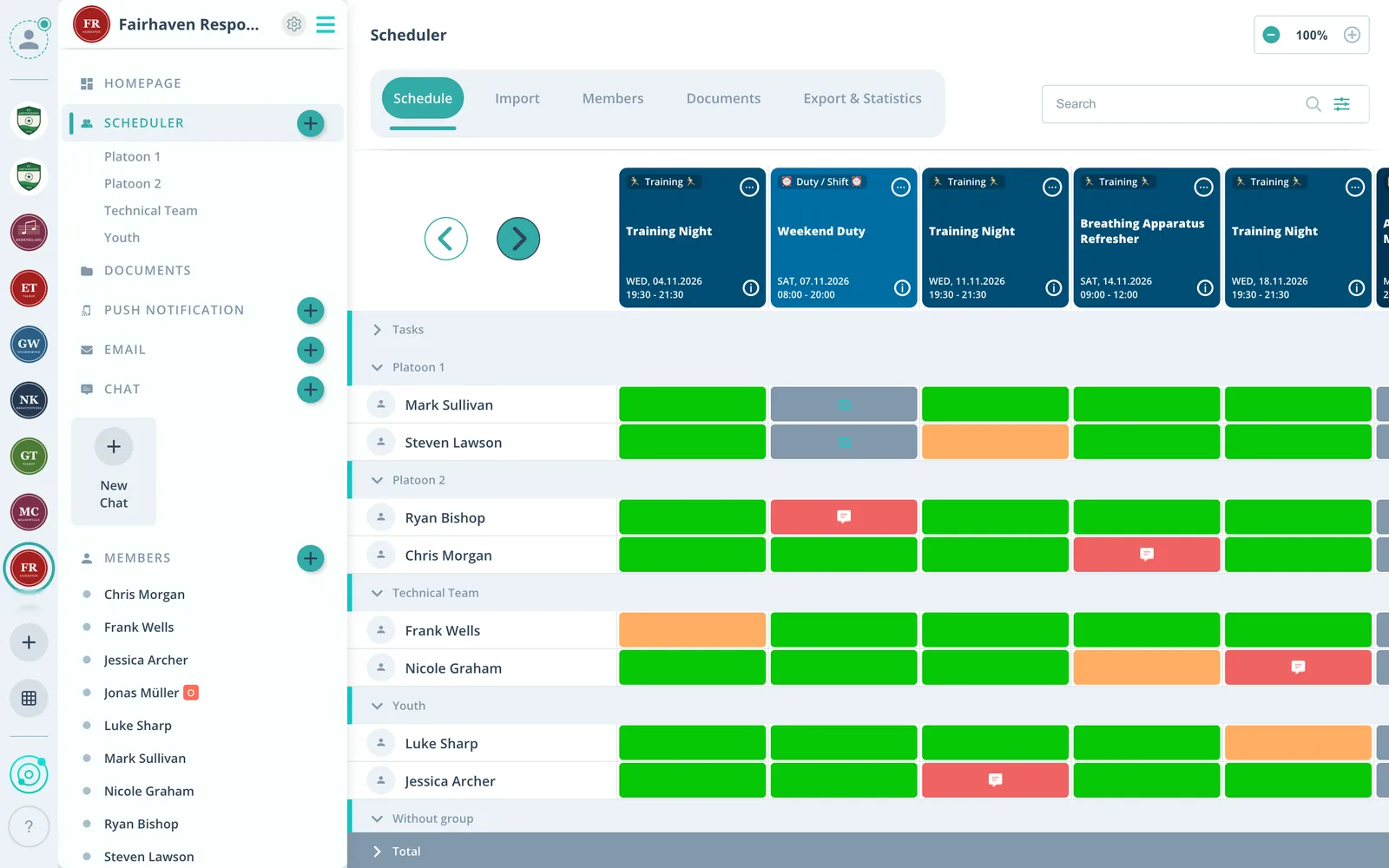
Duties, jobs and documents per event, in the app and in the browser.
Jobs on the event
Vehicle care, equipment checks or material transport as tasks, and volunteers sign up themselves.
Who is coming to the duty?
For every training session you see live who said yes, who said no and who has not answered yet, in total and per team.
Specialist teams apart
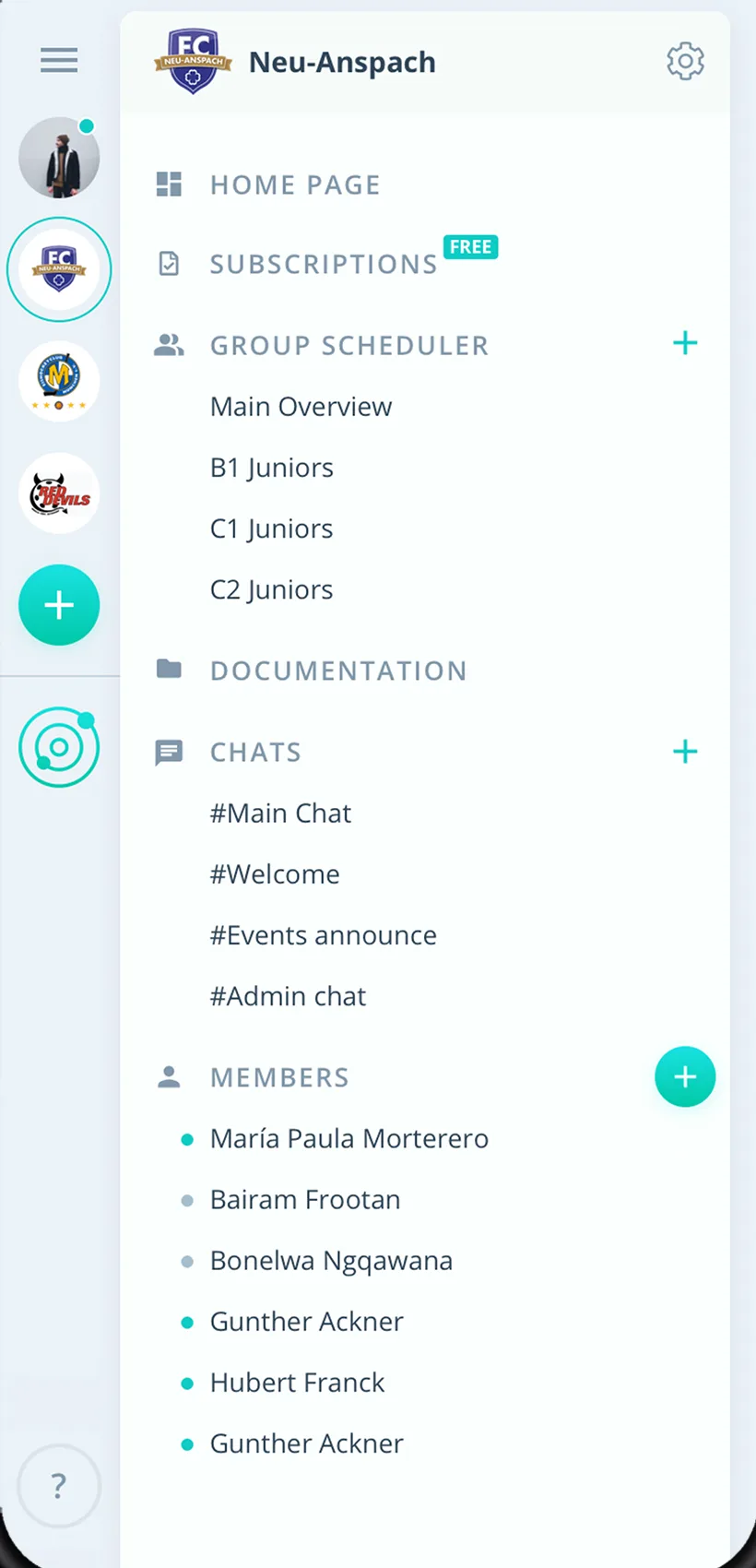
Every specialist team plans in its own group scheduler, the leadership sees every event.
Everything your unit needs
For team leaders, volunteers and the leadership. From training sessions to maintenance dates.
Duty and maintenance schedule
Training sessions, drills and maintenance in one calendar, also as recurring events.
Responses to the duty
Volunteers answer with one click, with a comment if they like. You set the response deadline.
Training records in Excel
Attendance per person and event, filtered by period, event type and specialist team.
Maintenance reminders
Up to two reminders per event, so no maintenance date is forgotten.
Details on the event
Sort out material, vehicles and meeting point right on the duty.
Hand out jobs
Vehicle care, equipment checks or transport as tasks, and see who is assigned.
Manuals and checklists
Store manuals, checklists and training material on the event or in the group folder.
Specialist teams and platoons
Every specialist team or platoon has its own group scheduler.
Rights for leaders
Admins manage the unit, group leaders schedule for their team, volunteers respond.
How your unit gets started
From the first specialist team to the first planned duty.
- 1
Set up your unit
Create groups for specialist teams, platoons or the youth group, and invite volunteers by link or email.
- 2
Enter duties and maintenance
Add training sessions and maintenance dates, and jobs as tasks.
- 3
See the responses
Know before every duty who is coming and who takes on which job.
For everyone in the unit
Team and platoon leaders
- Know before every training session who is coming
- Hand out jobs without a group email
- Training attendance ready to report at any time
Volunteers
- Respond to training sessions with one click
- Take on jobs yourself
- Manuals right on the event
Leadership and administration
- Every specialist team on one platform
- Exports for the annual report
- Member list as CSV
What organizations say about Gumb
4.7/54.7 out of 5 stars271 ratings across both platforms25K+ users
We use this system in our aid organization and at work. We are very happy with it, as we had been looking for a working and reliable system for a long time. The app offers many options, including staff and equipment management, and above all makes our work easier. Simply recommendable. A clear 5-star rating
Gumb
Great app!
We tried out various apps in our club and Gumb covers our needs best! If you have questions, support helps right away. The app is constantly being improved and new, very useful features keep being added.
Reviews translated from German.
Rescue and emergency organizations that use Gumb









FAQ: the app for technical relief units
Is Gumb an alerting app for technical units?
No. Gumb does not replace alerting in an emergency. Gumb organizes everything that can be planned: training sessions, drills, maintenance, meetings and the work of the specialist teams.
Can I plan equipment maintenance and vehicle care?
Yes, as their own events, recurring if you like, for example monthly. The single jobs become tasks on the event, and reminders make sure no maintenance date is forgotten.
How do I hand out jobs such as vehicle care or material transport?
Create the jobs once as tasks, with a name and an icon, and turn them on for the right events. Volunteers sign up in the scheduler or under "My events", and admins can also assign them directly.
Can several specialist teams and platoons plan separately?
Yes. Every specialist team gets its own group scheduler, and group events are only visible to its members. Events for the whole unit are visible to everyone, and members of several groups find all their events in one place.
How do I document training attendance?
Under Statistics you export the attendance report, with one row per person and event, as an Excel file. With your own event types you keep training, drills and maintenance apart. For past events, answers and status can be corrected.
Where do I store manuals and checklists?
Documents for one duty go right on the event, permanent ones under "General documents" or in the team's folder. Files can be up to 50 MB each. Owners, admins and group leaders upload them.
Who can create duties and download reports?
Admins manage the whole unit and see every event. Team and platoon leaders get the group leader role, schedule for their team and can download the reports.
Are volunteers reminded of duties and maintenance?
Yes. You set up to two reminders per event. Gumb notifies in the app, by email and by push notification, even when the app is closed.
Ready for the next training session?
Try Gumb with your unit free for 2 months, with every feature, no credit card and no automatic renewal.