
For Subscribers
Canceling Your Subscription 💔
Canceling Gumb takes just a few clicks in the web app. There's no need to email, write or call us. Under Profile > Subscription, click Cancel subscription and confirm, and that's it. Your plan stays active until the end of the paid period, and your data is kept.
How to cancel your subscription
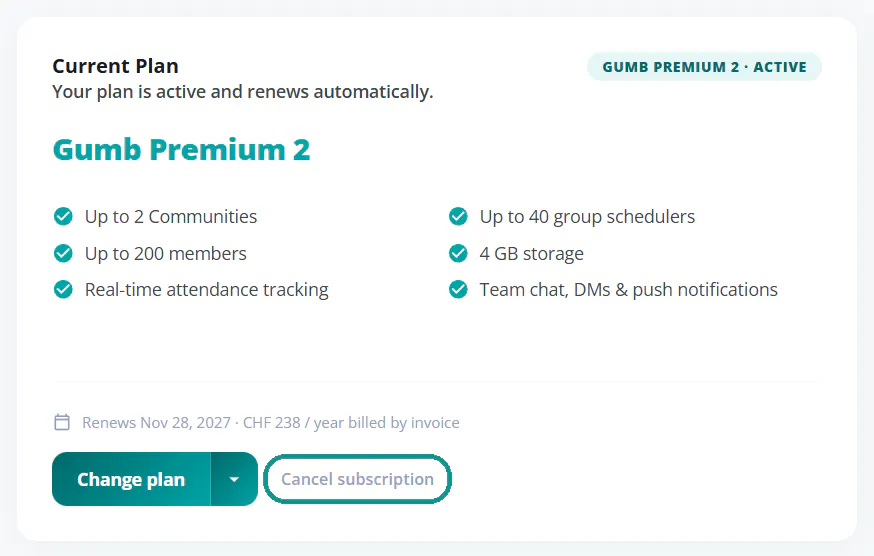
- Open Profile > Subscription and click Cancel subscription next to Change plan.
- Reason: choose why you're canceling. It helps us improve Gumb.
- Alternatives: we'll show you options, like a smaller plan. If you still want to cancel, click Continue with cancellation.
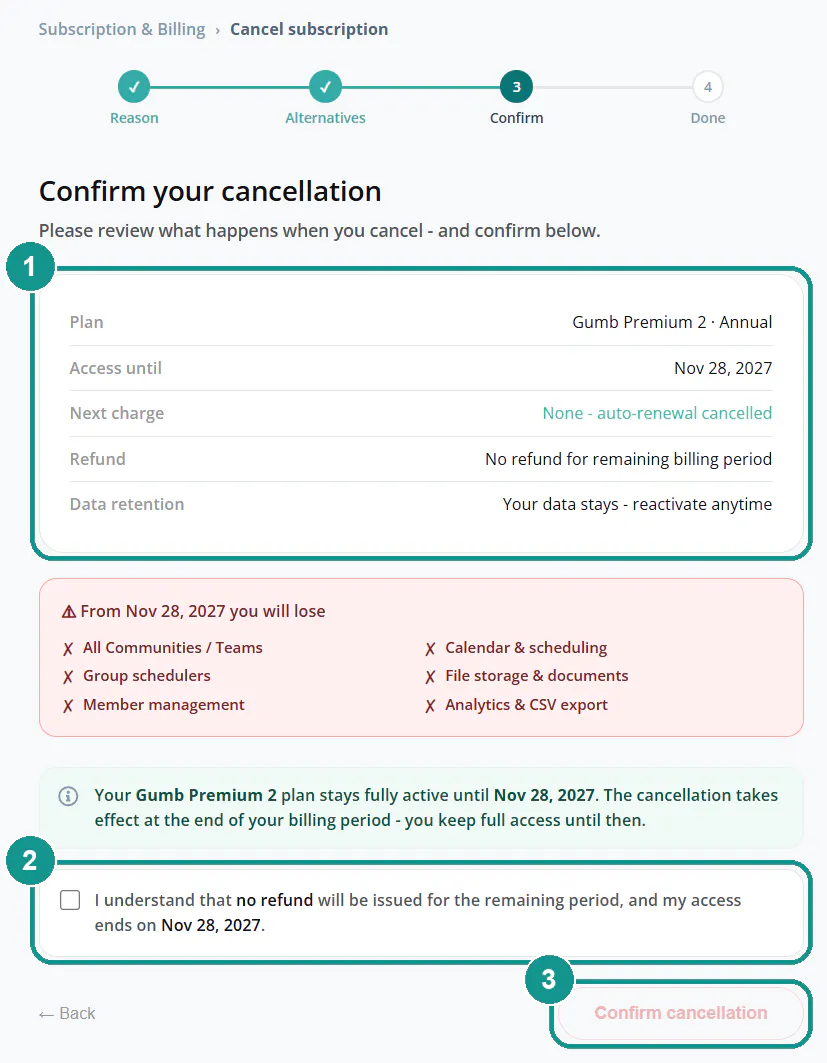
- Confirm: check the summary (1), tick the box (2) and click Confirm cancellation (3).
You'll get a confirmation email afterwards.
What happens after I cancel?
Your plan stays fully active until the end of your current billing period, and nothing more is charged. From that date, you no longer have access to your communities, calendars, group schedulers, member management, files and reports. Your data stays saved, so you can come back anytime.
Do I get a refund?
No. There's no refund for the remaining time in your current billing period. You can keep using Gumb until it ends.
Can I undo the cancellation?
Yes, until the end date. Under Profile > Subscription, click Undo cancellation. Your subscription then continues as normal. Later on, you can start a new subscription anytime, and your data will still be there.
Do I need to cancel in writing?
No. Your cancellation in the web app takes effect right away, and we receive it automatically. There's no minimum term and no cancellation fee.
Rather not cancel completely?
- Smaller plan: need fewer communities? Switch to a smaller tier or to Pro. Change Your Plan (Upgrade/Downgrade) 🔄
- Someone else takes over: hand responsibility to another person. Transfer Ownership 🤝🏻
Delete all data
Leaving Gumb for good and want to delete everything? Open your community > ⚙️ Settings > Other and click Delete Community. This can't be undone. Only delete the community once nobody uses it anymore.