
Chat rooms for every circle
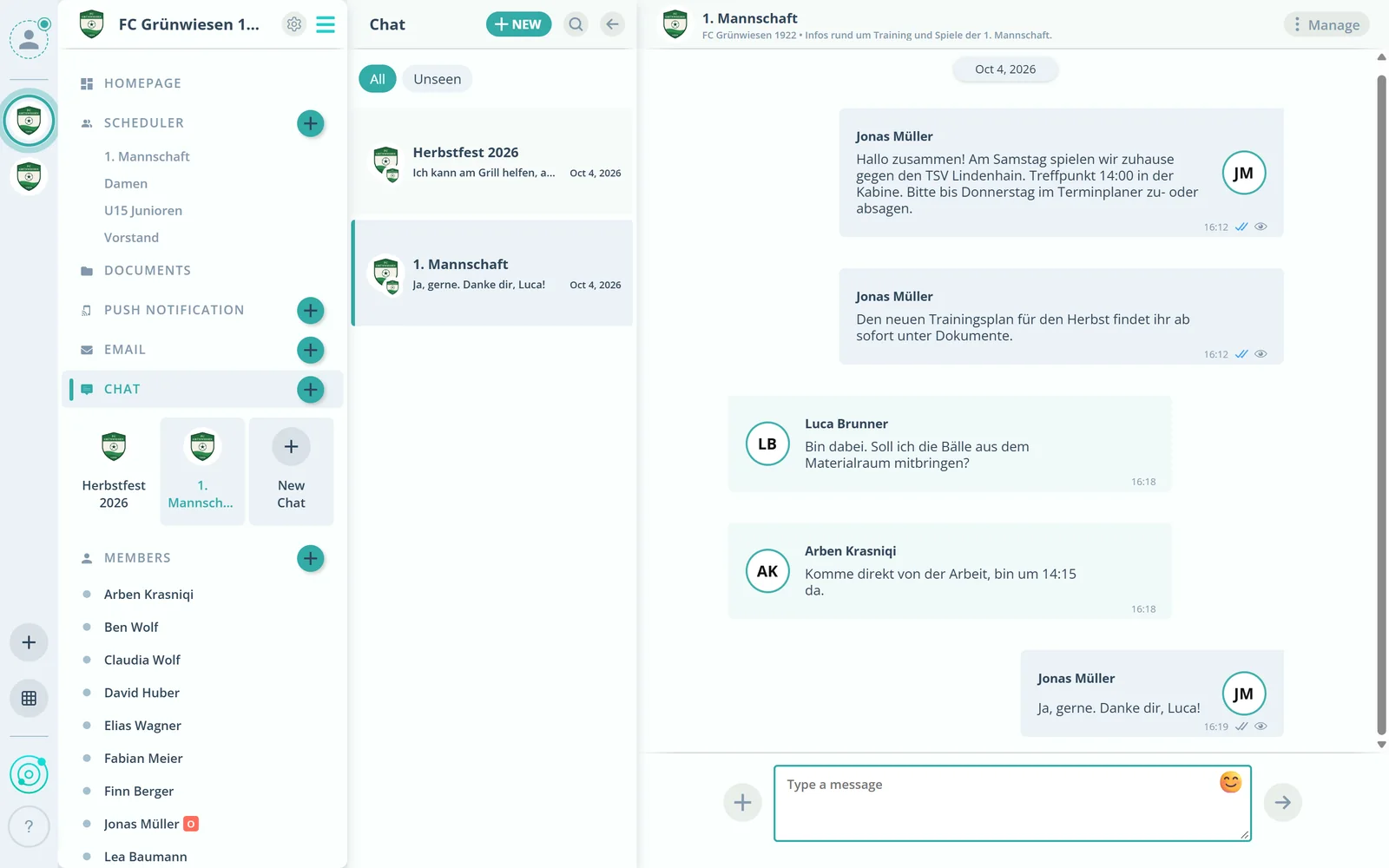
Create chat rooms with selected members, much like WhatsApp. Direct messages come on top.
Feature: Chat & Communication
Team chat, direct messages and emails to members, groups or event participants, right inside Gumb and without copying addresses.



In short
Gumb brings a club's communication into one place: chat rooms with selected members, direct messages, comments on events and emails to members, groups, roles or event participants. Admins and group leaders send emails straight from the web app, with attachments and without copying addresses.
Real screens from the app, explained step by step.
Create chat rooms with selected members, much like WhatsApp. Direct messages come on top.
Pick members, groups or roles such as all admins. You can add external addresses.

Pick an event and write to exactly the invitees, filtered by their answer if you like.
Attach files and send. Recipients cannot see who else received the email.
What else communication in Gumb can do.
Chat rooms with selected members and person-to-person messages.
In the chat, members can attach files themselves.
Sort out questions right at the event instead of in an endless group chat.
Send club news or invoices by email to members, groups or roles.
Add up to 100 external addresses per email.
Important news straight to their phones, to individuals, groups or everyone.
Yes. Chat rooms with selected members, much like WhatsApp, and direct messages.
Admins and group leaders, in the web app.
No. Who else received the email stays hidden.
Yes. The email arrives as no-reply, with your name as the sender and a button that replies straight to your address.
Yes. By email you attach files or documents from Gumb. In the chat, all members can share files.
No. Members never pay. The club or organization pays for the subscription, and members use Gumb for free.
Try Gumb free for 2 months with the full feature set. No credit card, no automatic renewal.