
Every member in one place
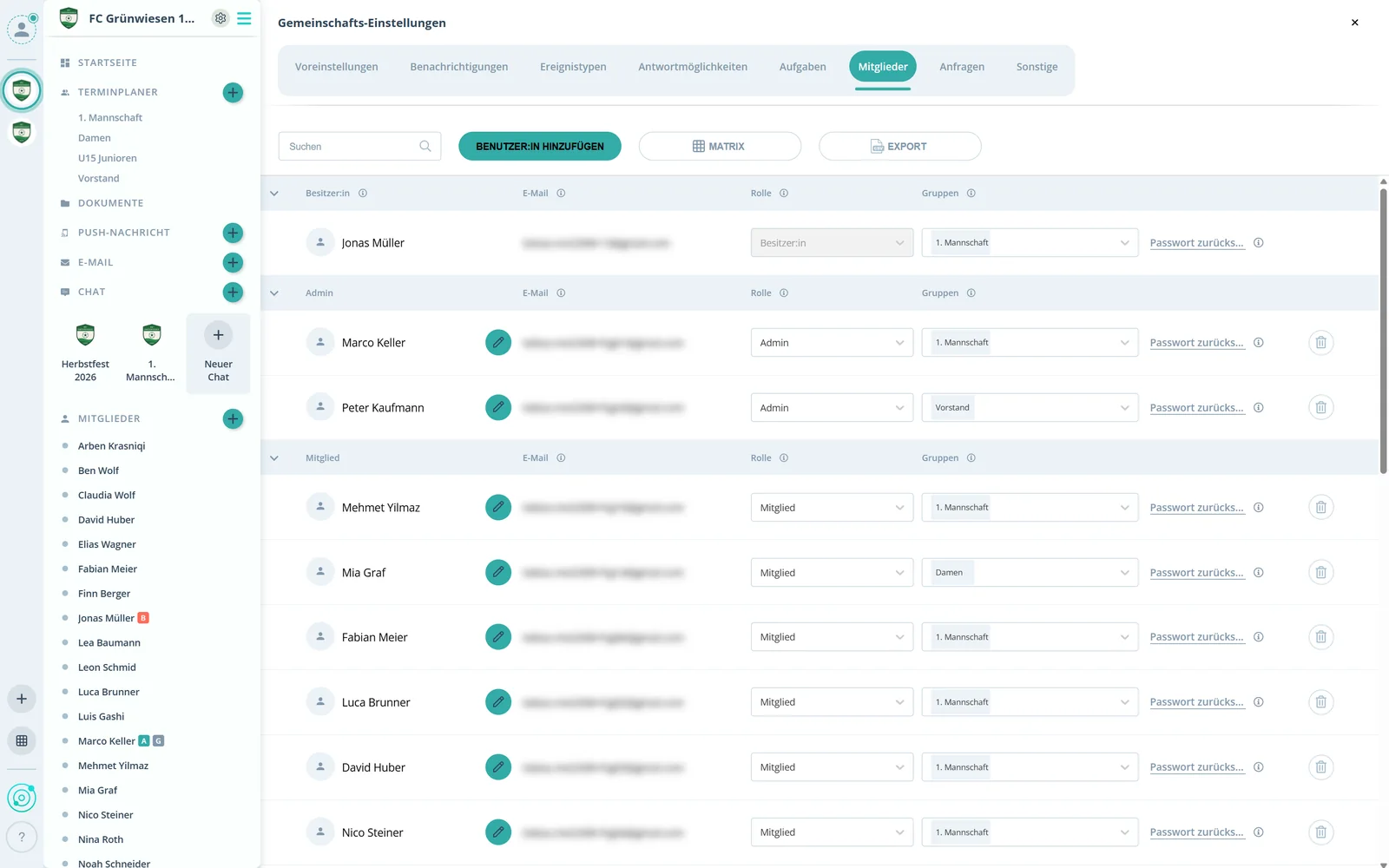
Each member's name, email, role and groups in one list.
Feature: Members & Roles
Invite members, sort them into groups and decide with four roles who can do what. All in one place, exportable as CSV.



In short
Member management in Gumb lists every member with their email, role and groups. Members join via a community link, by email address or by invitation. Four roles set the rights: owner, admin, group leader and member. All data can be exported as CSV, and members never pay for Gumb.
Real screens from the app, explained step by step.
Each member's name, email, role and groups in one list.
New members join via a link, by email address or by invitation. Export downloads all data as CSV.
Owner, admin, group leader and member. You change the role right in the list.
In the Groups column you add members to groups or remove them.
What else member management in Gumb can do.
Share a link, then accept or decline join requests.
Create members in advance. Gumb sends the invitation with a temporary password.
Each child gets their own account. Parents sign them up for events or cancel.
Admins and group leaders can respond to events for members.
Members decide which admins can see their profile data.
All member data as CSV for Excel and other programs.
In three ways: via the community link with a join request, by registering themselves so you can add them by email address, or you add them upfront and Gumb sends the invitation.
Four: owner, admin, group leader and member. Admins edit all settings, group leaders schedule events for their group, members respond.
For now: one child, one email address, one account. Parents can log into their child's account with the same credentials, and admins can create children's accounts upfront. A shared family login is in the works.
No. Members decide in their settings which admins can access their profile.
Yes, all member data as a CSV file for Excel or other programs.
No. Members never pay. The club or organization pays for the subscription, and members use Gumb for free.
Try Gumb free for 2 months with the full feature set. No credit card, no automatic renewal.