
Every event at a glance
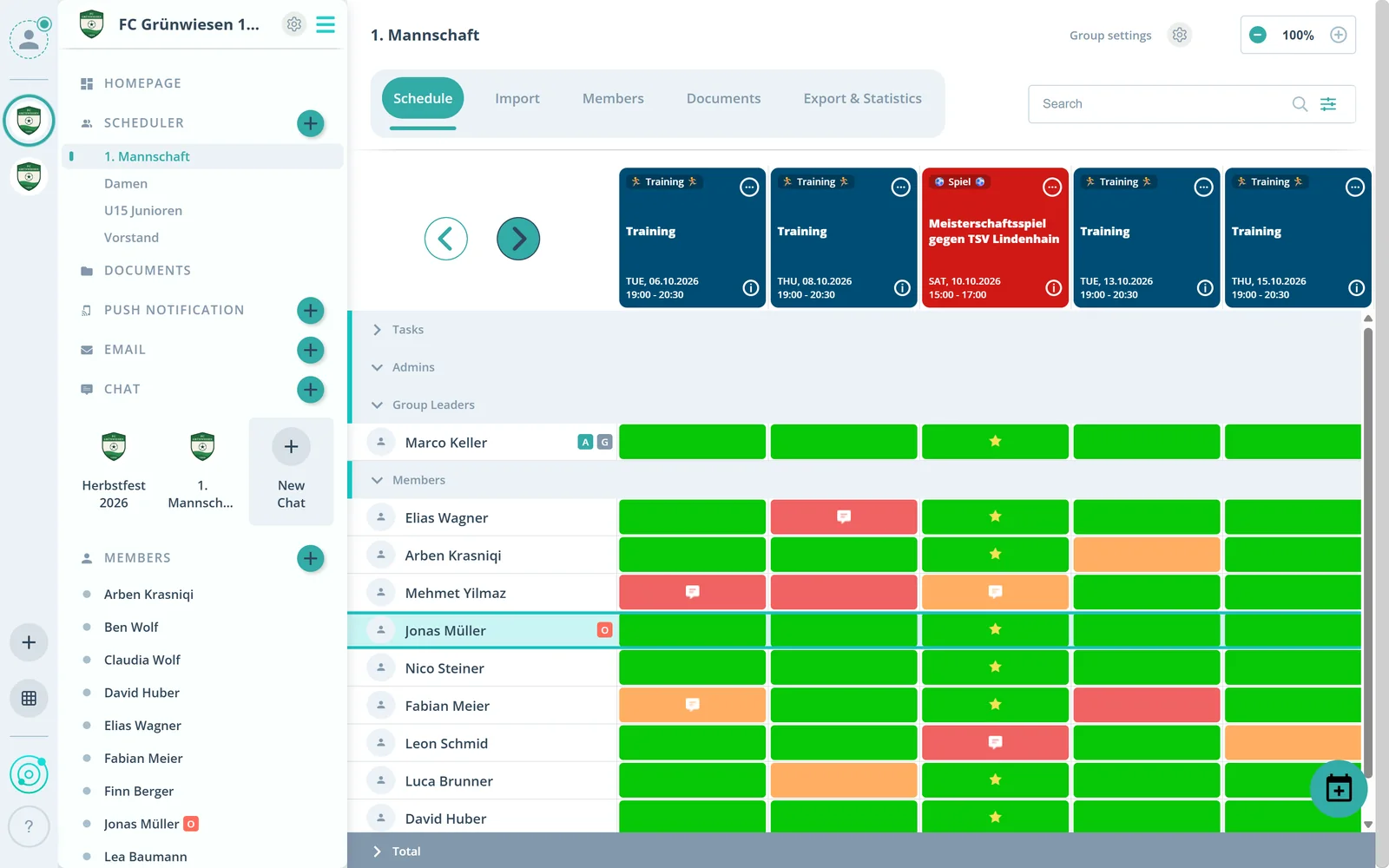
The scheduler shows all events side by side. Your own event types such as practice, game or meeting tell them apart instantly.
Feature: Scheduling
Plan practices, rehearsals, meetings and shifts in one calendar, including recurring ones. See who's in and who's out live, per event and per group.



In short
With scheduling in Gumb, clubs, teams and groups plan every event in one shared calendar, as community events for everyone or as group events for single groups. Events can repeat, be imported from a CSV or Excel file and sync with Google Calendar. Gumb runs on iOS, Android and in the browser.
Real screens from the app, explained step by step.
The scheduler shows all events side by side. Your own event types such as practice, game or meeting tell them apart instantly.
Below, you see how each member responded to each event. Nobody has to chase answers anymore.
Date, time, location and type are in every event. Attach tasks such as helpers, equipment or rides, and files, right to it.
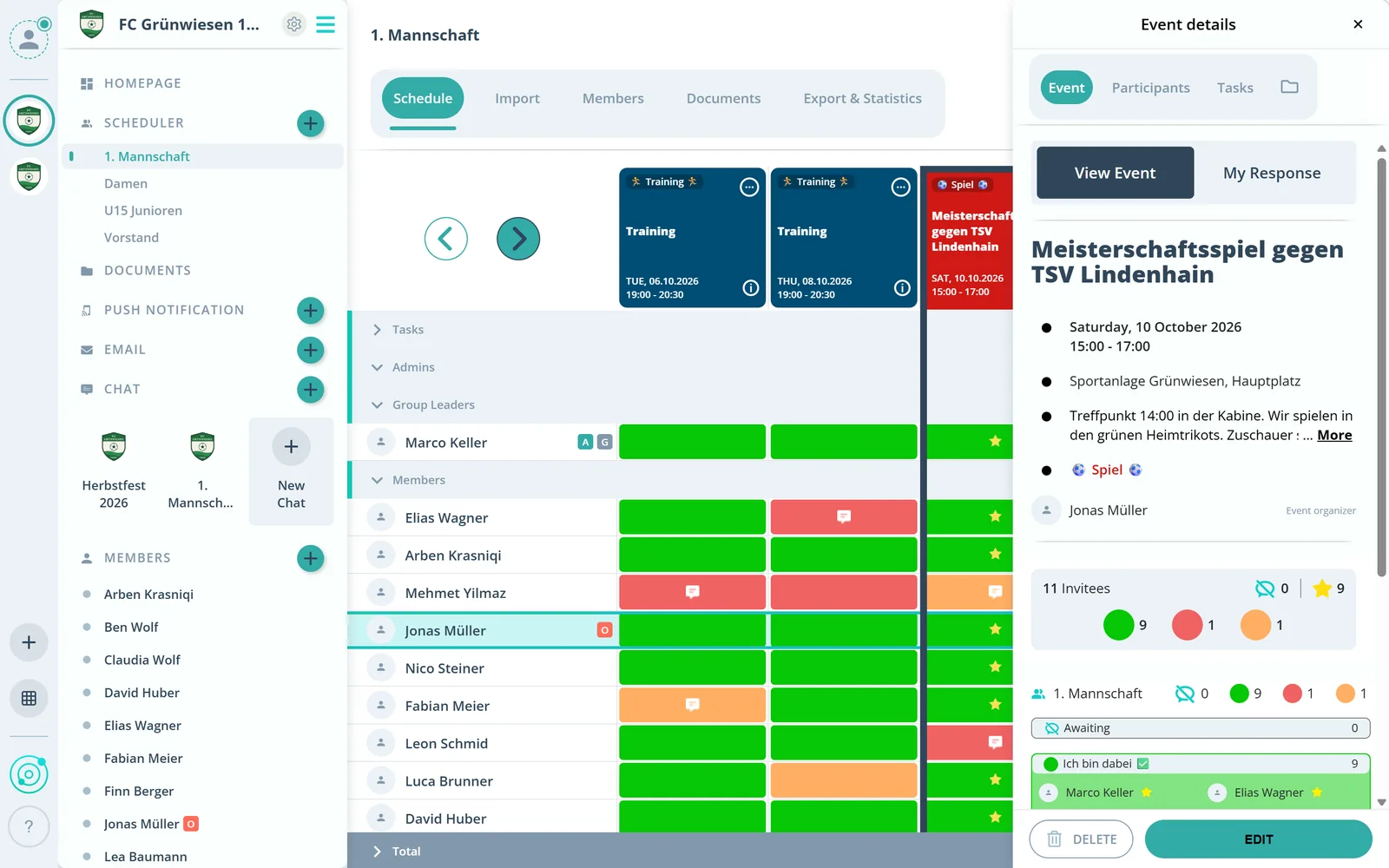
Sign-ups and cancellations are visible right away, in total and for every invited group.
Community events are visible to the whole club. Group events such as practices or rehearsals are visible only to that group.
What else scheduling in Gumb can do.
Daily, weekly, monthly or custom. Set it up once for the whole season.
Practice, game, rehearsal or meeting: create your own types and tell them apart at a glance.
Decide until when members can sign up or cancel.
Pass an event on via WhatsApp or email.
Export events as a PDF to print or put up.
Events show up in Google Calendar automatically. Guides for Apple and Outlook are in our support center.
Yes. When creating an event, choose “Repeat Event” and set the pattern: daily, weekly, monthly or custom.
Community events are visible to all members. Group events are visible only to members of that group. Admins and owners see and manage all events.
Sign-ups and cancellations are visible live in the event, in total and per group. The scheduler also shows how each member responded.
Yes. Gumb has customizable response deadlines.
Instead of deleting it, create an event type such as “Canceled” and switch the event to it. That way it stays visible, even for members who missed the push notification.
Yes. Gumb connects to Google Calendar. Guides for Apple and Outlook calendars are in the Gumb support center.
No. Members never pay. The club or organization pays for the subscription, and members use Gumb for free.
Try Gumb free for 2 months with the full feature set. No credit card, no automatic renewal.