
The line-up at a glance
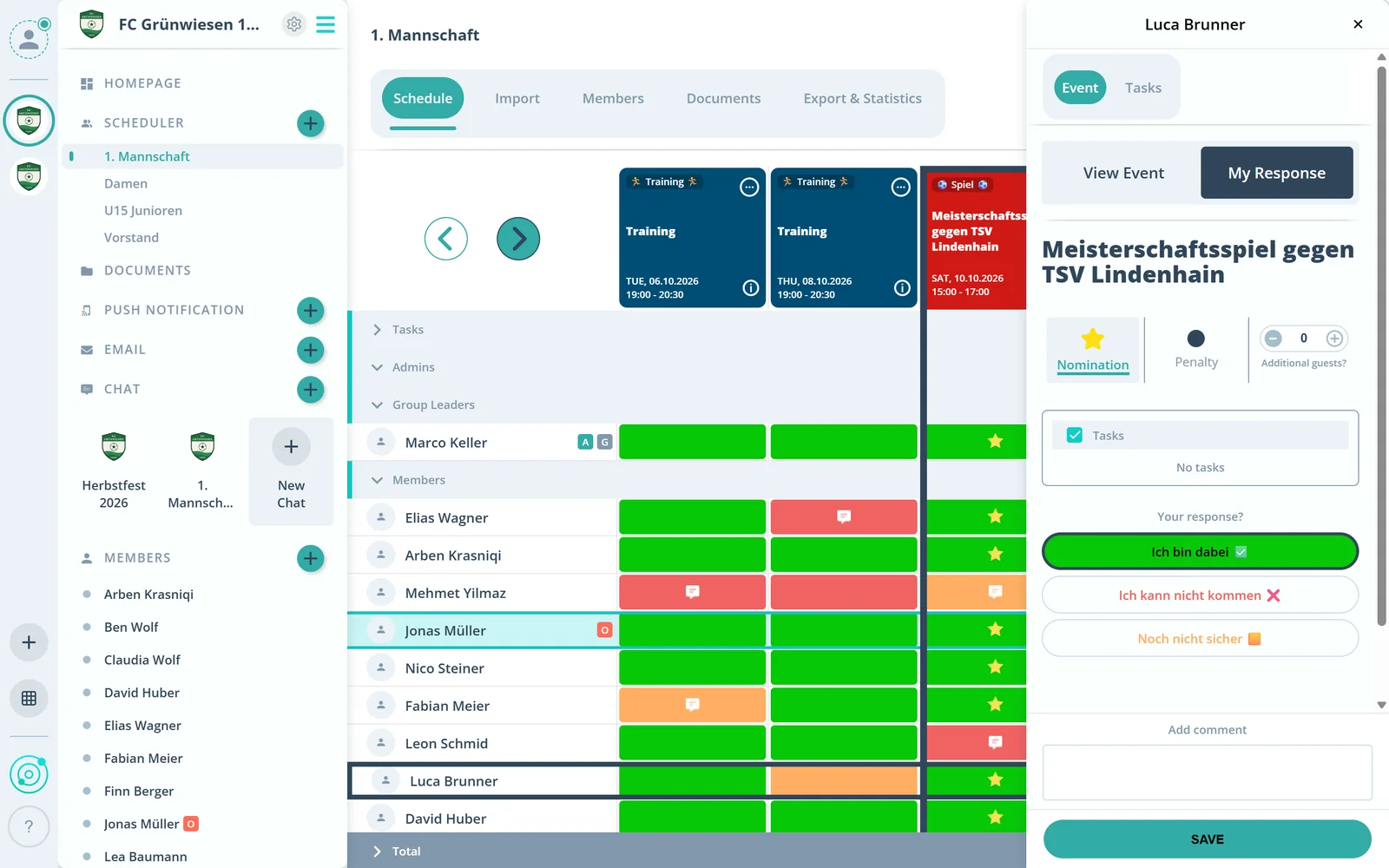
In the scheduler, a star shows who is nominated for the event. The members’ answers stay visible next to it.

Feature: Nomination & Penalty
Mark the line-up with a star and record missed events with the penalty dot. Members see both, and at the end of the season you review them per person.



In short
With nomination and penalty, admins in Gumb mark who is picked for an event and who missed a past event. The star stands for the nomination, the black penalty dot for a missed event, and the member sees both. Event reminders can go to the line-up only, substitutes are marked as a task, and at the end of the season the statistics show stars and dots per member.
Real screens from the app, explained step by step.
In the scheduler, a star shows who is nominated for the event. The members’ answers stay visible next to it.
Click a member’s answer field, turn on Nomination or Penalty at the top and save. You set the penalty dot on past events.
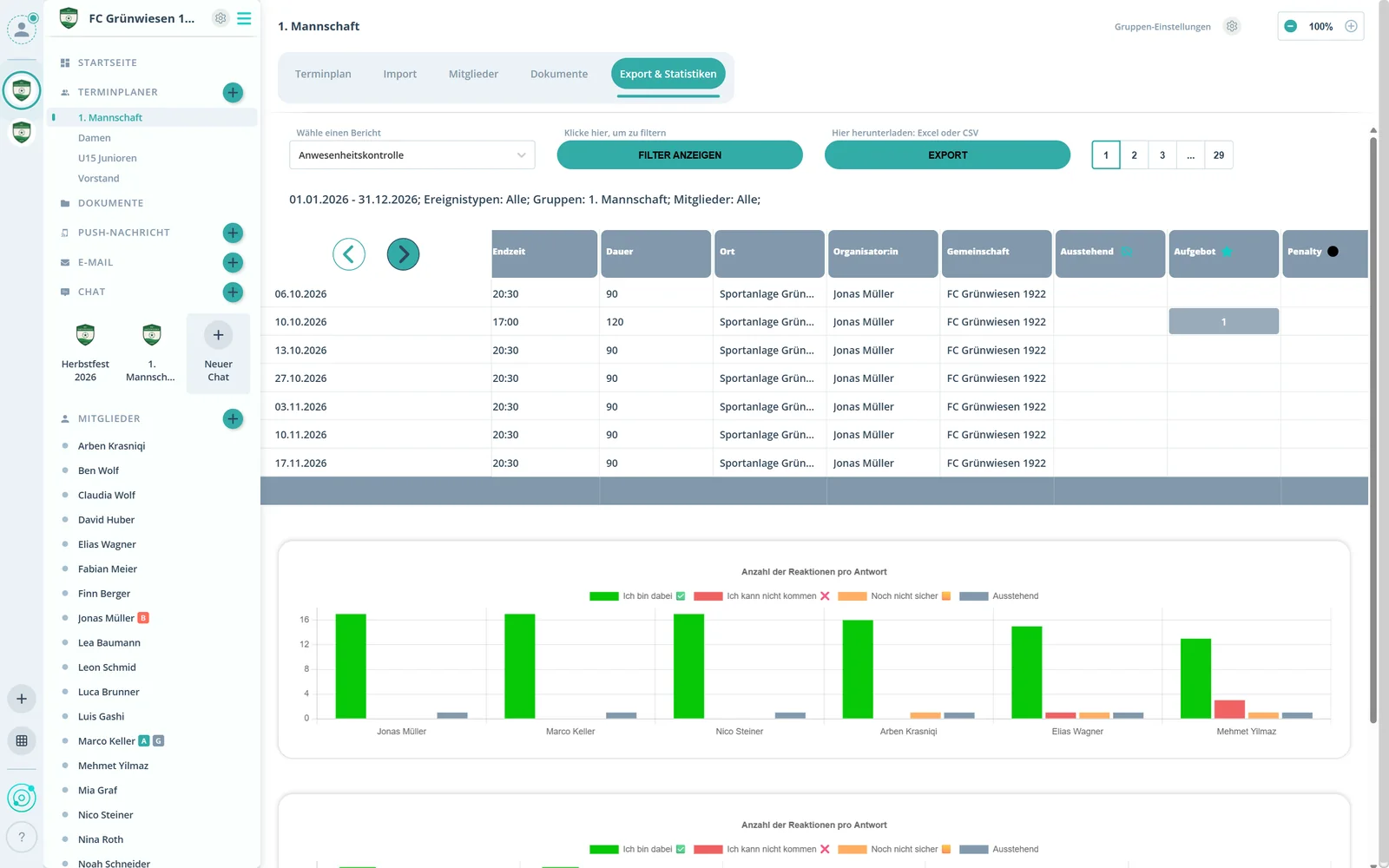
Under statistics, the attendance report shows nomination and penalty per event and person, ready to export to Excel or CSV.
What else nomination and penalty do.
Marks who is nominated for an event, visible to the member.
Records a missed past event.
Send event reminders only to the nominated people if you want.
Mark substitutes with their own task, such as “Substitute”.
Review stars and penalty dots per member in the statistics.
In businesses, the star marks confirmed shifts after the availability check.
The star stands for a nomination for an event. Admins set it, and the member sees it.
The black penalty dot records that someone missed a past event. It can also be used as a penalty point and is visible to the member.
Yes. In the community settings under notifications, turn on the nomination option for event reminders. Then only the nominated people get the push message.
Most clearly with a task: create an option such as “Substitute” under tasks in the community settings and assign it to the person.
Yes. In businesses, managers check availability when planning shifts and mark confirmed shifts with the star.
Try Gumb free for 2 months with the full feature set. No credit card, no automatic renewal.