
Filter and export
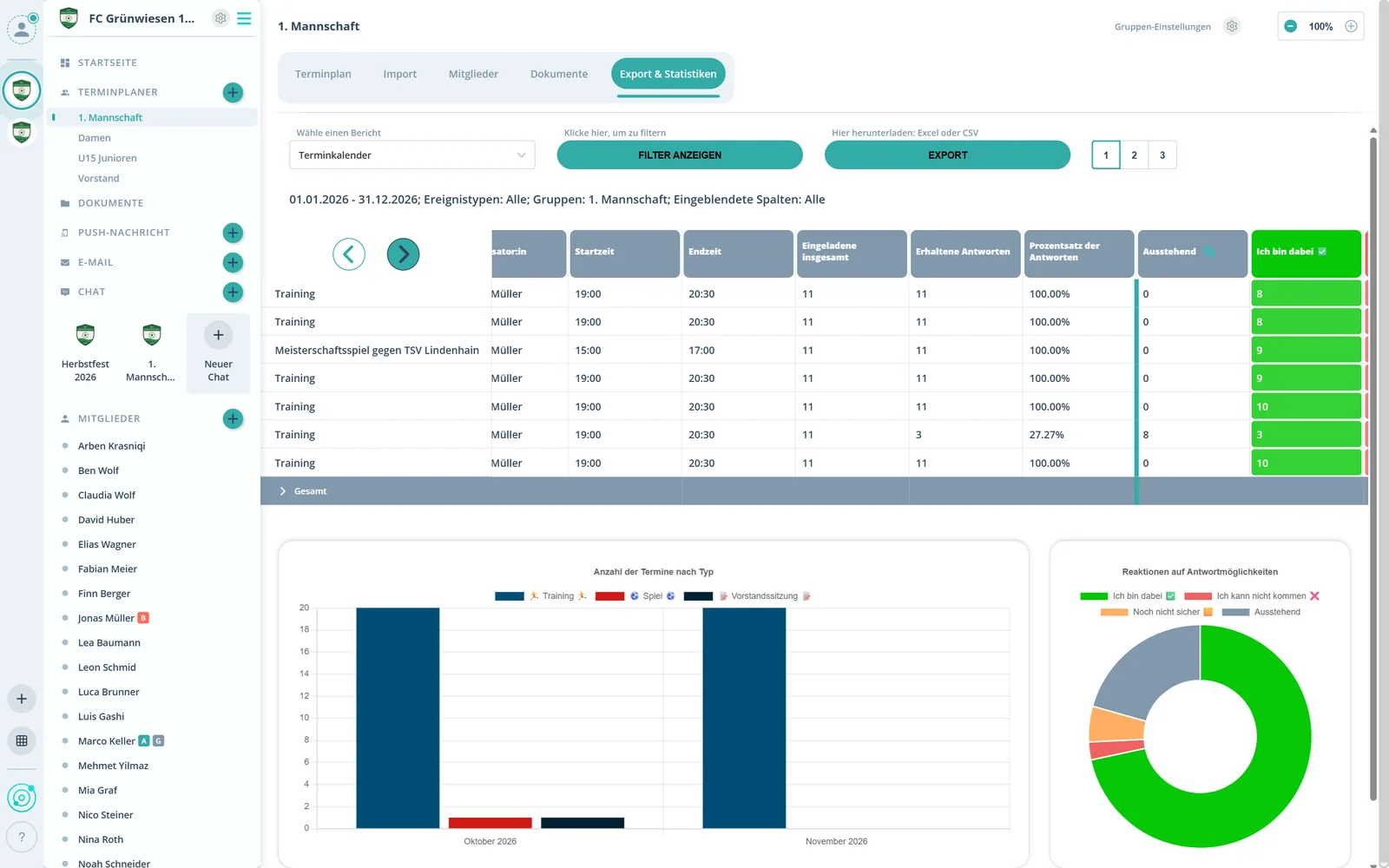
In the scheduler under Statistics, filter by period, event type, group and members. One click on Export and you are done.
Feature: Attendance & Insights
Gumb counts every response. Analyze by period, event type or group and export the list as an Excel file.



In short
Gumb analyzes the responses and attendance of every member. Under Statistics, admins and group leaders filter by period, event type, group and member and export the attendance list as an Excel file. For Swiss clubs the export is prepared for J+S, with columns for NDS and BASPO.
Real screens from the app, explained step by step.
In the scheduler under Statistics, filter by period, event type, group and members. One click on Export and you are done.
Per event you see the invitees, responses received, the response rate and who is still pending.
The bar chart shows how many events there were per month and event type.
The donut chart shows how the answers are split.
Two reports that answer the key questions.
The attendance list with one row per person and event, with the status and two free-text fields for notes.
For Swiss clubs: columns ready for NDS and BASPO, with date of birth and a prepared AHV column. Export as XLSX or CSV.
One row per event, with responses, tasks per person and comments.
A star for the line-up, a penalty dot for missed events. Review them per member at the end of the season.
Adjust answers and the status of past events, then simply export again.
Any admin or group leader can download the reports, no extra rights needed.
It is based on the members' responses. You mark missed events with the penalty dot, and the answers and status of past events can be adjusted.
Statistics offers two: the event calendar with one row per event and attendance control with one row per person and event. Both can be exported as an Excel file.
Yes. The attendance control export is prepared for NDS and BASPO, as XLSX or CSV. There is no direct connection to BASPO yet.
Yes. Select one or more groups in the filter before you export.
Every admin and every group leader, without extra rights.
No. Members never pay. The club or organization pays for the subscription, and members use Gumb for free.
Try Gumb free for 2 months with the full feature set. No credit card, no automatic renewal.