
One account per child
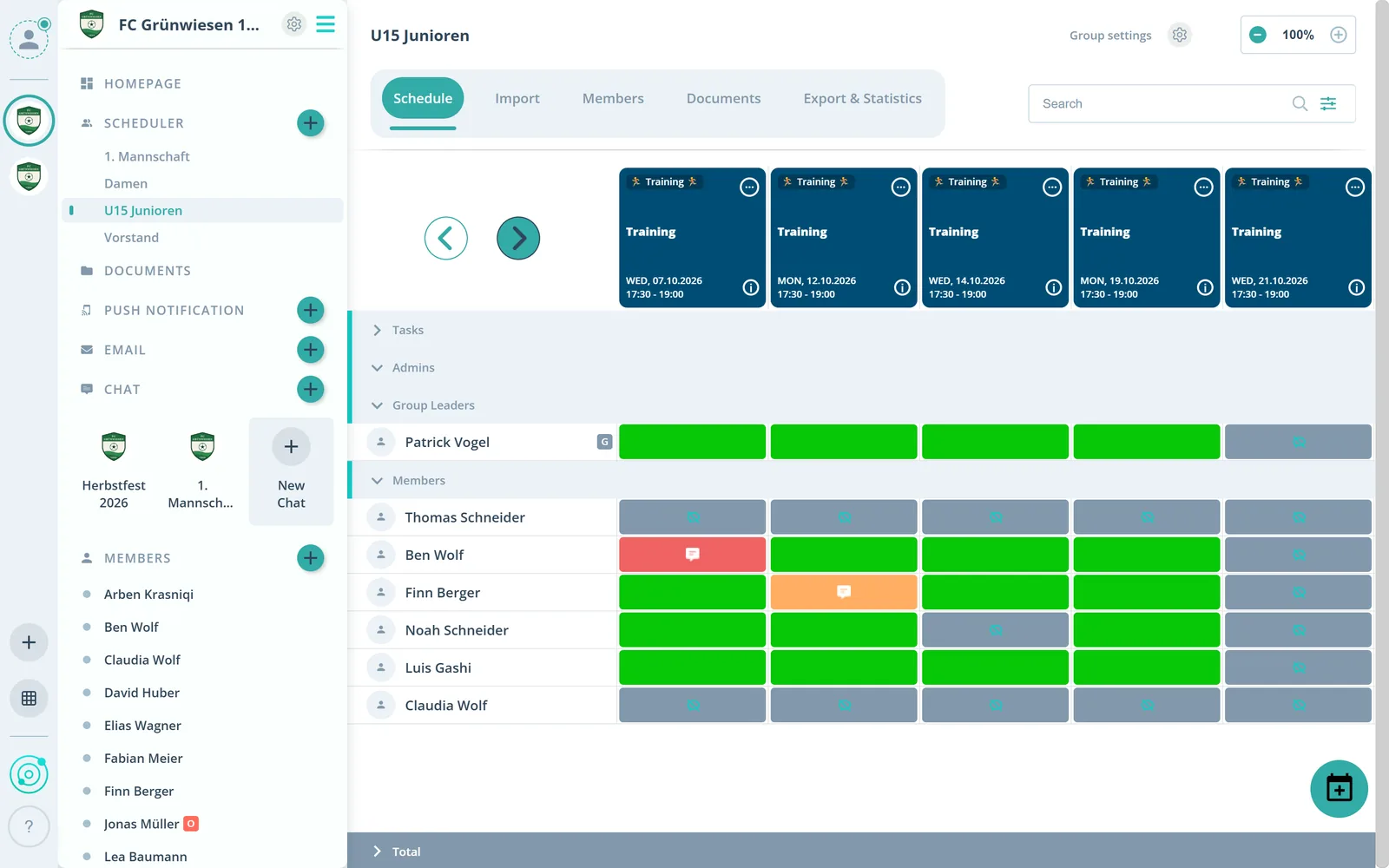
Every child has their own row in the scheduler with their own responses. That takes an account per child. If your child has no email address, use Mom’s or Dad’s.
Feature: Parents & Kids
One account per child, shared access for parents and siblings as guests. This is how families organize their events in Gumb today. A family login is in the works.




In short
In Gumb every child has their own account with their own email address, or Mom’s or Dad’s if needed. Parents log in together with the same credentials, admins create kids’ accounts in advance and Gumb sends the invitation with a temporary password. Admins and group leaders answer on members’ behalf, siblings count as additional guests. A family login for the whole family is in the works, with no date yet.
Real screens from the app, explained step by step.
Every child has their own row in the scheduler with their own responses. That takes an account per child. If your child has no email address, use Mom’s or Dad’s.
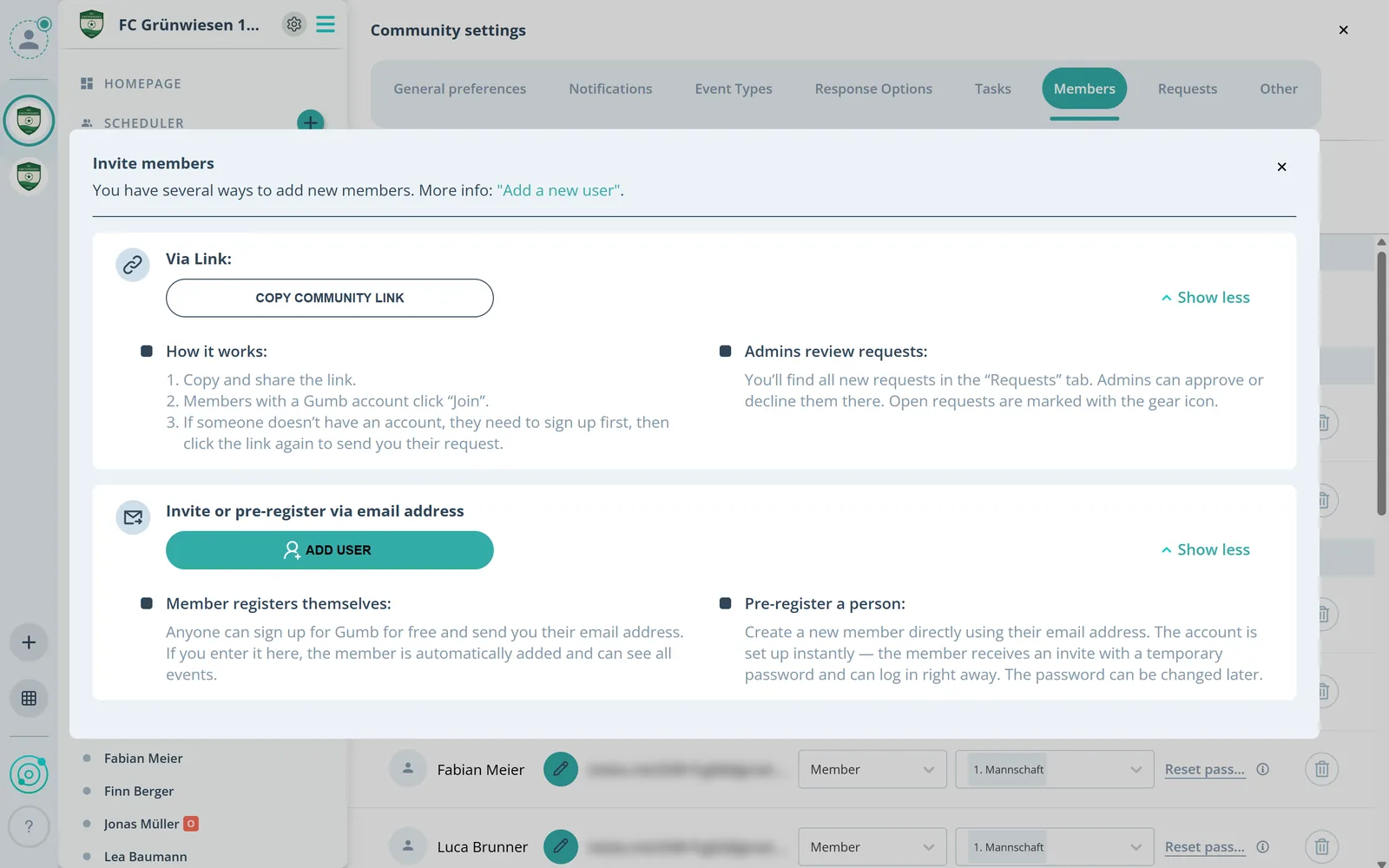
Admins don’t have to wait for every family to register. With “add in advance” they create the account directly, and Gumb sends the invitation with a temporary password.
Admins answer for every member, group leaders for the members of their group. Every response ends up in the plan, even when it comes by word of mouth.
Siblings who only come along and are not scheduled themselves count as additional guests.
The comment says who is driving or who is coming along. A speech bubble in the scheduler shows everyone there is a comment.
What else families should know.
Every child gets their own events and gives their own responses.
Admins create kids’ accounts, Gumb sends the invitation with a temporary password.
Both parents log in to the child’s account with the same email and password.
Anyone who only comes along counts as an additional guest and is not scheduled.
For recurring events, save “for all following events” and only act when your child can’t attend.
One login for the whole family is in development. Once it is live, you will find it in the release notes.
Yes. Right now: 1 child = 1 email address = 1 account. Every child who gets their own events and responds for themselves needs their own account.
The easiest way: one parent creates the account for the first child with their email address, the other parent creates the account for the second child with theirs. That also makes it clear who signs up or cancels for which child.
Yes. Both parents can log in to the same account with the same email address and password.
We are working on it: one login for the whole family, without extra email addresses. We are deliberately not naming a date. Once it is live, you will find it in the release notes.
A password manager makes logging out and in the fastest.
Try Gumb free for 2 months with the full feature set. No credit card, no automatic renewal.