
Every answer in the scheduler
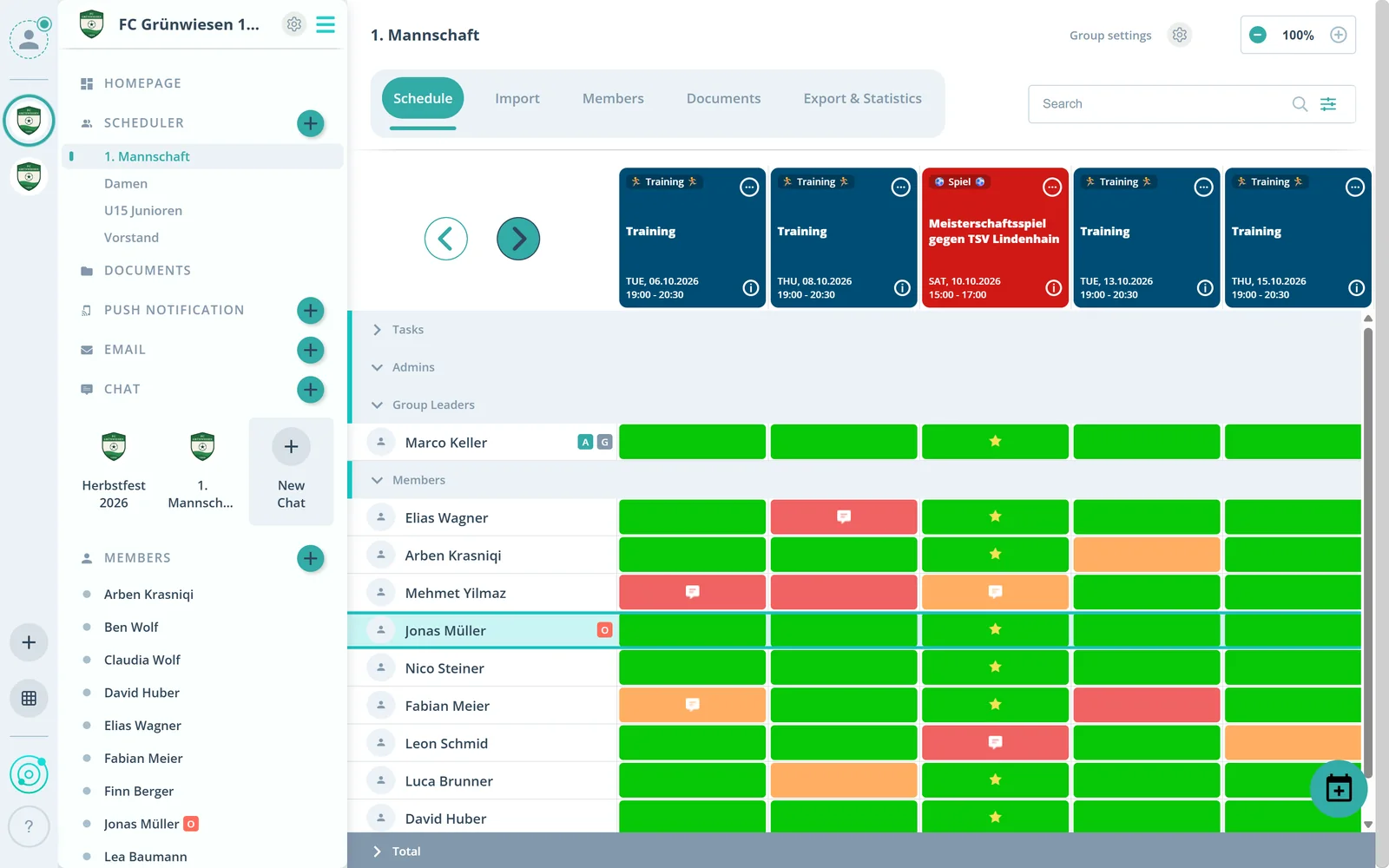
For each member and each event, the answer sits in a colored field, in the colors you choose.
Feature: RSVPs
Members respond with a single tap. You see every answer live, per event, per group and per member.



In short
In Gumb, members respond to every event with one tap. Organizers see every answer live, in total, per group and per member. Each club sets its own response options, colors, mandatory comments and response deadlines.
Real screens from the app, explained step by step.
For each member and each event, the answer sits in a colored field, in the colors you choose.
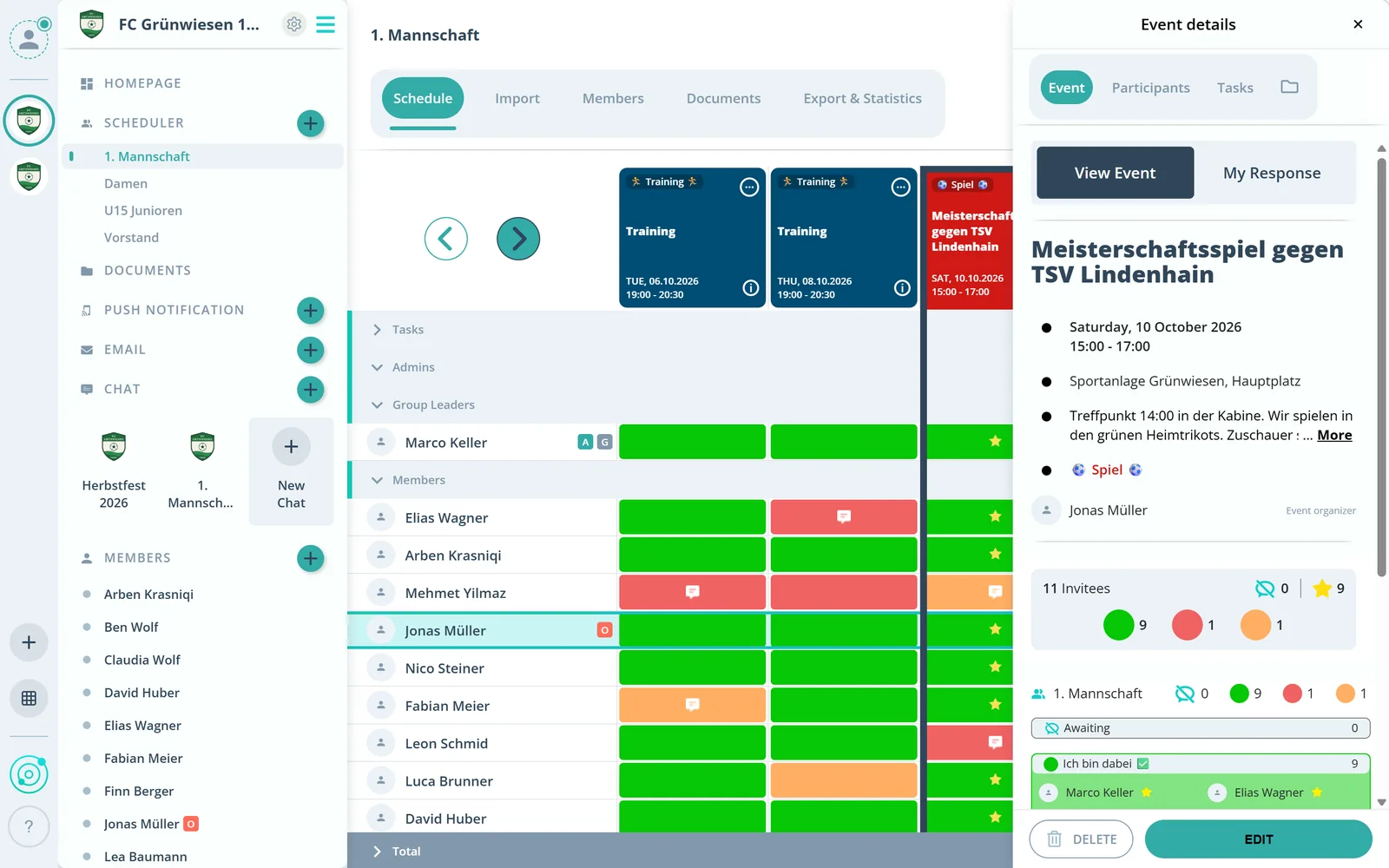
The event shows how often each answer was given. Sign-ups and cancellations appear right away.
Below, the same numbers for every invited group. So you see, for example, whether enough coaches or helpers are coming.
What else RSVPs in Gumb can do.
Name, color, add or remove answers yourself.
Require a comment for an answer, so nobody cancels without a reason.
Decide until when members can sign up or cancel.
New events can start with one answer for everyone, such as “Maybe”.
Add companions such as siblings as additional guests without scheduling them.
A star marks who is firmly scheduled, for example in the squad or on the duty roster.
Right in the event, in the app or in the browser, with one tap on the matching answer. Optionally with a comment.
Yes. In the community settings under “Responses” you change, add or remove answers and set their name and color. You can also make a comment mandatory for an answer.
Yes. Admins can respond to events on behalf of members, group leaders for the members of their group.
Yes. Use the filter in the scheduler to switch to past events and adjust answers or the status.
Yes, with your own event type “Poll”. The response options then stand for the choices, for example “Yes = Movie 1”. The scheduler shows the result right away.
You decide: Gumb has customizable response deadlines.
No. Members never pay. The club or organization pays for the subscription, and members use Gumb for free.
Try Gumb free for 2 months with the full feature set. No credit card, no automatic renewal.