
Cover image and logo
Your cover image and logo sit at the top, with your name and the number of members. Every member knows right away where they are.

Feature: Homepage & Branding
Logo, cover image, a short description and links to your website and social media. The homepage shows every member at a glance who you are.



In short
The homepage is your community's shop window in Gumb. Owners and admins set a cover image (up to 20 MB) and a logo (up to 5 MB) in the community settings under General preferences, write a short description and link one or more websites plus Facebook, X, LinkedIn, Instagram and YouTube. The logo and cover image also show in push messages and emails.
Real screens from the app, explained step by step.
Your cover image and logo sit at the top, with your name and the number of members. Every member knows right away where they are.
Below are your description and the links to Facebook, X, LinkedIn, Instagram and YouTube. All the info in one place.
In the community settings under General preferences, upload your cover image and logo as JPG or PNG and set your name and category.
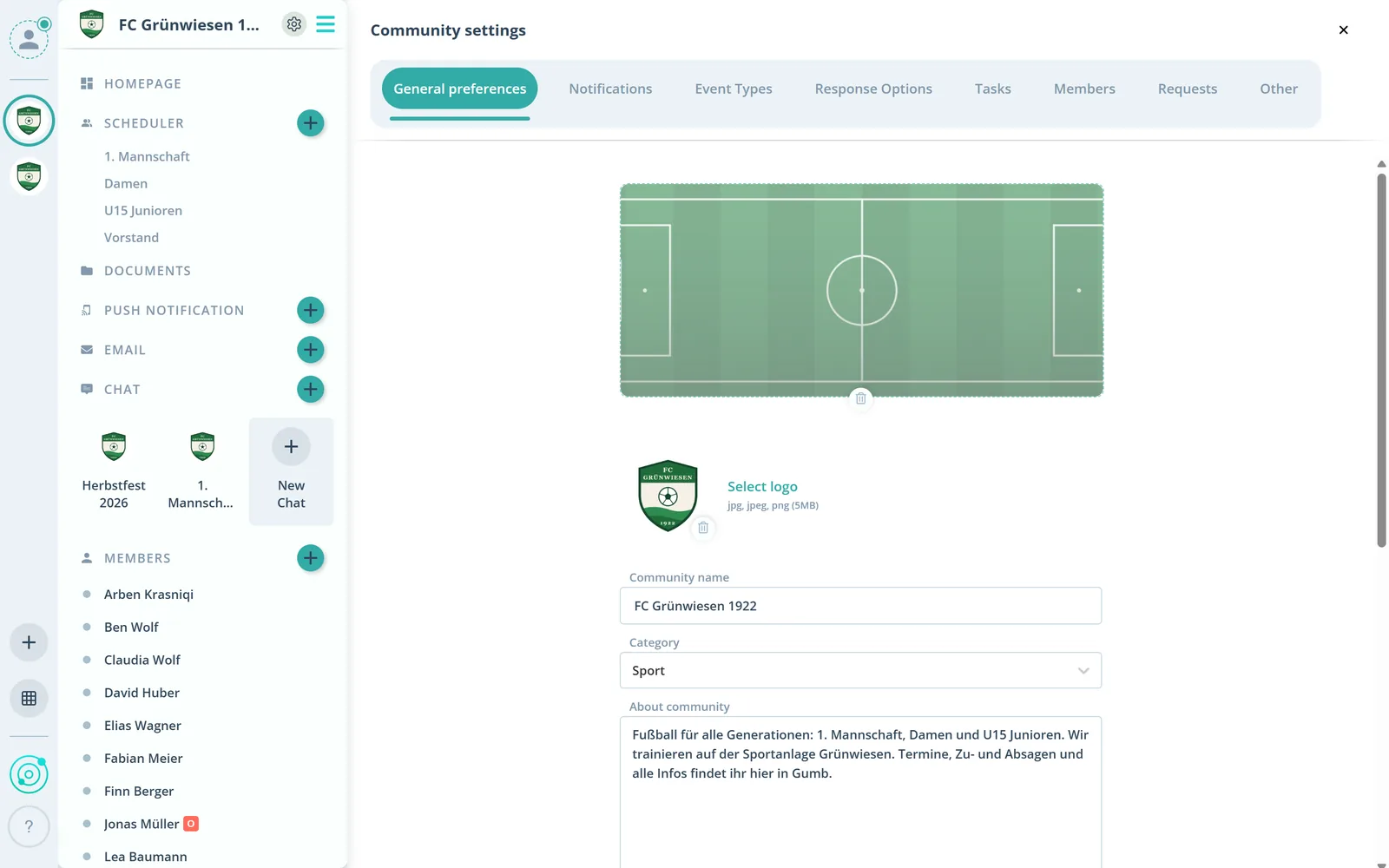
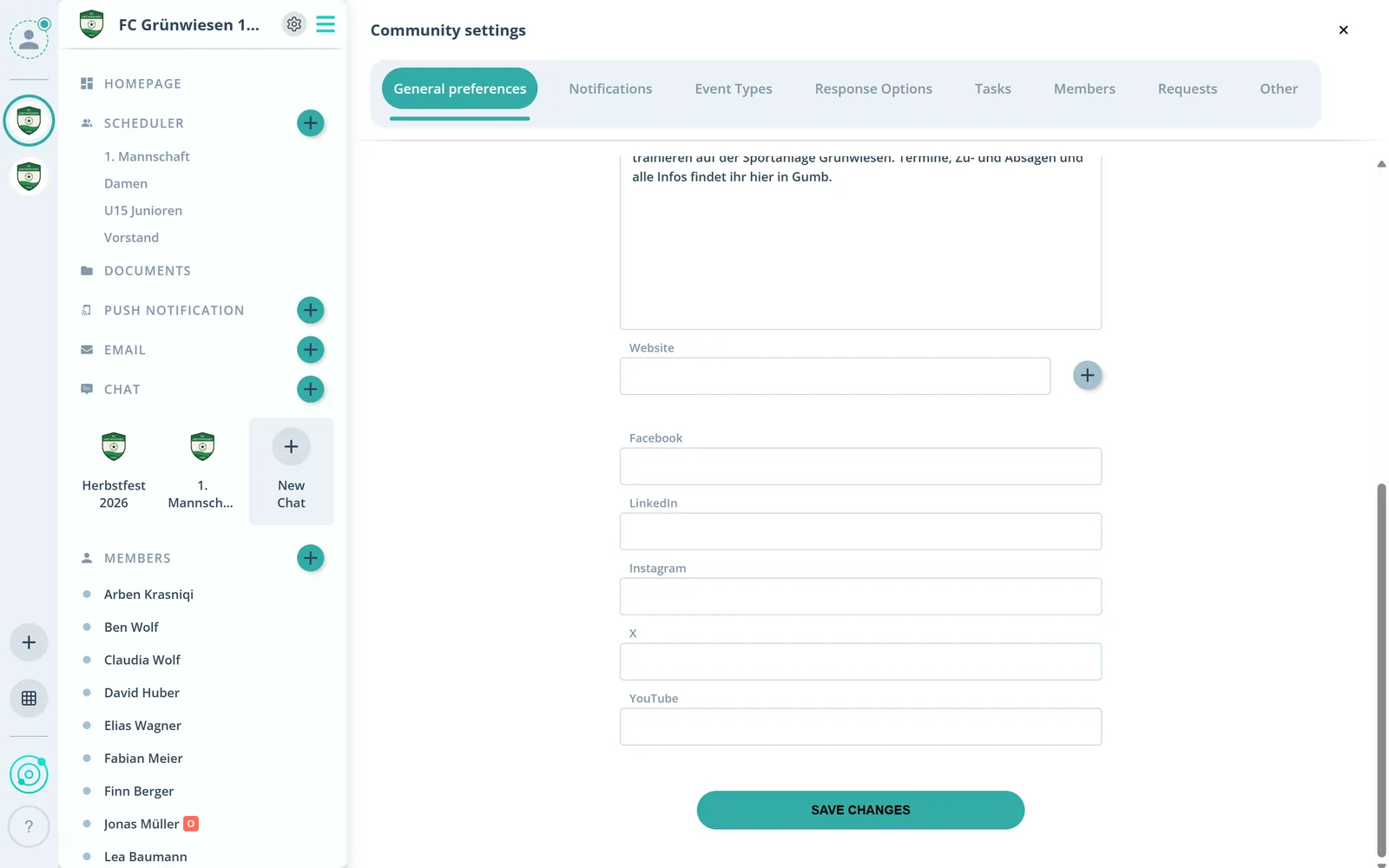
Add one or more websites and your profiles on Facebook, LinkedIn, Instagram, X and YouTube. Save, and the homepage is up to date.
What else the homepage does.
Your logo and cover image show in the app, in push messages and in emails.
A cover image up to 20 MB and a logo up to 5 MB, as JPG or PNG.
A few lines about your community, right on the homepage.
Link your club website and any other pages.
Link Facebook, X, LinkedIn, Instagram and YouTube.
Owners and admins edit the homepage, every member sees it.
Owners and admins, in the community settings. Group leaders have no access to the community settings.
JPG, JPEG and PNG. The cover image can be up to 20 MB, the logo up to 5 MB.
On the homepage and in the app, and in push messages and emails to your members.
One or more websites, such as your club website, and your profiles on Facebook, LinkedIn, Instagram, X and YouTube.
Click the gear next to your community's name and choose General preferences.
Try Gumb free for 2 months with the full feature set. No credit card, no automatic renewal.