
For Admins
Manage Join Requests 👤🚪
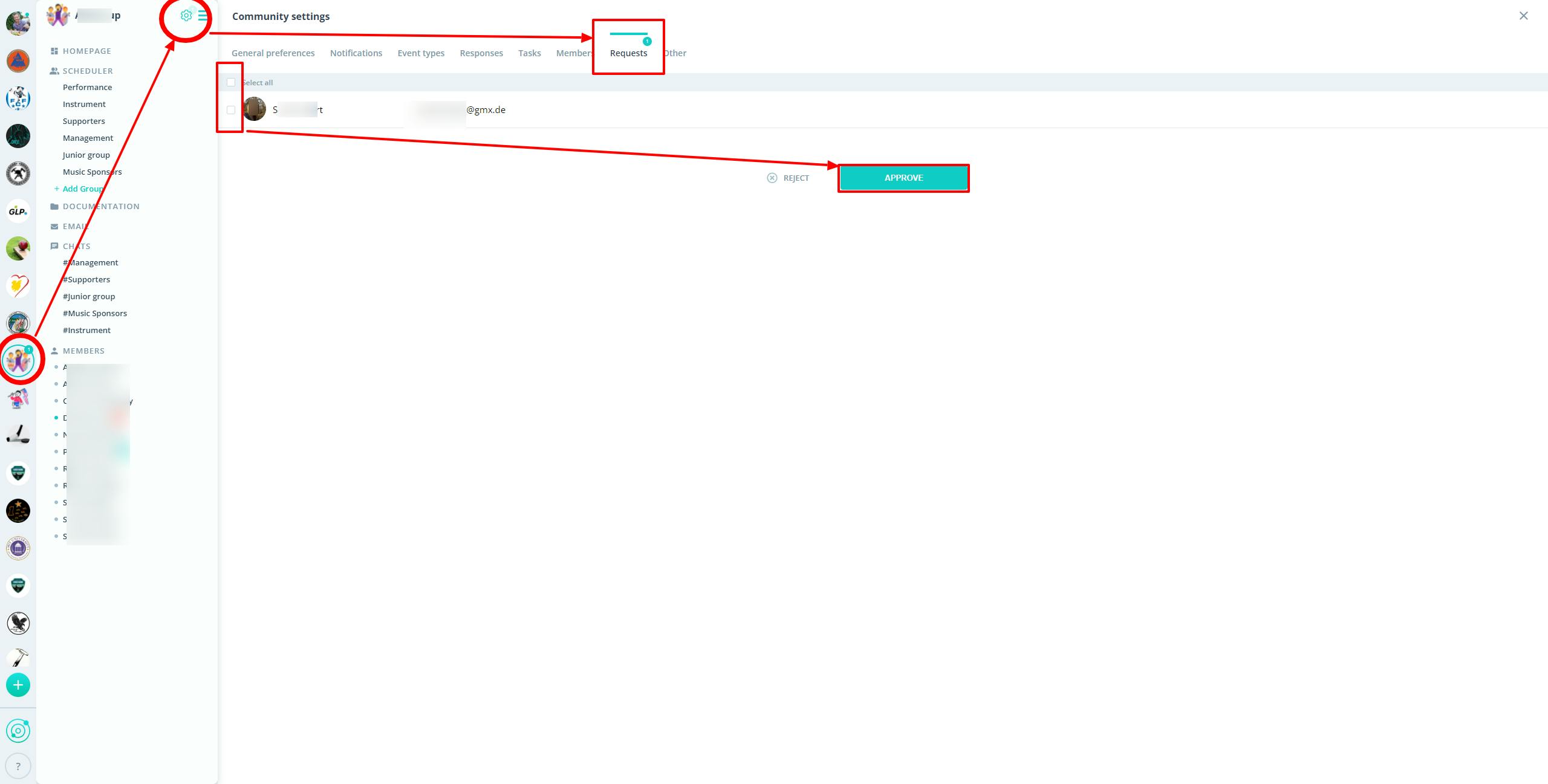
To decide on join requests:
- Click on the settings gear ⚙️ next to your community's name.
- Select the "Requests" tab.
- You'll see all pending requests here.
- Select individual members or all by checking the checkboxes.
- Click either "Approve" or "Decline."
Next Step: Role Assignment and Profile Completion
- Go to Member administration to assign roles and complete profiles.
If you have questions or need assistance, please contact us through our contact form.