
Soccer, Training, Match day
The soccer coach app for your whole team
Plan training and matches, see RSVPs in real time and track attendance automatically. For coaches, players and parents, without the group chat chaos.
- iOS, Android & web
- No feature upgrades needed
- No credit card needed



From practice to kickoff
Coaches plan at the computer. Players and parents reply on the go. Gumb connects both.
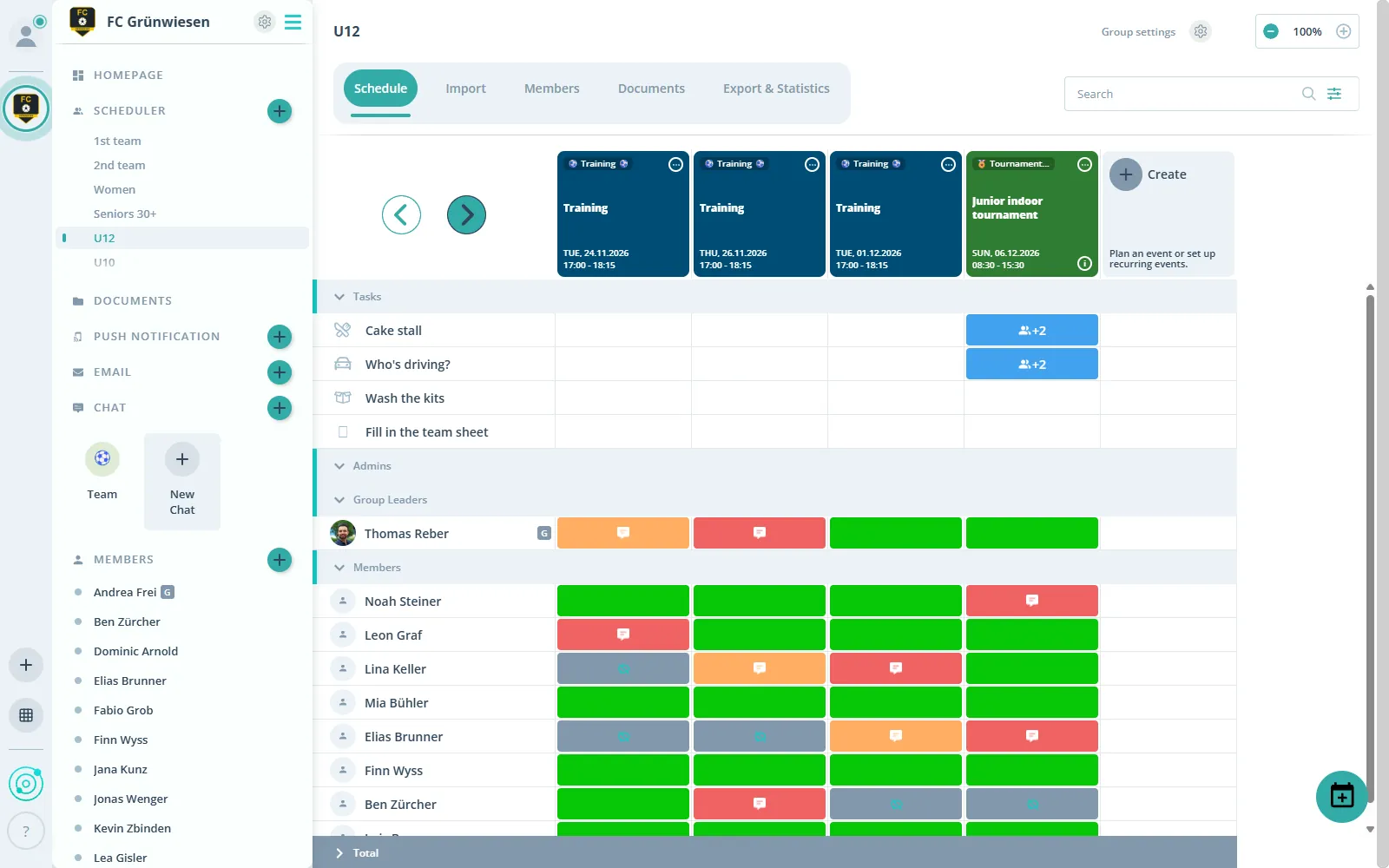
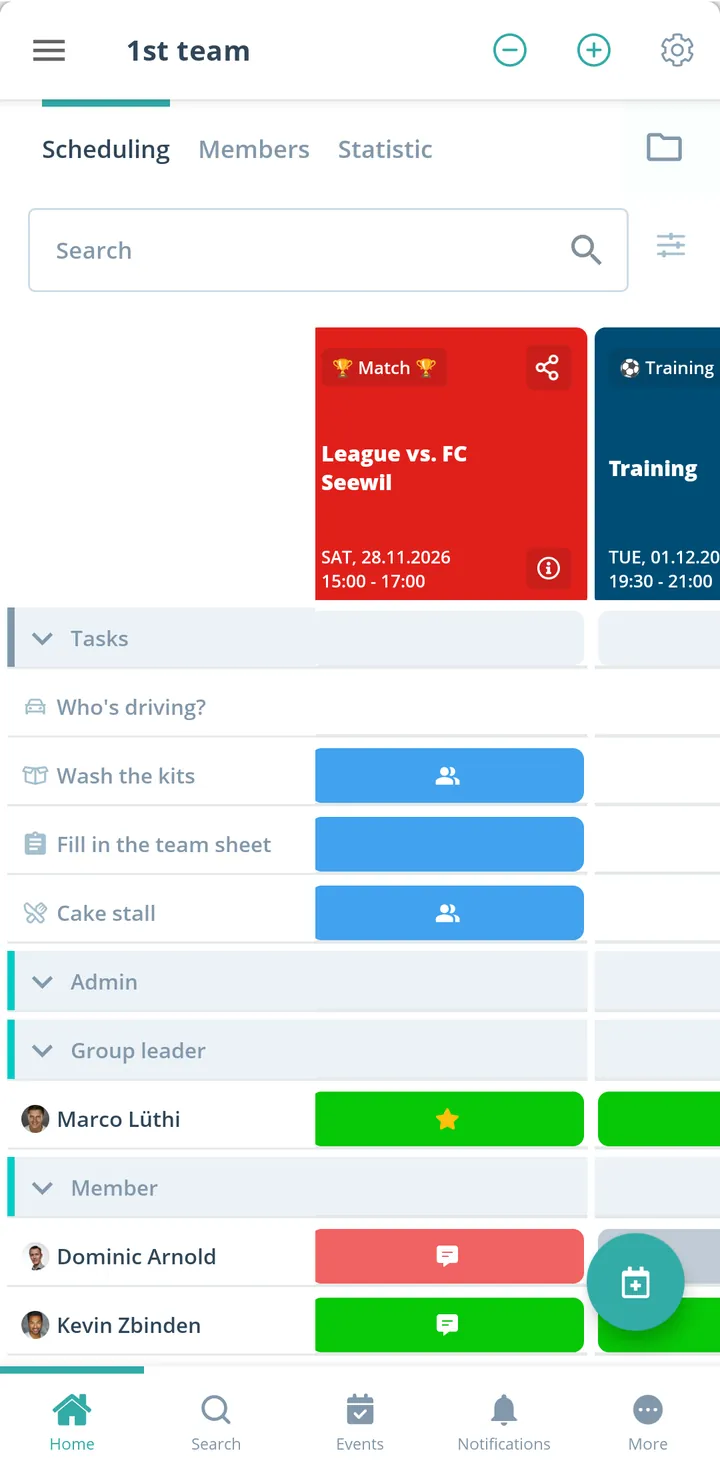
Plan practices
The whole season as a series, in a few clicks.
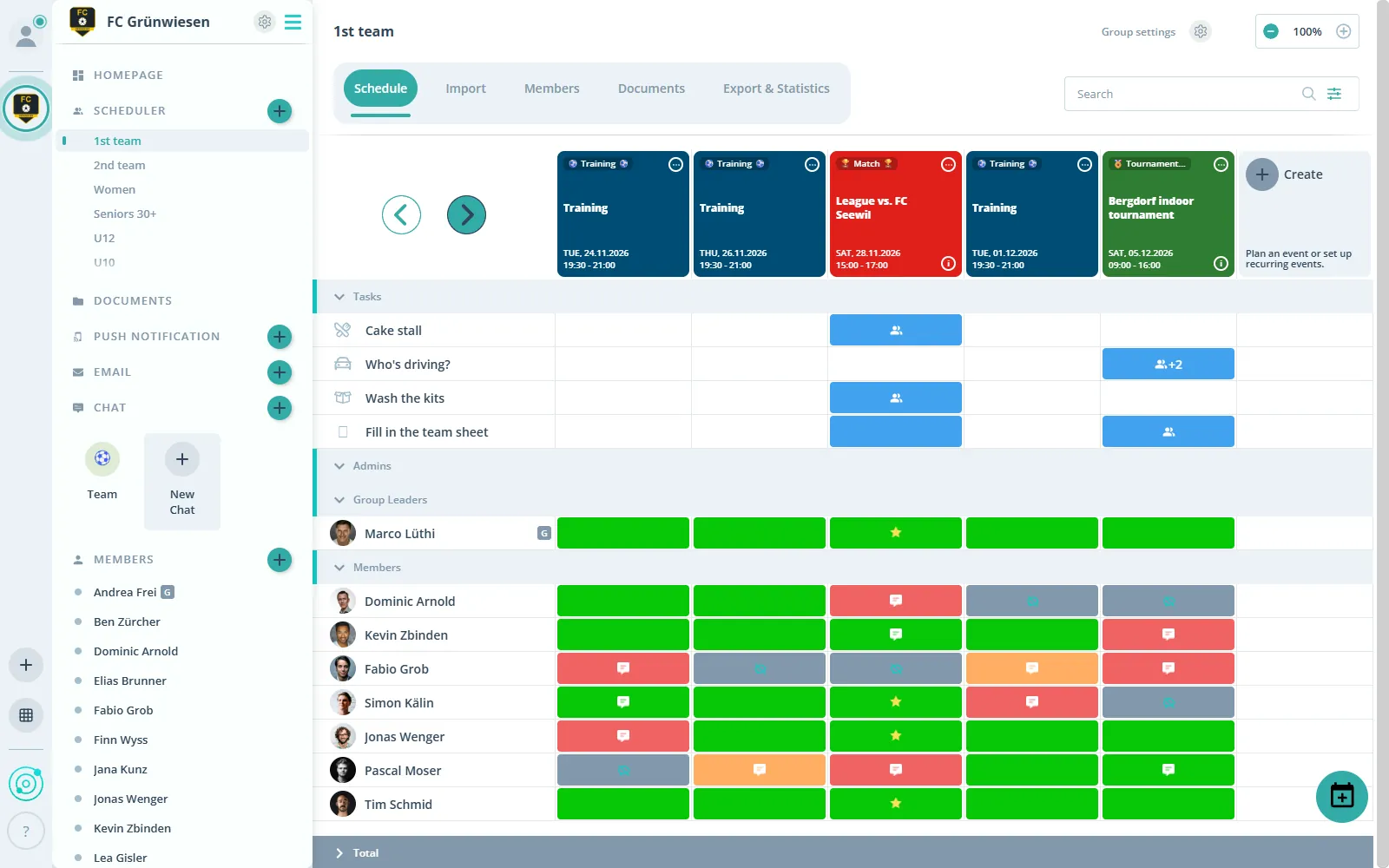
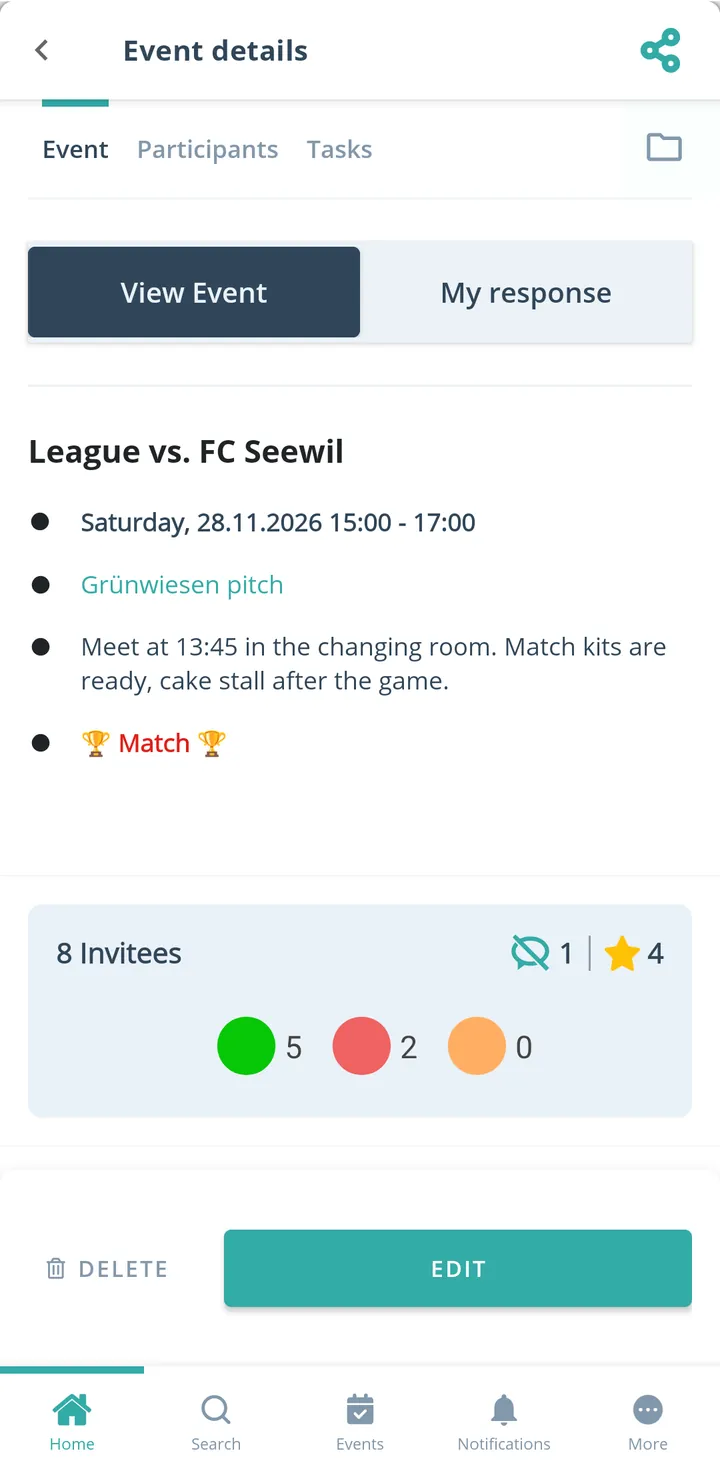
Set the lineup
Set the star, and the lineup sees it right away.
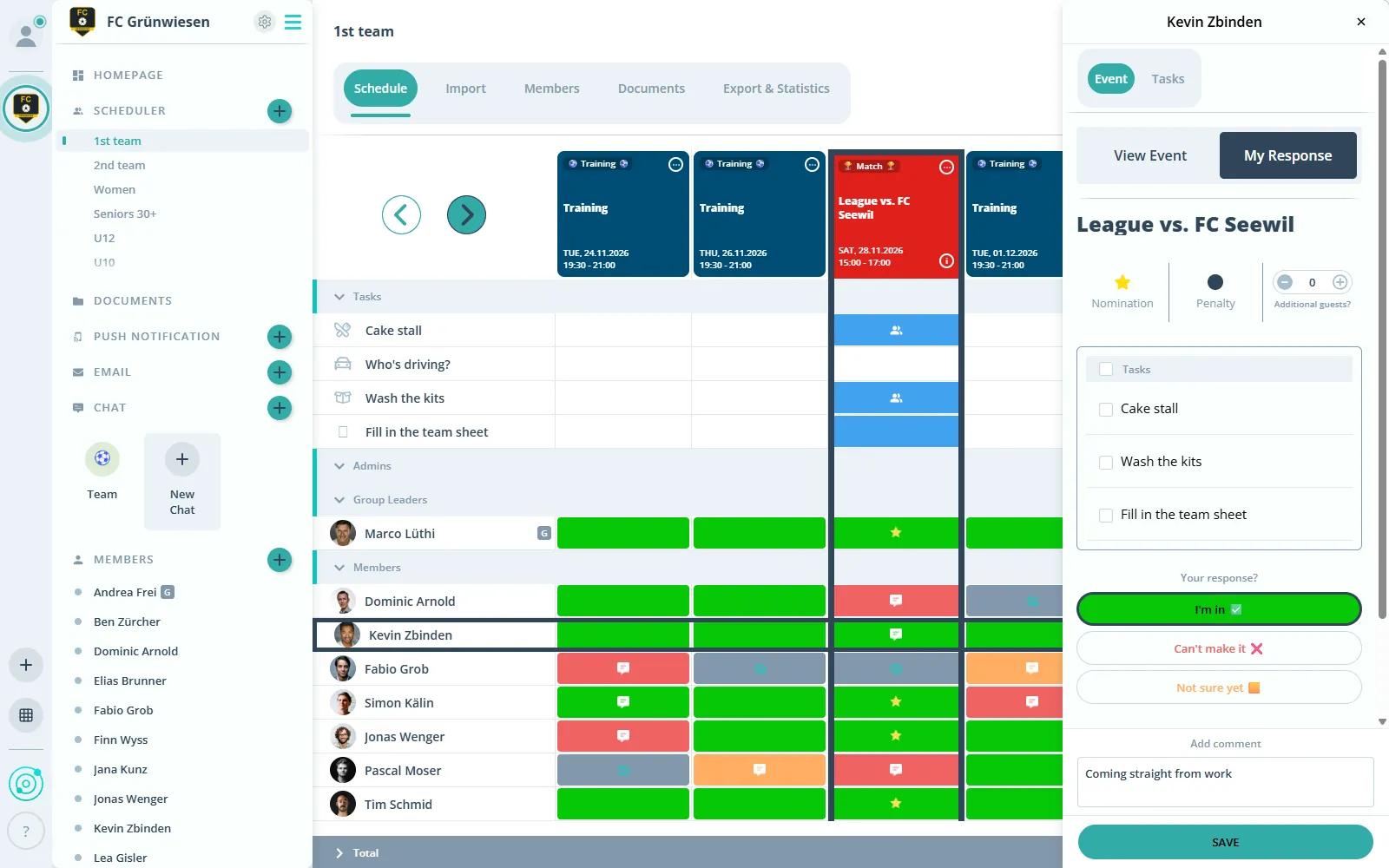
See who is coming
Live, who is in or out. Only the open replies get a reminder.
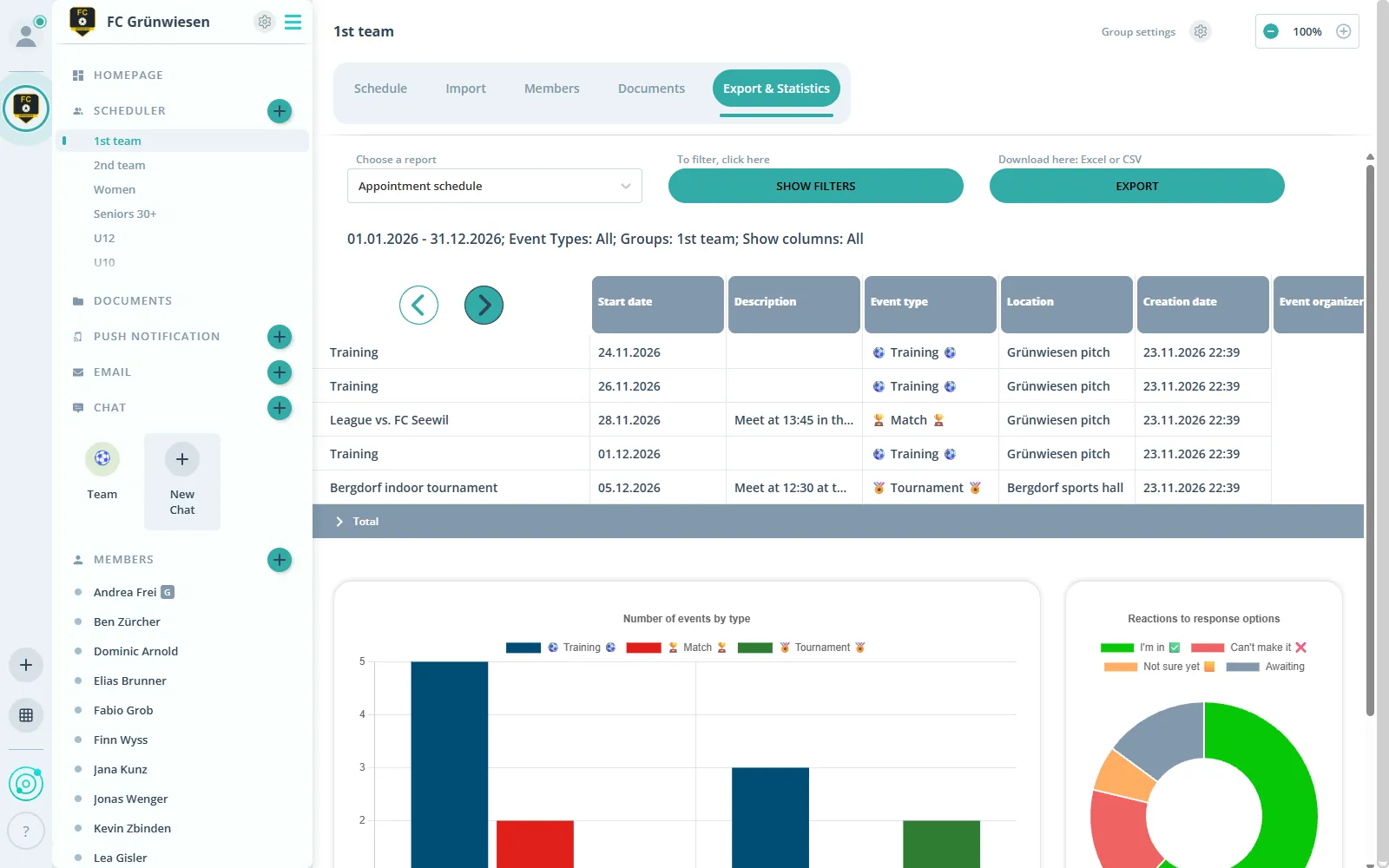
Track attendance
Practice attendance per player, export in one click.
Soccer clubs using Gumb
 FC Wettswil-Bonstetten
 SC Novartis
 Bäretswiler SC
 FC Eschenbach
 FC St. Gallen
 FC Aarberg
 FC Fehraltorf
 TSV Herrsching
Everything arrives by pushor email
New practices, lineups and changes, on the phone and in the email inbox.
The lineup for game day
Single players, one team or the whole youth section.The message only reaches the people it concerns.
Sent to Jonas- Men
- Jonas
- Elias
- Women
- Lea
- Mia
- U15
- Ben
- Finn
 Gumbnow⭐ LineupYou're in the lineup for Saturday. Meet at 2:00 PM.
What's in it for players and parents
Practices, games, the lineup and rides to away games.
All in one place, on every device.
In their own calendar
Every event shows up in their personal calendar automatically.
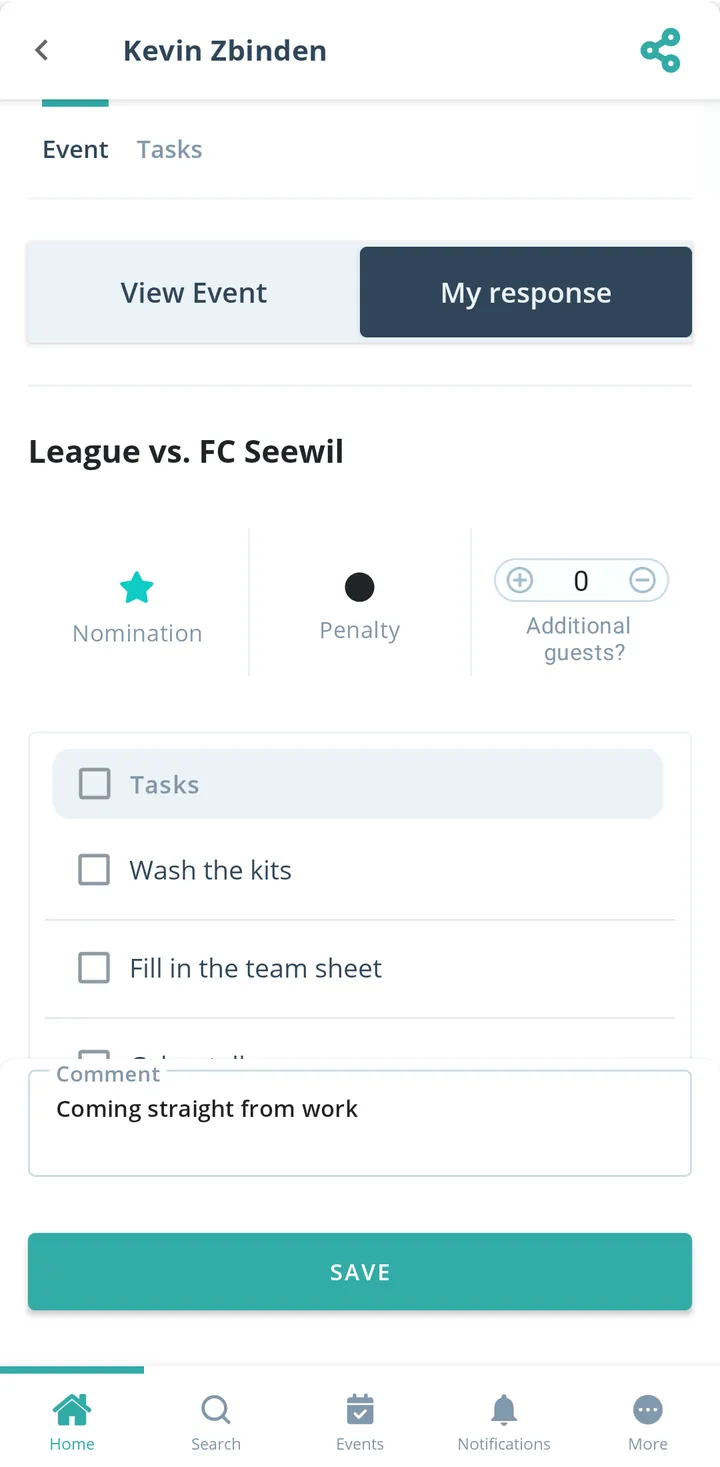
Accept or decline with one tap
Comments, chat and files, right at the event.
🟢 Going🔴 Not going⭐ Lineup🚗 CarpoolOn every device
On phone, tablet or computer, always the same events.
iPhoneAndroidWeb
For you as a coachFewer follow-up questions, because every player finds everything on their own.
Start small or set up big
One team or the whole soccer club, you choose the setup that fits how you work.
Start small
One community for the whole club
- Each team plans in its own group planner.
- You set event types, answers, tasks and reminders once for everyone.
- Admins see every group planner, even without being on the team.
Up to 100 members with every feature, for just CHF 149 a year in total.
See pricingSet up big
One community per section
- Each section has its own event types and colors.
- Its own answer options and its own event reminders.
- Each section sets up Gumb in its own way.
Premium covers 2 to 30 communities in one plan, from CHF 238 a year in total.
See pricingRule of thumb
If every team follows the same routines, one community is enough. If each section wants its own rules, use separate communities.
You can start with one community and add more later.
Groups and communitiesPractice attendance
Attendance without a list
Every reply becomes a number. You see attendance per player, team and period, in every plan.
- Penalty for missed eventsA black dot marks an unexcused absence and counts in the statistics.
- Excel or CSVFilter by period, event type, team and player, then export with one click.
- J+S for Swiss clubsThe attendance report with the columns for the NDS, no retyping.
- Marco Keller100%
- Elias Wagner94%
- Arben Krasniqi91%
- Jonas Müller88%
- Nico Steiner82%
- Fabian Meier76%
- Mehmet Yilmaz64%
Penalty: missed event
From chat chaos to a clear match day
What costs soccer coaches time every week, and how Gumb fixes it.
Without Gumb: On Friday night you still do not know whether you will have eleven players on Saturday.
With Gumb: Players respond by the response deadline. You see early whether you need to call up more.
Without Gumb: Who drives to the away game is sorted in the group chat until just before departure.
With Gumb: Rides become a task on the match. Parents sign up themselves, and everyone sees who drives.
Without Gumb: Some players only learn at the field whether they are in the squad.
With Gumb: The squad is marked with a star, and only the selected players get the reminder if you want.
Without Gumb: At the end of the season you work out practice attendance from notes.
With Gumb: You export practice attendance per player as an Excel file, and the penalty dot marks missed practices.
In short
Gumb is a soccer coach app for clubs and youth teams. Coaches set up practices as recurring events and matches with their own event type, players or parents respond by the response deadline, and the match day squad is marked with a star. Rides to away games or washing the kits become tasks right on the event. The penalty dot records missed practices, and Swiss clubs can export J+S attendance control.
Everything your soccer team needs
For coaches, players, parents and the youth section. From Monday practice to the weekend tournament.
Practices and matches planned
Practices as recurring events, matches and tournaments with their own event type.
Responses by the deadline
Players answer with one click, with a comment such as "running late" if needed.
Practice attendance per player
Attendance as an Excel file, missed practices marked with the penalty dot.
Reminders for the squad only
If you want, Gumb reminds only the starred players before the match.
Details on the match
Sort out meeting point, departure time and kit color right on the event.
Child accounts for youth players
Every child has their own account, and parents log in to respond for their child.
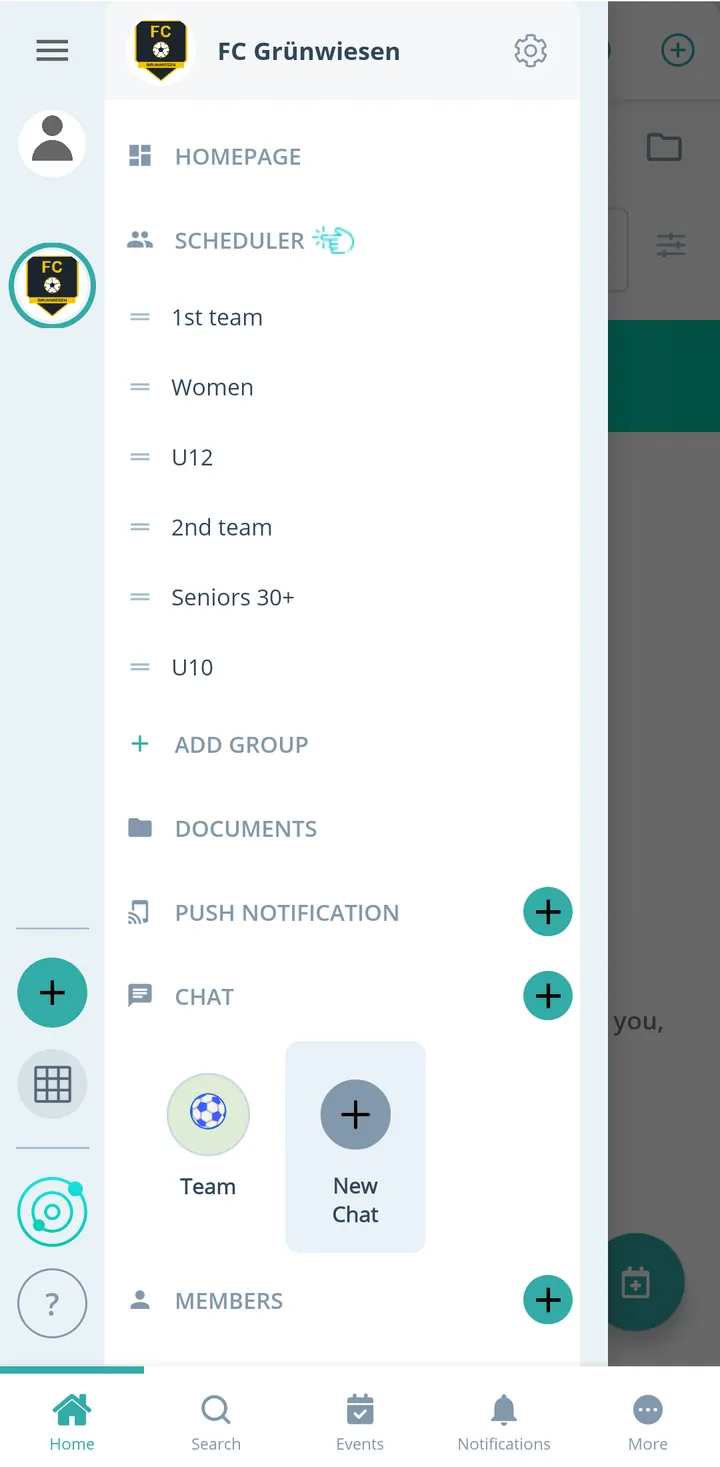
Every team of a club
From the youngest age group to the first team, each with its own group scheduler.
Rights for coaches and the board
Admins manage the club, group leaders schedule for their team, players respond.
J+S attendance control
For Swiss soccer clubs: export as XLSX or CSV, prepared for NDS and BASPO.
How your soccer team gets started
From the first team to the first match day with a squad.
- 1
Create teams
Create a group for every team and invite players or parents by link or email.
- 2
Enter practices and matches
Set up practices as a series, matches with a response deadline and rides as a task.
- 3
Pick the squad
Check the responses and mark the match day squad with a star.
What soccer teams and clubs say
4.7/54.7 out of 5 stars271 ratings across both platforms25K+ users
Top team app, easy to use and very helpful for the team. Thanks for this app 👍🏼
We tried out various apps in our club and Gumb covers our needs best! If you have questions, support helps right away. The app is constantly being improved and new, very useful features keep being added.
Perfect app for soccer teams! The attendance tracking is super handy.
Reviews translated from German.
Frequently asked questions
How do I mark the match day squad?
With the star. In Gumb it stands for a call-up, a selection for an event. Admins set it, and the player sees it right away. In the notification settings you can have only the squad reminded of the match.
How do I organize rides to away games?
Create a task such as "Rides" in the settings and turn it on for the match. Parents sign up in the scheduler or under "My events", and admins can also assign them directly. Everyone sees who drives.
How do I record missed practices?
With the penalty dot. It marks that someone missed a past event, can also be used as a penalty point and is visible to the player. At the end of the season you analyze attendance per player.
How do I mark substitutes?
The clearest way is a task: create an option such as "Sub" under Tasks and assign it to the player for the match.
How do parents respond for their child in youth soccer?
Every child needs their own account with their own email address. Parents log into their child's account with the same credentials and respond for their child. Admins can create children's accounts upfront, and a shared family login is in the works.
How do I move players into new teams at the start of a season?
With the member matrix you assign players to one or more teams by ticking boxes. Every change is saved right away, with no new registration. The matrix is included in every plan and comes into play as soon as you run several teams as separate communities, so from Premium.
Does Gumb support J+S attendance control for soccer clubs?
Yes. Under Statistics you export the attendance report as XLSX or CSV with J+S columns such as name, date of birth, date and attendance, prepared for the NDS import. There is no direct BASPO interface yet.
Can I analyze practices and matches separately?
Yes. With your own event types for practice, match and tournament you filter the attendance report by event type, period and team and export it as an Excel file.
Can players and parents see events in their own calendar?
Yes. Everyone connects Gumb once with Google Calendar, Apple Calendar or Outlook. From then on every practice and game shows up in their personal calendar automatically, changes included.
One community for the whole club or one per section?
If every team follows the same routines, one community with up to 20 groups is enough. If a section, such as the youth section, needs its own event types, answer options or reminders, it gets its own community. Premium covers 2 to 30 communities in one plan.
Ready for the next kickoff?
Try Gumb with your soccer team free for 2 months, with every feature, no credit card and no automatic renewal.